
Indicators
Indicators and trading tools for MetaTrader
About 70 chart tools for manual traders. Trend and reversal indicators, supply and demand zones, Gann and Fibonacci tools, currency strength meters, smart money structure, plus utilities like trade panels, Telegram copiers and a position size calculator. Nearly all MT4, a few MT5. Most cost $15 to $40, with a handful of premium dashboards up to $300.
- Official files, no cracks or DLL launchers
- Instant download after checkout, with an install guide
- Future updates included free when we receive them
- 7-day refund if it fails to install or run, terms in the FAQ
Showing 1–24 of 69 resultsSorted by popularity
-
-

FairyFibo Indicator MT4 – Fibonacci and Price Action
Original price was: $1,500.00.$189.95Current price is: $189.95. Add to cart -
FRZ Indicator Automater MT4 V14.2
Original price was: $245.00.$34.95Current price is: $34.95. Add to cart -

Forex Jupiter Premium EA Manager & Indicator MT4 Lifetime License
Original price was: $451.00.$49.95Current price is: $49.95. Add to cart -
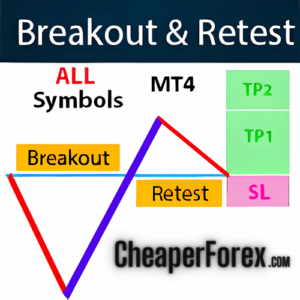
Break and Retest Indicator MT4 V5 with Presets
Original price was: $50.00.$14.95Current price is: $14.95. Add to cart -

-
TPSpro RFI Levels Indicator MT4 V5.4
Original price was: $215.00.$24.95Current price is: $24.95. Out of stock -
Dragon Scalper Manager EA + Indicator MT4
Original price was: $399.99.$34.95Current price is: $34.95. Out of stock -

TrendMaestro Indicator MT4 V2.51
Original price was: $998.00.$299.95Current price is: $299.95. Add to cart -
Gann Made Easy Indicator MT4 V2.2
Original price was: $75.00.$19.95Current price is: $19.95. Add to cart -
Breakout and Retest Scanner MT4 Indicator
Original price was: $49.00.$9.95Current price is: $9.95. Out of stock -
Golden Trend Indicator MT4 V1.5
Original price was: $119.00.$14.95Current price is: $14.95. Out of stock -
Pairs Trading Dashboard MT4
Original price was: $850.00.$169.95Current price is: $169.95. Add to cart -
Telegram To MT4 Copier Utility – V6.117
Original price was: $219.00.$29.95Current price is: $29.95. Out of stock -
Oracle Scalper + Manager EA MT4
Original price was: $300.00.$34.95Current price is: $34.95. Add to cart -
Dynamic Forex28 Navigator Indicator MT4 V1.3
Original price was: $499.00.$34.95Current price is: $34.95. Add to cart -
Bizon Scalper Indicator + EA/Manager MT4
Original price was: $398.00.$29.99Current price is: $29.99. Add to cart -
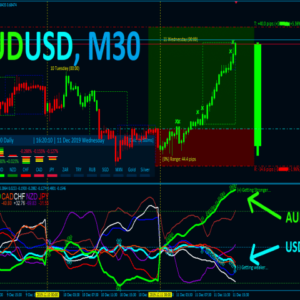
Best Currency Strength Indicator MT4
Original price was: $150.00.$29.95Current price is: $29.95. Out of stock -
Smart Market Structure Concepts Indicator MT4
Original price was: $49.00.$19.95Current price is: $19.95. Out of stock -
VIP Pack of 88 Source Codes for MT4 & MT5
Original price was: $1,000.00.$99.99Current price is: $99.99. Add to cart -
Custom Ultimate Sniper Dashboard MT4
Original price was: $999.00.$149.95Current price is: $149.95. Add to cart -
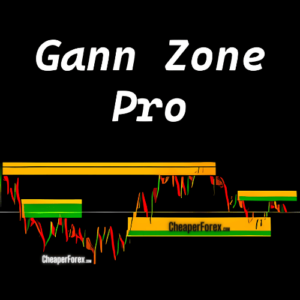
Gann Zone Pro Indicator MT4 V1.1
Original price was: $470.00.$139.95Current price is: $139.95. Add to cart -

OneMine Indicator MT4 – Official Version
Original price was: $499.00.$69.95Current price is: $69.95. Add to cart



What is in this category
Indicators do one job each. Here are the main types you will find here and what each is for.
Trend and reversal
Show the current direction and flag when it is likely to turn. Ribbon, laser and trend sniper tools sit here. Good for deciding which way to trade, not when.
Supply, demand and structure
Draw zones, order blocks and breaks of structure on the chart. Smart money and supply and demand dashboards are the most popular tools we sell.
Gann and Fibonacci
Time and price levels from Gann angles, swings and Fibonacci ratios. These reward study. Expect to spend a weekend learning one before it earns its place.
Currency strength
Rank the majors by momentum so you pair a strong currency against a weak one. Forex28 and Currency Strength28 are the known names here.
Utilities
Trade panels, a position size calculator, Telegram signal copiers and trade managers. Not signals, just tools that make placing and managing trades faster.
Support on Telegram
Install problems, a missing template, alerts not firing. Message us and we will sort it. Included with every purchase.
Before you buy an indicator
Check MT4 or MT5
Almost everything here is MT4. An MT4 indicator will not load in MT5. The product title says which.
Know your timeframe
Scalping tools built for M1 and M5 behave differently on H4. Read the description for the timeframes the developer tested.
Test on demo first
Load it on a demo chart and watch a week of signals before you trade them. Every indicator repaints a little, some repaint a lot.
What you get, and what you don’t
You get the official file, emailed the moment you pay, with an installation guide and any templates or presets the developer shipped. New versions land in your account when we receive them, and help on Telegram is included. Refunds within 7 days if there is an error we can replicate and cannot fix.
You don’t get a guarantee the signals win. No indicator does, whatever the sales page says. A good one gives you a clearer chart and a repeatable process. The trading decisions, and the results, stay yours.
Indicator or Expert Advisor?
An indicator shows you where a setup might be and leaves the entry, stop and exit to you. An Expert Advisor does all of that on its own while your terminal is running. Indicators suit people who want to trade themselves and want better information. EAs suit people who want the trading done for them.
Rather have it automated?
DowGold, our own EA, runs on a real $50K account with results published live on MyFXBook. No chart watching, no manual entries.