
Indicators
📊 Premium Indicators for MT4
Spot trends, reversals, and high-probability entries before they happen. Professional-grade chart analysis tools at a fraction of the regular price.
Showing 1–24 of 68 resultsSorted by price: high to low
-

RTC ML AI Predictor Indicator MT4
Original price was: $1,350.00.$299.95Current price is: $299.95. Add to cart -

Predictive Levels Indicator MT4
Original price was: $1,999.00.$299.95Current price is: $299.95. Add to cart -

Gann Time and Price Reversals Signals Indicator MT4
Original price was: $1,999.00.$299.95Current price is: $299.95. Add to cart -

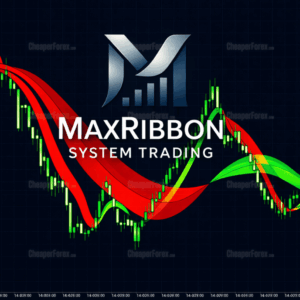
TrendMaestro Indicator MT4 V2.51
Original price was: $998.00.$299.95Current price is: $299.95. Add to cart -
-

FairyFibo Indicator MT4 – Fibonacci and Price Action
Original price was: $1,500.00.$189.95Current price is: $189.95. Add to cart -
Pairs Trading Dashboard MT4
Original price was: $850.00.$169.95Current price is: $169.95. Add to cart -
Advanced Supply Demand Indicator MT4 V8.2
Original price was: $299.00.$149.95Current price is: $149.95. Add to cart -
Custom Ultimate Sniper Dashboard MT4
Original price was: $999.00.$149.95Current price is: $149.95. Add to cart -
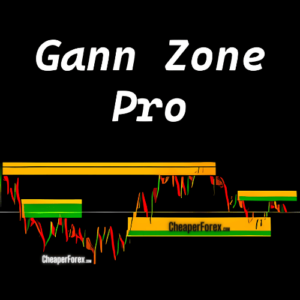
Gann Zone Pro Indicator MT4 V1.1
Original price was: $470.00.$139.95Current price is: $139.95. Add to cart -
VIP Pack of 88 Source Codes for MT4 & MT5
Original price was: $1,000.00.$99.99Current price is: $99.99. Add to cart -

OneMine Indicator MT4 – Official Version
Original price was: $499.00.$69.95Current price is: $69.95. Add to cart -

-

Forex Jupiter Premium EA Manager & Indicator MT4 Lifetime License
Original price was: $451.00.$49.95Current price is: $49.95. Add to cart -

Forex Recovery Robot MT4 with Setup Guide – Recover Losing Positions
Original price was: $489.95.$49.95Current price is: $49.95. Add to cart -

Pin Bar Setup Indicator for MT4
Original price was: $199.00.$39.95Current price is: $39.95. Add to cart -

-

-

Weis Wave with Alert Indicator MT4
Original price was: $249.00.$39.95Current price is: $39.95. Add to cart -

Performing Forex Tool MT4 V1.2
Original price was: $4,000.00.$39.95Current price is: $39.95. Add to cart -
Dynamic Forex28 Navigator Indicator MT4 V1.3
Original price was: $499.00.$34.95Current price is: $34.95. Add to cart -
Supply and Demand Dashboard PRO MT4 V4.2
Original price was: $300.00.$34.95Current price is: $34.95. Out of stock -
Oracle Scalper + Manager EA MT4
Original price was: $300.00.$34.95Current price is: $34.95. Add to cart -
Forex Ballers Club Inception Trading System MT4
Original price was: $249.00.$34.95Current price is: $34.95. Add to cart
Why Use Premium Indicators?
Free indicators only get you so far. Premium tools give you the edge — cleaner signals, fewer false positives, and analysis that actually works.
Spot High-Probability Entries
Stop guessing where to enter. Premium indicators identify trend direction, support/resistance levels, and optimal entry points — so you trade with confidence, not hope.
Get Alerts When It Matters
Many premium indicators include push notifications and sound alerts. Get notified when your setup appears — no need to stare at charts all day.
Filter Out the Noise
Free indicators are often laggy and full of false signals. Premium tools use advanced algorithms to filter out market noise and show you what actually matters.
Catch Reversals Early
The best trades happen at turning points. Reversal indicators help you spot when a trend is exhausted — so you can enter early and ride the new move.
Build Your Own System
Combine multiple indicators to create a complete trading strategy. Trend indicator for direction, support/resistance for entries, momentum for confirmation.
Full Support Included
Not sure how to install or configure your indicator? We’ll help you set it up. Free updates and Telegram support included with every purchase.
📁 How to Install MT4 Indicators
Open MT4
Go to File → Open Data Folder
Navigate
Open MQL4 → Indicators folder
Copy Files
Paste the .ex4 file into the folder
Restart
Restart MT4 and find it in Navigator
For MT5: Same process, but use MQL5 → Indicators folder instead. Need help? Contact us on Telegram.
Indicators vs Expert Advisors: What’s the Difference?
Indicators are analysis tools that display information on your chart — trend direction, support/resistance levels, entry signals, momentum, etc. They help you make better trading decisions, but you still execute the trades manually.
Expert Advisors (EAs) are automated trading robots that execute trades on your behalf. They analyse the market and place orders automatically — no manual intervention required. If you want hands-off trading, check out our Expert Advisors category.
What Types of Indicators Are Available?
Trend Indicators: Show you the direction of the market. Moving averages, trend ribbons, and directional indicators help you trade with the trend instead of against it.
Support & Resistance: Automatically plot key price levels where the market is likely to react. Save hours of manual chart analysis.
Entry Signal Indicators: Give you buy/sell arrows or alerts when specific conditions are met. Great for traders who want clear, actionable signals.
Fibonacci Tools: Automatically draw Fibonacci retracements and extensions. Essential for traders who use Fib levels for entries and targets.
Dashboards: Multi-pair scanners that show you opportunities across multiple timeframes and currency pairs at a glance.
How to Choose the Right Indicator
Don’t overload your charts. Start with one or two indicators that match your trading style. If you’re a trend trader, get a solid trend indicator. If you trade reversals, focus on support/resistance and momentum tools.
The best approach is to combine complementary indicators — one for direction, one for entry timing, one for confirmation. Too many indicators just creates confusion and conflicting signals.
Want Fully Automated Trading Instead?
DowGold Hedging Scalper trades for you 24/5 — no chart watching required. $100K live account proof, verified MyFXBook results, prop firm compatible.