
Atlas Pulse 24 MT5 Review: Strategy, Settings and Evidence
Atlas Pulse 24 MT5 uses local price levels and pending orders, with automatic stop-loss, take-profit and trailing-stop calculations. It adapts trade requests to broker volume limits, symbol suffixes and available trading sessions. Our assessment: its useful distinction is broker-aware order handling with a small settings panel. The main limitation is the thin public performance evidence: a historical curve and terminal screenshots, without a linked live account or customer experiences.
View Atlas Pulse 24 MT5 features and current pricing

- Developer source link: Atlas Pulse 24 MT5 on MQL5
- Live signal link: No public live signal was linked from the developer listing at our 16 September 2026 check.
Sources checked 16 September 2026: current MQL5 description, all three original gallery images, customer-review section, comments and release notes. This is a source-based assessment, not an independently traded test or code audit.
Local levels, pending entries and automated exits
The developer’s Russian-language description says the robot locates local levels and places pending orders, calculating stop loss, take profit and trailing protection automatically. It does not explain the level lookback, order-distance formula or all conditions that cancel and replace an order. Those details should not be filled in with assumptions about an unrelated breakout robot.
A pending order can wait for price to reach a level, but the eventual execution depends on the order type and market conditions. Spread expansion, gaps and slippage can make live fills differ from a historical test. Automatic stops are trade-management tools, not a guaranteed loss ceiling.
What automatic broker adaptation means
The advertised checks cover minimum/maximum lot size, volume increments, minimum stop distances, freeze restrictions, free margin and trading sessions. This is practical compatibility work: an otherwise sensible order can be rejected when it violates a broker’s contract rules. It does not demonstrate automatic discovery of a profitable strategy for any symbol.
The source also describes automatic adaptation to timeframes, standard and cent accounts, and broker suffixes. That broad compatibility claim should be separated from demonstrated performance. A cent account can display a very different numeric balance from a standard account; match position size to contract value and actual capital, not the size of the balance number alone.
Original terminal screenshot: useful setup context
The source chart shows XAUUSDc M1, several pending-order and protective-price lines, and a hedging terminal labelled Exness-MT5Real34. This supports the description of suffixed symbols and pending-order management. The terminal label alone does not establish a verified deposit, a long trading history or positive results.
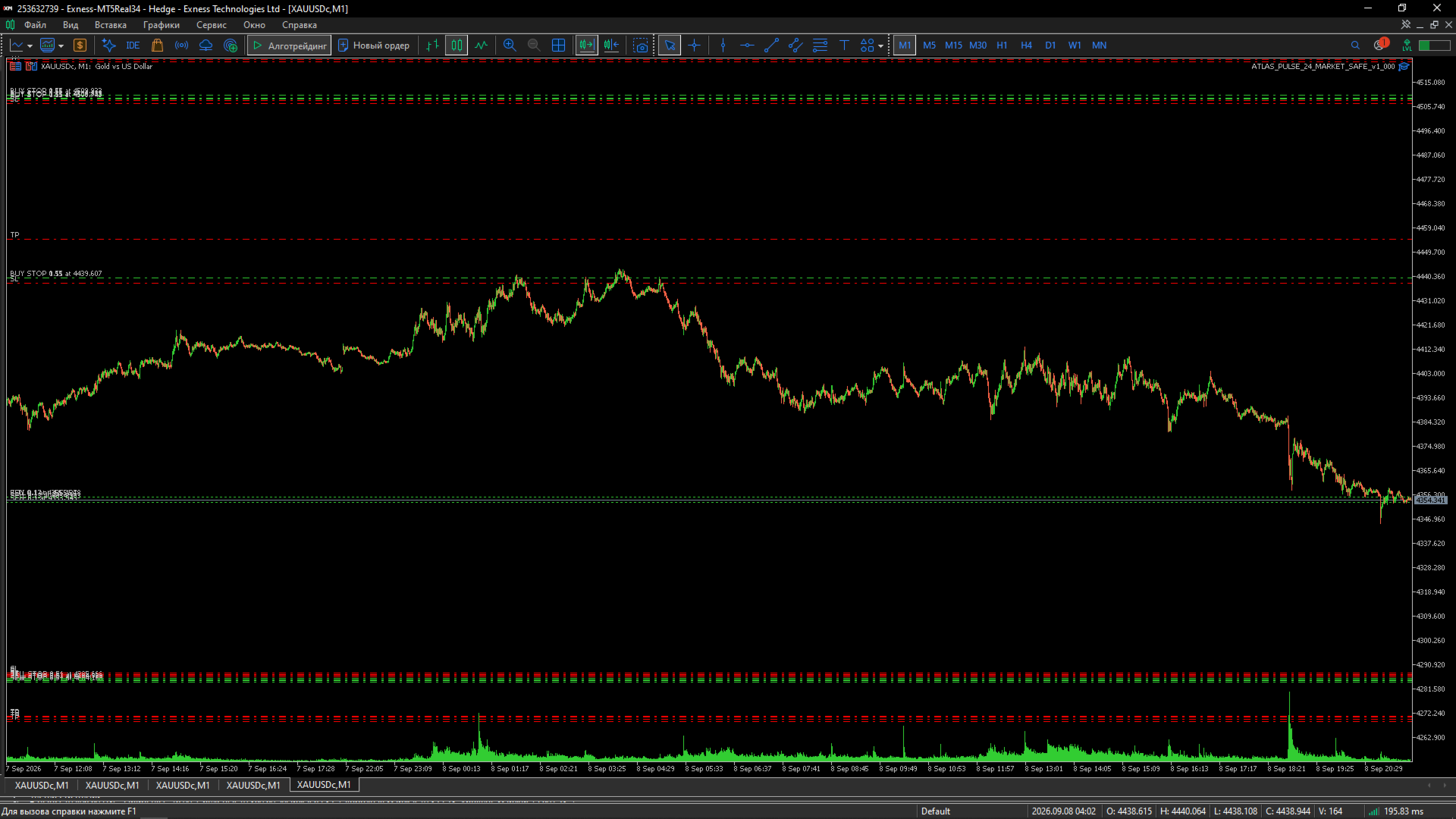
The screenshot contains an older build label. It is retained as dated source evidence, not used as the supplied-version promise. The offer is for the latest version. The listing does not establish whether netting accounts behave identically, so test the intended account mode instead of treating the hedging screenshot as a universal compatibility guarantee.
Inputs: a deliberately small control surface
The original inputs show a symbol field with blank meaning current chart/test symbol, a sizing-mode choice, risk percentage, fixed-lot amount, magic number and order comment. The pictured 1.0% and 0.01 lots are screenshot examples, not recommendations. A unique magic number is useful when distinguishing this EA’s trades from other systems.
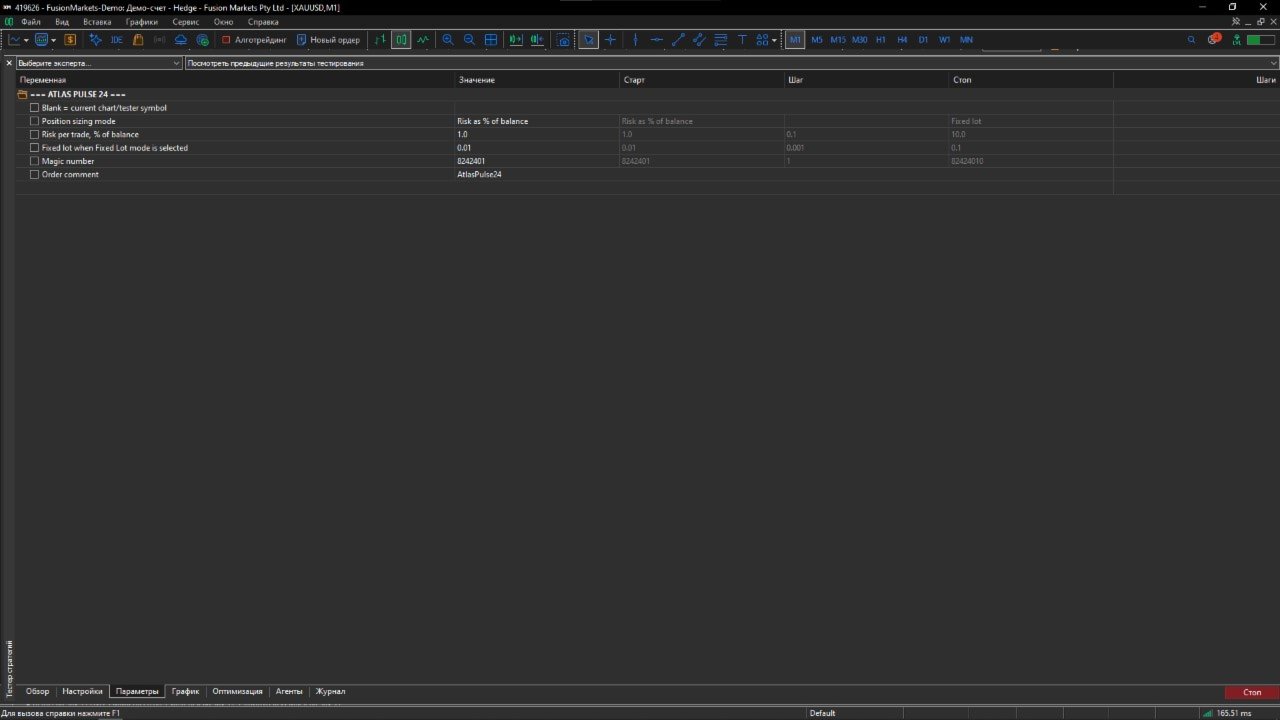
There is no public parameter manual linked from the checked description, and no stated minimum deposit. The developer says no DLLs or external services are required. We therefore do not invent a WebRequest URL, a compulsory news subscription or an unlisted installation dependency.
Historical curve: what can actually be read
The original gallery chart has dates from February 2023 to July 2024. Its balance and equity lines rise overall, with visible setbacks, from approximately 10,000 toward 17,700 on the displayed scale. This is a historical tester-style presentation, not an independently verified live account statement.
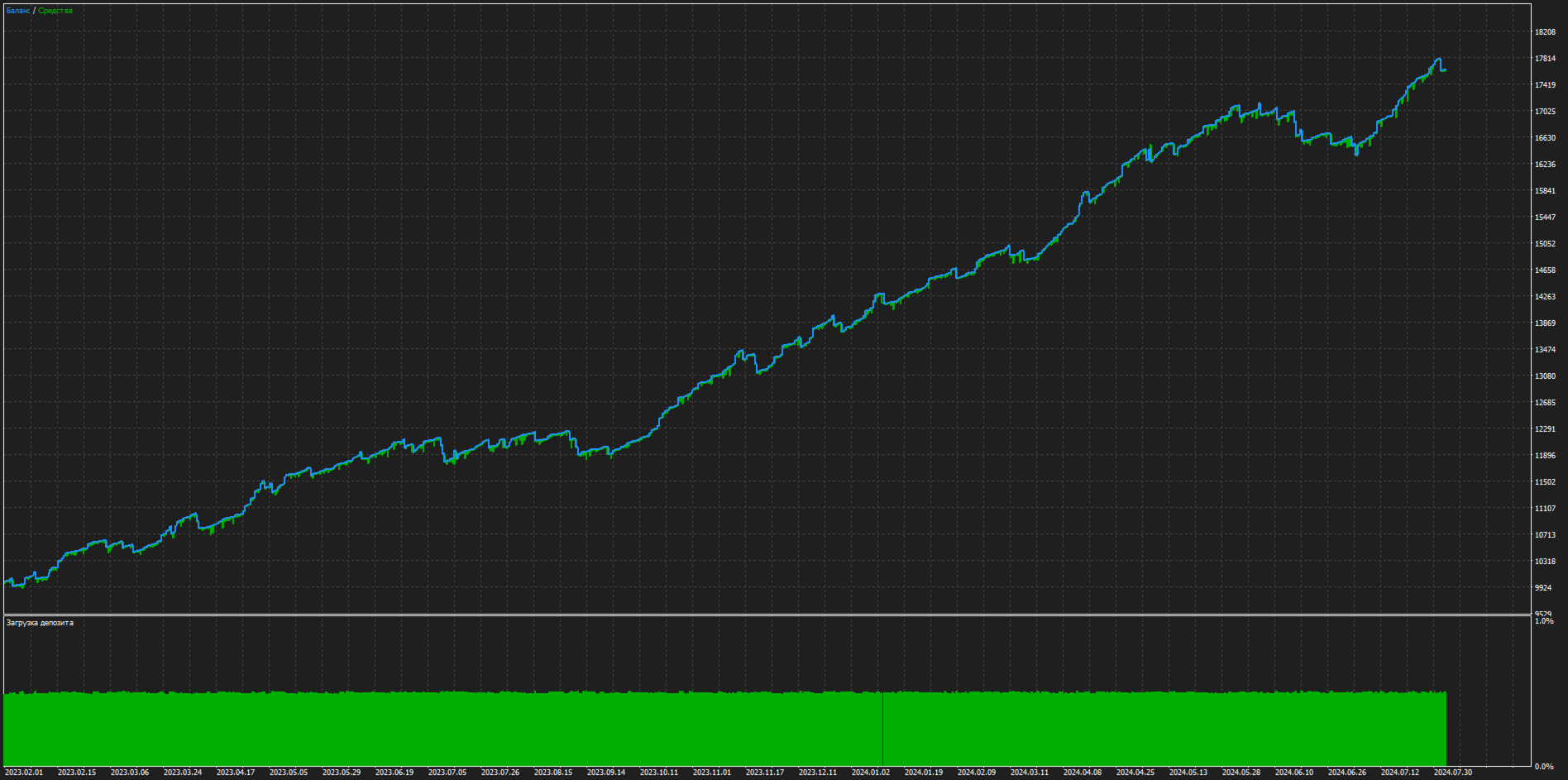
The image does not provide the complete report needed to assess trade count, profit factor, maximum equity drawdown, commissions, modelling method or out-of-sample testing. We have not reproduced it. A rising curve is useful illustration, but it cannot establish current-build expectancy or future returns on a different broker.
Live signals, reviews and release notes
No public live signal was linked from the main listing at the check. The review section stated “No reviews”, and the comments page supplied no public customer discussion. There are consequently no customer-review screenshots or testimonials to reproduce for this product. This is an absence of evidence, not proof of either good or bad performance.
The 8 September 2026 release entry is only a brief update notice and does not document a detailed change list. Read the developer release notes and check current MQL5 customer reviews for later additions.
Who it may suit
Atlas Pulse 24 is most relevant to an MT5 user who wants a compact pending-order system with broker-parameter checks and is prepared to test it on the intended market. The practical evaluation is to confirm order acceptance, sizing, stop behaviour and costs on that account, then assess forward results. Its compatibility features are more clearly documented than its performance history.