
New MT5 arrival
CoreX EA MT5
Latest version
We’re rated Excellent on Trustpilot · 4.6/5 (opens in a new tab)CoreX EA MT5 analyzes incoming ticks and periodically recalculates its internal entry settings from a rolling in-memory history.
- Configurable tick database, stack depth and reoptimization interval.
- Netting and hedging account support with spread and position-size controls.
- Five-digit quotes and low-delay execution required; history rebuilds after restart.
 MT5Save 61%
Regular priceRegular price was $1,399.00
$549.99 with card
Visa, Mastercard, Apple Pay and Google Pay accepted.
Card payments add bank fees, sales taxes and other charges.
- Latest version
- Instant downloadYour file is provided immediately after payment. In very rare cases we manually review an order first, then send your download straight after. If you don’t receive your file, you can request a full refund.
- Free lifetime updatesAll updates are free. They’re provided on a best-availability basis: we get new versions as fast as we can, led by customer demand, but we don’t guarantee them immediately. If you need every update the moment it’s released, our service may not be the best fit for you.
- 7-day money-backRefunds only cover an EA that fails to attach to your chart because of errors we can replicate. We don’t cover changing your mind or not liking the EA. All brokers are different, and results are never promised because markets are constantly changing.
- Unlimited activationsUse it on as many MT5 accounts and computers as you want, live or demo. There are no restrictions on how you use it.
Source code (.mq5) available at checkout.


28,000+ tradersServed since 2019
Orders over $300 include 3 months of PrismAlgo freeThe highly recommended cloud-connected EA for 28 FX pairs, Gold and Bitcoin. Added to your cart automatically. View PrismAlgo
Official versionsInstant downloadFree lifetime updatesExtra 20% off with cryptoReal people on support28,000+ tradersTrading since 2019Rated Excellent on Trustpilot
Product description
About CoreX EA MT5
Tick analysis with a rolling internal optimizer
CoreX EA MT5 uses individual price ticks as the basic unit of analysis rather than waiting for completed bars. The EA builds an internal tick history, searches a limited set of entry parameters and trades with the settings selected for the next optimization interval.
Andriy Sydoruk’s published specification supports both MT5 netting and hedging accounts. It calls for five-digit quotes and a broker with minimal execution delay, explicitly warning that requotes matter. Those requirements make broker testing part of the setup rather than an optional final step.
How the two-stage process works
First, CoreX gathers enough ticks to satisfy CountTick. It then evaluates alternatives for tick-stack size, direct or inverted entry direction and sensitivity to price impulses. ReOptimization controls when that internal search runs again.
Next, it uses the selected settings and the recent tick stack to determine entries. The underlying database continues updating during operation. The initial warm-up prevents trading until sufficient data is available; later recalculations use the ongoing history.
This is parameter selection from a recent sample, not a guarantee that the next period will behave similarly. A configuration that fits a short tick window can lose effectiveness when spreads, volatility or execution change.
The inputs that matter in testing
- History and timing:
CountTickdefines the analysis sample andReOptimizationthe recalculation interval. - Tick stack:
CountSteckcontrols stack size, with a stated maximum of nine. - Trade size: fixed
Lotor deposit-relatedRisksizing. - Execution filters:
SpreadLimitand theTypeFillingorder-filling selection. - Exits: requested
TPandSLvalues, which the developer says the EA can correct.
Restart behavior and broker checks
Its analysis database lives in memory and is cleared after a restart. CoreX therefore needs to rebuild its tick sample before it resumes the initial trading stage. An old chart-history download does not remove that warm-up requirement under the published design.
The developer recommends preliminary optimization in the tester’s real-tick mode, especially for the history size and recalculation interval. Check actual filling behavior, minimum stop distances and spread units on the intended account as well. No particular currency pair or chart timeframe is prescribed in the inspected overview.
Original developer screenshots
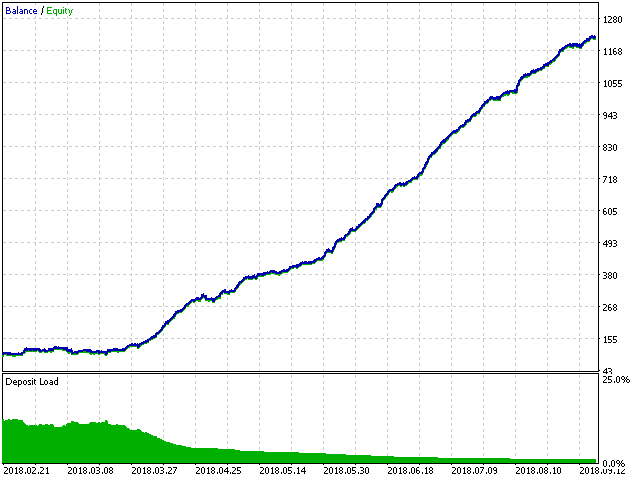
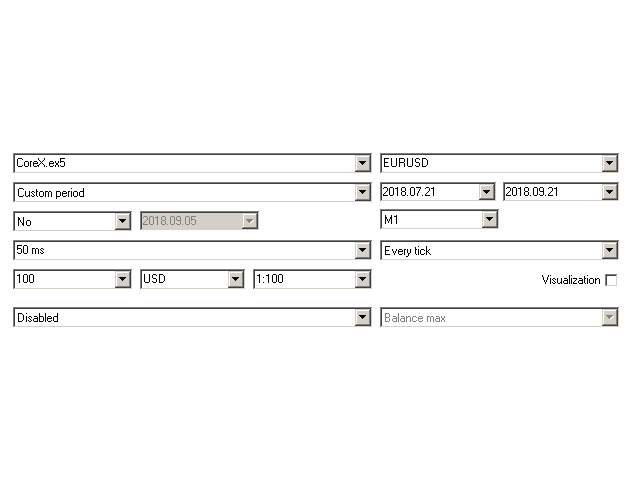
A practical note on stop-distance units
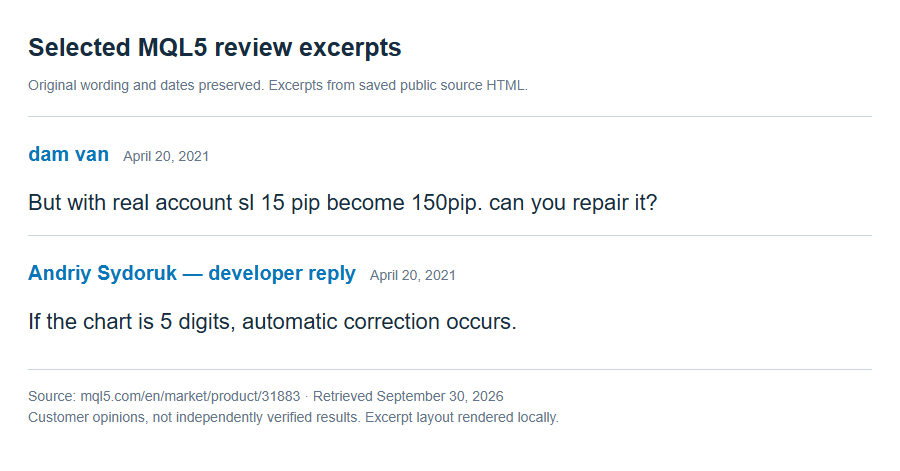
In an April 20, 2021 MQL5 review, a customer reported a stop-distance mismatch between testing and a real account. The developer’s reply discussed quote digits, automatic correction and broker stop restrictions. This historical exchange does not establish current performance, but it makes verifying the actual stop distance in the terminal especially important. Read the original exchange.
The April 22, 2021 release notes separately document fixes for opening orders on hedging accounts and for a multiple-order issue. These are documented historical fixes, not evidence that every broker-specific execution issue has been eliminated.
Source checked September 30, 2026: CoreX on MQL5. Features are summarized from the developer’s published specification; no independently monitored live result is claimed.
Free lifetime updates
An instant delivery-instructions download is available after checkout and payment. It explains how to obtain the standalone EA files; the instructions document is not the trading executable. Free lifetime updates and optional free AnyDesk installation help are included. See the FAQ for update details.
Every order
What’s included with CoreX
- Instant downloadReady after checkout and kept in your account
- Free lifetime updatesAdded as soon as we receive them, every version kept in your account
- Unlimited activationsUnlimited live and demo accounts
- Free remote installationOptional: a one-time install over AnyDesk, with settings advice and custom presets
- 7-day money-back guaranteeIf the EA fails to attach to your chart because of errors we can replicate, you get a full refund.
Product FAQs
CoreX EA MT5 FAQs
Real people on support, by Telegram or our contact form.
Does CoreX use candles or ticks?
It uses individual ticks for analysis. It maintains a longer tick sample and a smaller stack of recent ticks, then periodically selects internal entry parameters from that information.
Why might CoreX wait after a restart?
The published design stores its tick database in memory. Restarting clears it, so the EA first needs to collect the CountTick sample before its initial trading stage can begin.
Which account types and quote format are supported?
The developer specifies MT5 netting and hedging accounts and five-digit quotes. Low-delay execution is required, and requotes are explicitly identified as important. Verify filling modes and stop-distance units with the intended broker.
Does the internal optimizer guarantee consistent returns?
No. It selects settings that would have performed best on the recent tick sample it examines. That sample may not represent the next market period, and spread, costs and execution affect the live result.
How do I access the download?
After checkout and payment, your order provides an instant delivery-instructions download explaining how to obtain the standalone EA files. The instructions document is not the EA executable.
Are free lifetime updates included?
Yes. Free lifetime updates are included when we receive them. A new developer release may not be available immediately; contact us if you need to confirm a particular build.
Is installation help available?
Yes. This product qualifies for optional free remote installation assistance through AnyDesk. You can also install the standalone files yourself.
- Excellent on Trustpilot 4.6 out of 5 from 120 reviews (opens in a new tab)
- 28,000+ traders since 2019
- 1,430+ official EAs
- Card or crypto payments
Related EAs
Traders also explore
Premium expert advisors at vault-low prices, with your crypto price on every card.
 MT5Save 57%
 MT5Save 78%
 MT5Save 50%
 MT5Save 58%
Ready when you are
CoreX EA MT5 for $439.99 with crypto
Regular price was $1,399.00 · $549.99 with card · instant download · free lifetime updates

CoreX EA MT5$439.99with crypto$549.99 with card