
Official MT4 version · Gold EA
Trillion Pips GridX EA MT4
Version 5.2
We’re rated Excellent on Trustpilot · 4.6/5 (opens in a new tab)It adapts to both trending and ranging markets, offering dual-mode operation — safe controlled grid trading or high-return martingale scaling for experienced traders.
- ✅ Adaptive grid + hedging strategy for XAUUSD (Gold)
- ✅ Optional martingale scaling for faster equity recovery
- ✅ Smart money-management & auto-lot control
- ✅ Fully automated entry, scaling & exit logic
- ✅ Capital-based safety tiers for every timeframe
- ✅ Compatible with prop firms & ECN brokers
- ✅ Lifetime updates & CheaperForex installation support
Choose your style — steady compounding or bold account-flipping — Trillion Pips GridX adapts to you.
 MT4Save 94%
What you receive
- Trillion Pips GridX.ex4Genuine, unmodified developer file for MetaTrader 4Version 5.2
- Setup guide.pdfA general guide to installing expert advisors.Official step-by-step install guide
Delivered instantly to your account after payment
Regular priceRegular price was $4,999.00
$299.95 with card
Visa, Mastercard, Apple Pay and Google Pay accepted.
Card payments add bank fees, sales taxes and other charges.
- Official developer build · Version 5.2
- Instant downloadYour file is provided immediately after payment. In very rare cases we manually review an order first, then send your download straight after. If you don’t receive your file, you can request a full refund.
- Free lifetime updatesAll updates are free. They’re provided on a best-availability basis: we get new versions as fast as we can, led by customer demand, but we don’t guarantee them immediately. If you need every update the moment it’s released, our service may not be the best fit for you.
- 7-day money-backRefunds only cover an EA that fails to attach to your chart because of errors we can replicate. We don’t cover changing your mind or not liking the EA. All brokers are different, and results are never promised because markets are constantly changing.
- Unlimited activationsUse it on as many MT4 accounts and computers as you want, live or demo. There are no restrictions on how you use it.
What you receive
- Trillion Pips GridX.ex4Genuine, unmodified developer file for MetaTrader 4Version 5.2
- Setup guide.pdfA general guide to installing expert advisors.Official step-by-step install guide
Delivered instantly to your account after payment


28,000+ tradersServed since 2019
Orders over $300 include 3 months of PrismAlgo freeThe highly recommended cloud-connected EA, on all 28 Forex pairs for one MT5 account. Added to your cart automatically. View PrismAlgo
Official versionsInstant downloadFree lifetime updatesExtra 20% off with cryptoReal people on support28,000+ tradersTrading since 2019Rated Excellent on Trustpilot
Product description
About Trillion Pips GridX EA MT4
Quick Summary: Trillion Pips GridX EA for MT4 is a professional automated trading system designed for XAUUSD (Gold) that merges grid, hedging, and optional martingale logic under a unified capital-controlled framework. Developed by Sivaramakrishnan Natarajan, it lets traders select between conservative steady growth or aggressive compounding modes with smart money-management and full automation.
More information from this vendor: https://www.mql5.com/en/market/product/154604
What Is Trillion Pips GridX EA?
Trillion Pips GridX EA is a multi-layered Expert Advisor built to profit from both trending and ranging gold markets.
It automatically constructs a grid of positions that expand with market movement, using intelligent scaling to lock-in profits during volatility.
Its internal hedging module activates counter-trades when price momentum reverses, keeping drawdown low while maintaining exposure efficiency.
For users who wish to accelerate returns, an adaptive martingale option increases lot size within predefined limits to recover temporary losses faster — fully configurable by the trader.
Key Features & Benefits
- Adaptive Grid Logic: Expands and contracts trade spacing dynamically to suit volatility conditions.
- Controlled Martingale Scaling: Optional multiplier adjusts position sizes for accelerated recovery.
- Mild Hedging System: Offsets drawdown by taking opposite trades during sudden direction changes.
- Smart Money Management: Uses balance-based auto-lot sizing to ensure consistent risk across accounts.
- Fully Automated: Handles entry, scaling, take-profit and closure — ideal “set & forget” operation.
- Multi-Pair Compatibility: Optimized for XAUUSD, but adjustable for other major pairs.
- Prop-Firm Safe Mode: Adjustable settings to comply with FTMO / MFF daily loss limits.
📈 Proof of Results
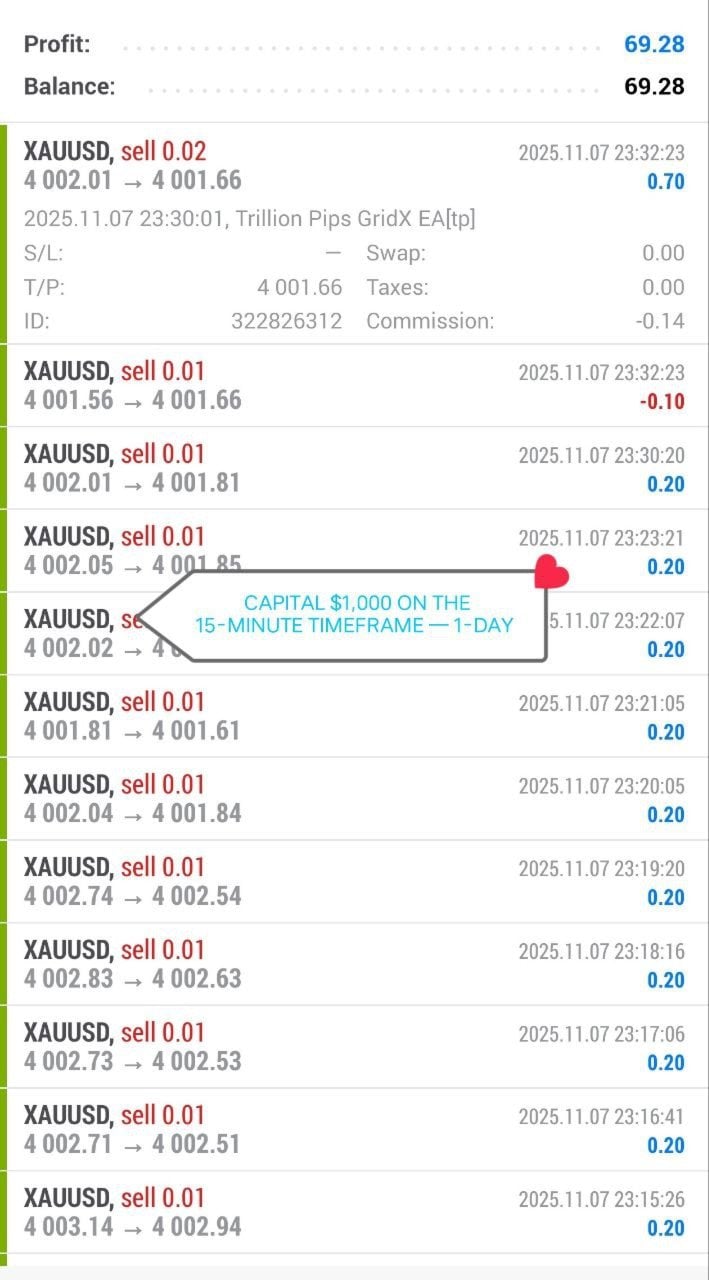
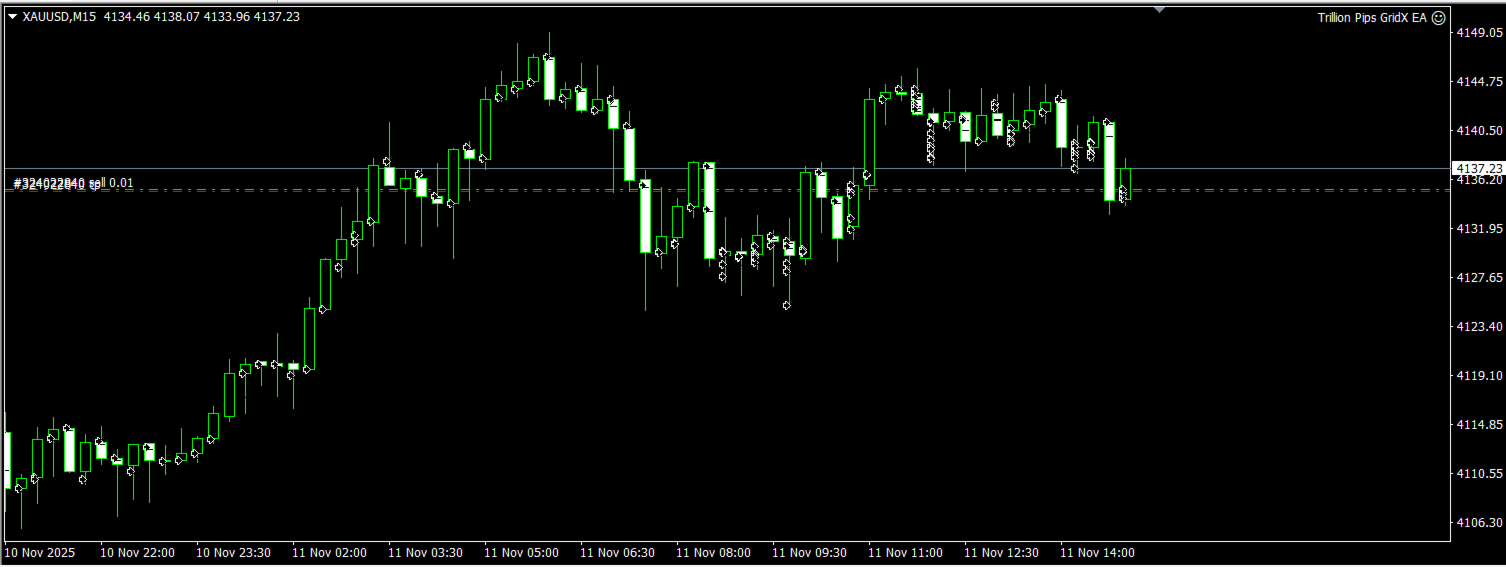
Live trading on a $1,000 account (M15 timeframe) produced steady one-day profit of $69.28 under default conservative settings.
Input Settings Explained
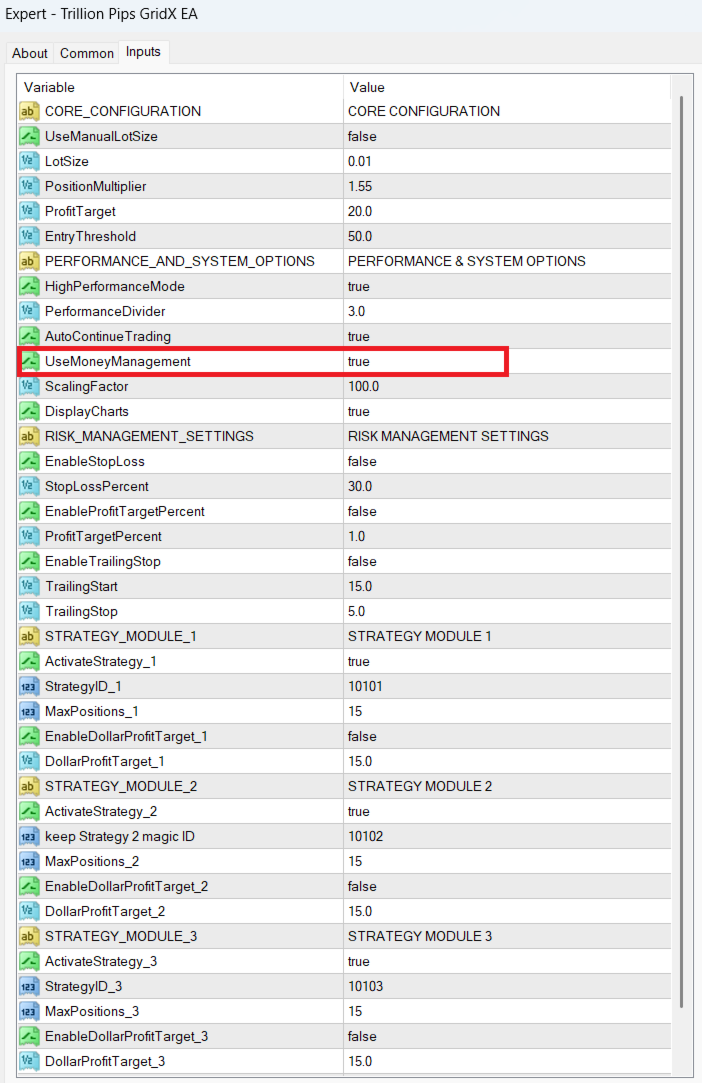
- UseMoneyManagement: True – enables automatic lot scaling relative to account balance.
- LotSize: Manual override for fixed-lot mode when MM is disabled.
- ProfitTarget: Dollar goal per grid cycle (default 20 USD).
- PositionMultiplier: 1.55 – controls martingale intensity.
- ScalingFactor: 100 – sets growth ratio between grid levels.
- HighPerformanceMode: true – activates multi-threaded logic for faster reaction.
- StopLossPercent & TrailingStop: Optional risk parameters for manual overrides.
Three internal strategy modules (ID 10101–10103) work in parallel, allowing simultaneous micro-grids to smooth profit curves while maintaining balance control.
⚙️ Installation & Usage Guide
1️⃣ Download the EA after purchase from CheaperForex.
2️⃣ Open MT4 → File → Open Data Folder → MQL4/Experts and copy the file.
3️⃣ Restart MT4 and drag Trillion Pips GridX EA onto an XAUUSD chart (M15 recommended).
4️⃣ Set UseMoneyManagement = true and verify AutoTrading is enabled (green smiley icon).
5️⃣ Adjust capital levels per risk mode if running multiple grids.
Risk Modes & Capital Recommendations
| Mode | Recommended Capital | Timeframe | Notes |
|---|---|---|---|
| Conservative | $3,000+ | M15–H1 | Low lot scaling – stable equity curve for long-term accounts. |
| Balanced | $1,000 – $3,000 | M15 | Moderate scaling with controlled recovery. |
| Aggressive | $500 – $1,000 | M5 | Faster compounding – higher drawdown potential. |
Technical Specifications
Platform: MetaTrader 4 (MT4)
Pairs: XAUUSD (Gold), major FX pairs with optimization
Timeframes: M1–H1 (adaptive)
Leverage: 1:500 recommended
Broker Type: ECN / Raw spread
Strategy Type: Grid + Hedging + Optional Martingale
Automation: Full Auto
VPS: Strongly recommended for 24/7 stability
Trader Reviews ⭐
★ ★ ★ ★ ★ – Ahmed R. (Dubai)
“I’ve used many grid bots, but GridX’s balance between risk and recovery is unmatched. Safe mode runs flawlessly with my $5k account.”
★ ★ ★ ★ ★ – Liam T. (UK)
“Running aggressive settings on M5 doubled my account in 3 weeks. You must respect risk, but it delivers real power.”
★ ★ ★ ★ ☆ – Diego M. (Brazil)
“I like the flexibility – hedging calms volatility spikes and money management is very accurate. Great support from CheaperForex team.”
Conclusion
Trillion Pips GridX EA MT4 offers a unique blend of structured grid trading, hedging logic, and adaptive martingale scaling.
Whether you seek slow, controlled growth or high-risk compounding, its modular design and smart capital control let you trade gold with precision.
Backed by full automation, lifetime updates, and setup assistance from CheaperForex, it’s an excellent addition to any professional or prop-firm trading setup.
Every order
What’s included with Trillion Pips GridX
- Instant downloadReady after checkout and kept in your account
- Free lifetime updatesAdded as soon as we receive them, every version kept in your account
- Unlimited activationsUnlimited live and demo accounts
- Setup helpReal people on Telegram or email
- 7-day money-back guaranteeIf the EA fails to attach to your chart because of errors we can replicate, you get a full refund.
Product FAQs
Trillion Pips GridX EA MT4 FAQs
Real people on support, by Telegram or our contact form.
Does Trillion Pips GridX EA use Martingale?
Yes, but it’s optional and fully adjustable. You can disable scaling for conservative trading or enable controlled martingale for faster recovery.
Can I trade other pairs besides Gold?
Yes. Although optimized for XAUUSD, you can apply it to EURUSD, GBPUSD, or indices with custom optimization.
Is it prop-firm compatible?
Yes. By limiting max positions and lot size, it stays within FTMO and MFF daily loss rules.
Do I need a VPS?
Highly recommended — GridX opens and manages many orders; uninterrupted uptime ensures smooth trade management.
What’s the minimum capital required?
$500 for aggressive mode or $1,000 for balanced use. Larger capital reduces risk and increases consistency.
- Excellent on Trustpilot 4.6 out of 5 from 120 reviews (opens in a new tab)
- 28,000+ traders since 2019
- 1,560+ official EAs
- Card or crypto payments
Related EAs
Traders also explore
Premium expert advisors at vault-low prices, with your crypto price on every card.
 MT4Save 83%
 MT4Save 67%
 MT4Save 70%
 MT5Save 51%
Ready when you are
Trillion Pips GridX EA MT4 for $239.96 with crypto
Regular price was $4,999.00 · $299.95 with card · instant download · free lifetime updates

Trillion Pips GridX EA MT4$239.96with crypto$299.95 with card