
FXCOW Smart Entry MT5 Review: Direction Controls, Multi-Entry and Evidence
FXCOW Smart Entry MT5 combines automated entry detection with chart-based Buy/Sell controls, lot sizing, stop-loss and take-profit inputs, breakeven and trailing stops. Its recent developer update adds multi-entry support, while the public screenshots demonstrate gold trading on MT5. Our assessment: its chart controls suit users who want visibility over permitted direction and exit settings while automating entries. The main consideration is that the public images demonstrate an interface, not a verified trading edge or complete performance history.
View FXCOW Smart Entry MT5 features and current pricing

- Developer source link: FXCOW Smart Entry MT5 on MQL5
- Live signal link: No public live signal was linked from the checked listing or seller page on 16 September 2026.
Sources checked 16 September 2026: current developer description, both original gallery images, release notes, comments and customer-review section. This is a source-based review; we have not independently traded or audited the EA.
Automatic entries with directional control
The product describes detection of qualifying setups, automatic sizing and exits. Its September updates add more detail: market structure is assessed when the EA is attached, a Buy/Sell selection feature gives direction control, and later work changes the chart panel and signal filtering. The entry formula remains undisclosed; it is not enough to label this a specific indicator, breakout-only or reversal-only strategy.
First gallery image: visual tester, not a live statement
The first screenshot includes MT5 visual-tester playback controls and an XAUUSD.PRO M5 chart. It shows entry markers and a compact panel for lot size, cash-labelled stop/target inputs, trailing start/distance and breakeven trigger. This is useful evidence of the pictured interface.
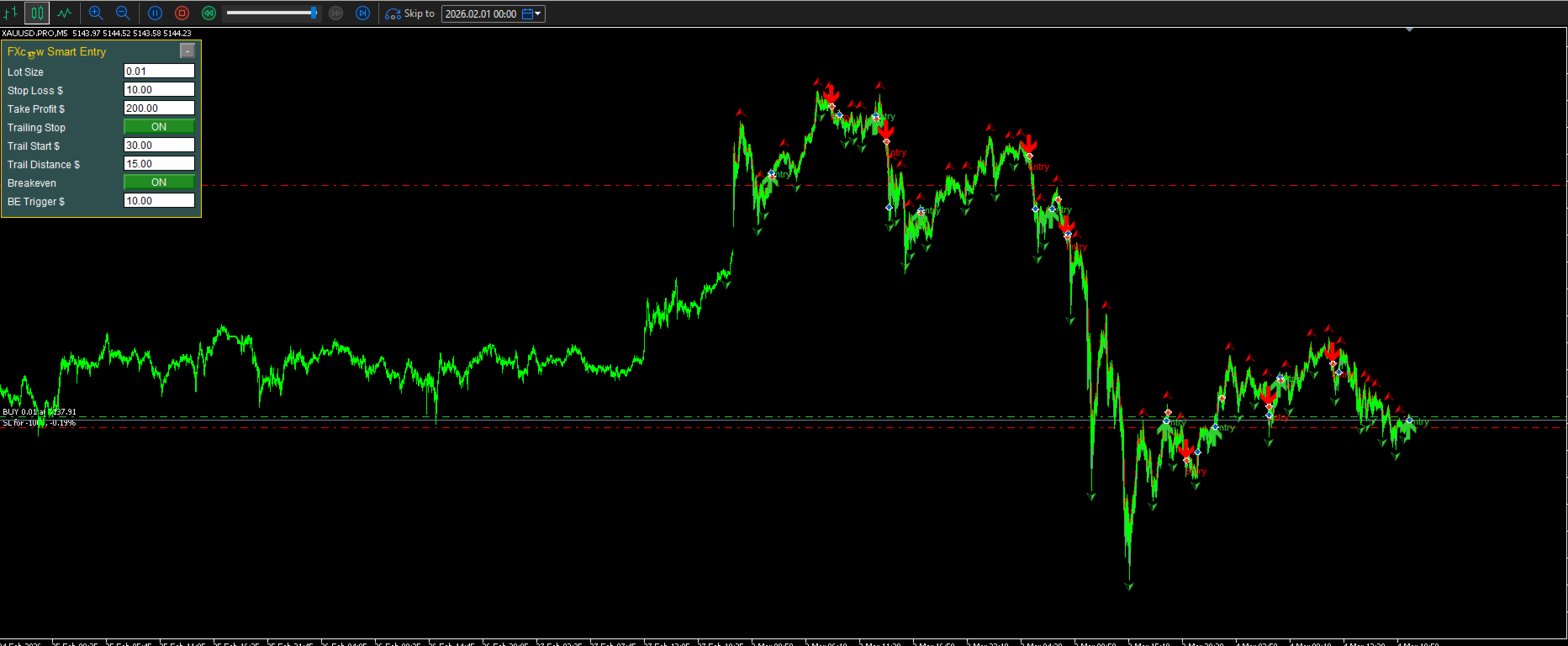
The many chart markers are not a statistical report. They do not establish win rate, expectancy, maximum drawdown or realistic transaction costs. The developer says the strategy has been historically tested, but neither gallery image supplies the complete settings and report needed to reproduce that claim.
Second image: direction toggles and position oversight
The second screenshot uses XAUUSD.PRO M10. It shows separate Buy Entry and Sell Entry switches, a Position Trading preset selection, lot size, stop loss, take profit, breakeven and trailing settings. Its status panel lists open trades and floating/running P/L.
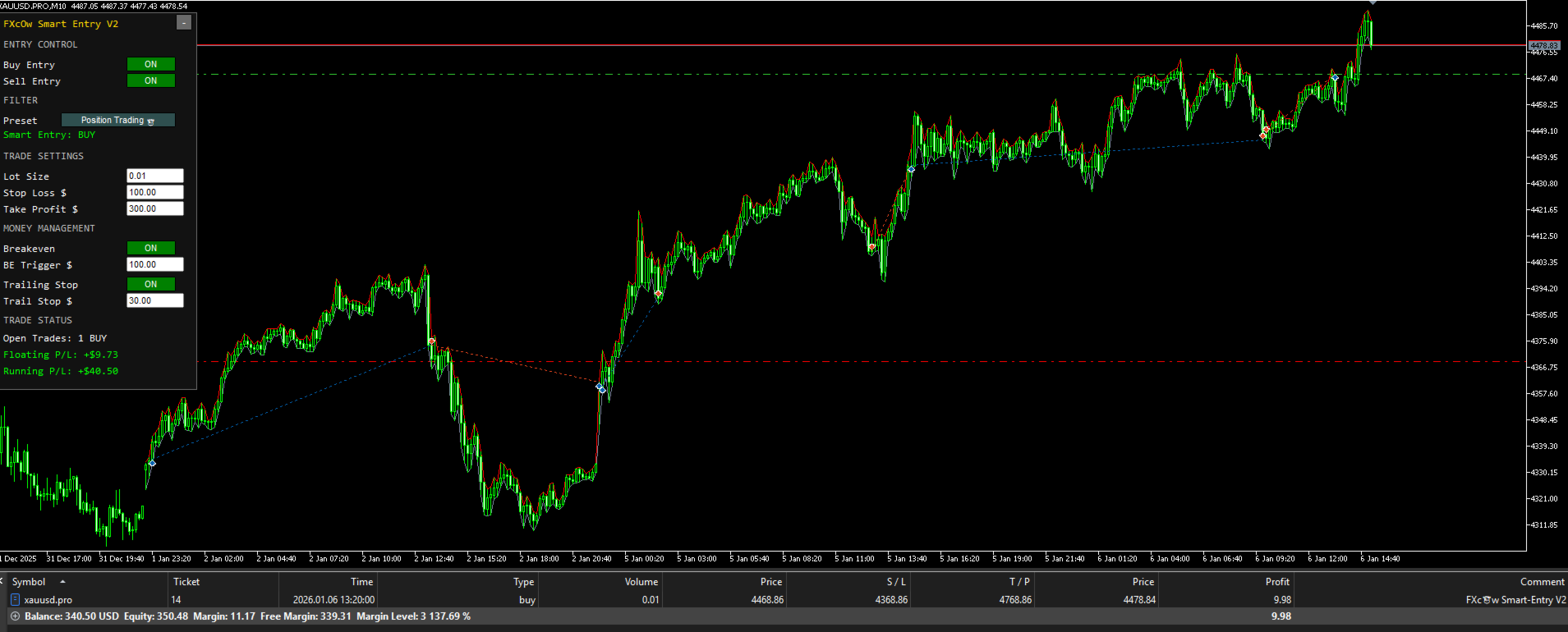
The displayed balance and profits are a single historical snapshot. They do not establish account funding, broker verification, a sustained track record or whether the image reflects live trading. The M5/M10 difference also means the gallery should not be translated into one mandatory timeframe without further developer guidance.
Multi-entry support changes the exposure question
The 15 September release note says multi-entry is enabled. The public note does not specify the cap, spacing, signal reuse or shared-exit logic. Several simultaneous positions can create a combined loss larger than one position’s stop amount, so check aggregate exposure and margin use in testing.
The earlier 8 September updates document direction choice and an initial scan of previous market structure; the 11 September update addresses panel usability and signal filtering. These are functional changes, not proof of improved forward returns. Read the complete release notes
Practical setup and missing detail
Confirm symbol suffix, chart timeframe, the selected preset and the account meaning of the dollar-labelled inputs. The displayed fixed lot size and cash values are examples, not recommendations. No minimum deposit, full public manual or downloadable preset is linked from the checked listing or comments. Around-the-clock automation still depends on an operating terminal and the broker’s available market sessions; it does not mean gold trades every hour of the weekend.
Reviews and live performance
No public customer reviews were available to capture, and the comments page contained no substantive discussion. No public live signal was linked from the product or seller page. That leaves interface screenshots and developer descriptions as the evidence base. We do not assign a performance score or reuse another product’s signal as proof. View current MQL5 reviews · View comments
Also from Lemuel Pangandoyon
FXCOW Smart EA MT5 is the related MT5 product from the same developer. Read its separate feature and evidence review to compare the documented controls. These are separate offers; purchase of one does not imply that the other is included.