
New MT5 arrival · Gold EA
GoldArbitrage EA MT5
Latest version
GoldArbitrage EA MT5 monitors price differences between two configured gold instruments and manages the corresponding positions.
- Primary and secondary symbol selection.
- Configurable initial lot size and paired execution checks.
- M1 setup with broker-specific contract and cost requirements.
 MT5Save 69%
Regular priceRegular price was $1,599.00
$499.95 with card
Visa, Mastercard, Apple Pay and Google Pay accepted.
Card payments add bank fees, sales taxes and other charges.
- Latest version
- Instant downloadYour file is provided immediately after payment. In very rare cases we manually review an order first, then send your download straight after. If you don’t receive your file, you can request a full refund.
- Free future updatesAll updates are free. They’re provided on a best-availability basis: we get new versions as fast as we can, led by customer demand, but we don’t guarantee them immediately. If you need every update the moment it’s released, our service may not be the best fit for you.
- 7-day money-backRefunds only cover an EA that fails to attach to your chart because of errors we can replicate. We don’t cover changing your mind or not liking the EA. All brokers are different, and results are never promised because markets are constantly changing.
- Unlimited activationsUse it on as many MT5 accounts and computers as you want, live or demo. There are no restrictions on how you use it.
Source code (.mq5) available at checkout.
28,000+ tradersServed since 2019
Orders over $300 include 3 months of PrismAlgo freeThe highly recommended cloud-connected EA for 28 FX pairs, Gold and Bitcoin. Added to your cart automatically. View PrismAlgo
Official versionsInstant downloadFuture updates includedExtra 20% off with cryptoReal people on support28,000+ tradersTrading since 2019Rated Excellent on Trustpilot
Product description
About GoldArbitrage EA MT5
GoldArbitrage EA MT5 monitors the price relationship between two configured gold instruments and manages the corresponding positions when its entry conditions are met. It suits MT5 users who can access a compatible pair of gold symbols and want automated execution and closing checks. CheaperForex supplies the standalone software with installation support by email.
Read our GoldArbitrage EA MT5 review for the original input, journal and trade-history images, plus the broker checks that matter for this approach.
Trade the relationship between two gold instruments
The system uses a Primary Symbol and Secondary Symbol, watching their price difference rather than relying solely on the direction of one gold chart. It opens the related positions under its internal rules and manages them until the closing conditions qualify. The developer describes synchronized execution, order verification, closing verification and support for trading at the same level.
- Configurable instrument pair: enter the exact two symbol names supplied by your broker.
- Adjustable starting volume: configure the initial lot size for your intended exposure.
- Automated paired management: the EA coordinates entries and exits within its trading setup.
- Execution visibility: the original journal example records price differences and trade-set status.
Compatibility comes before the preset
- Platform
- MetaTrader 5.
- Trading timeframe
- M1, as specified in the current public overview.
- Required instruments
- Two compatible, tradable gold symbols on the selected broker.
- Main visible inputs
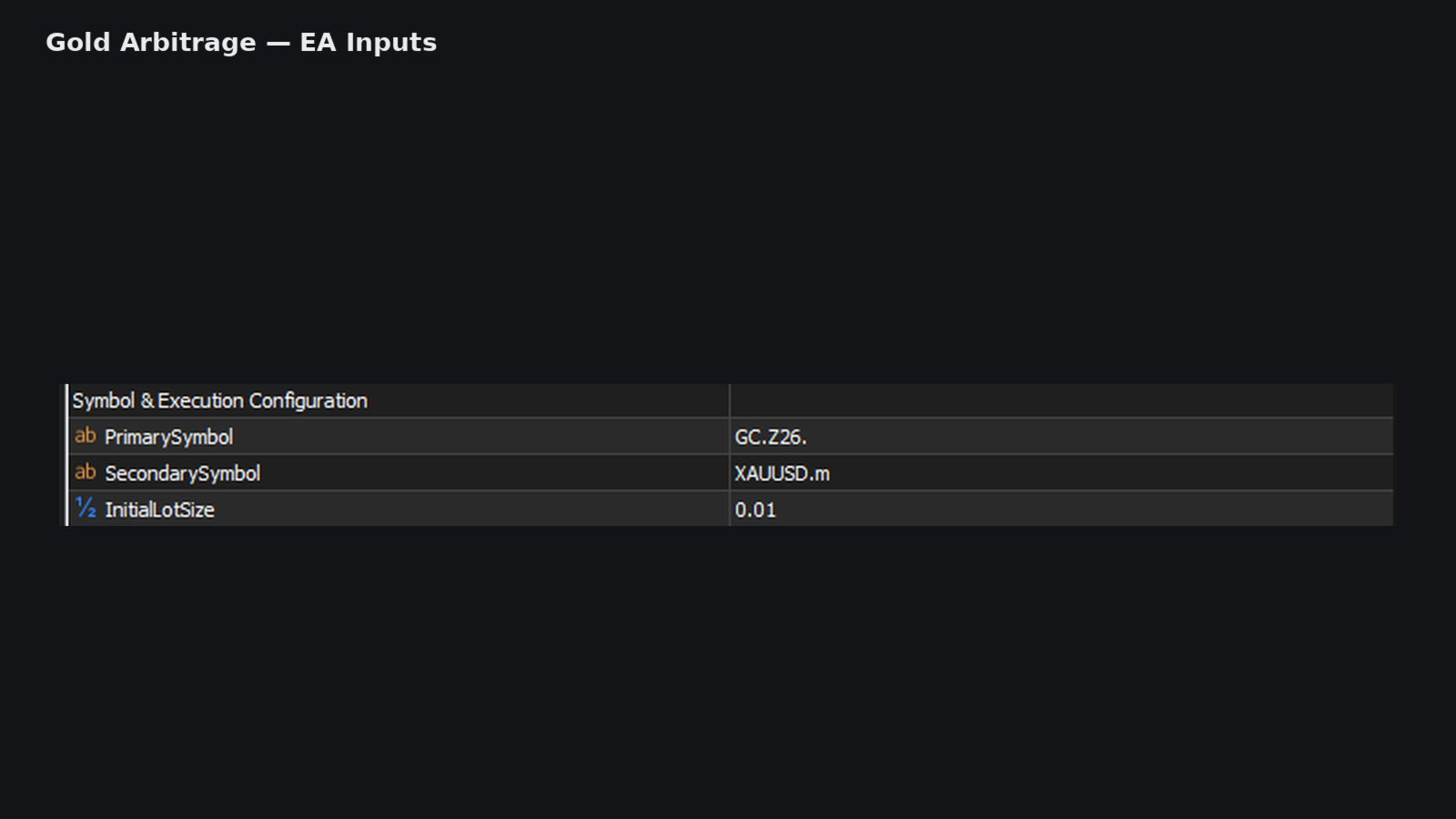
- Primary Symbol, Secondary Symbol and Initial Lot Size.
- Example naming
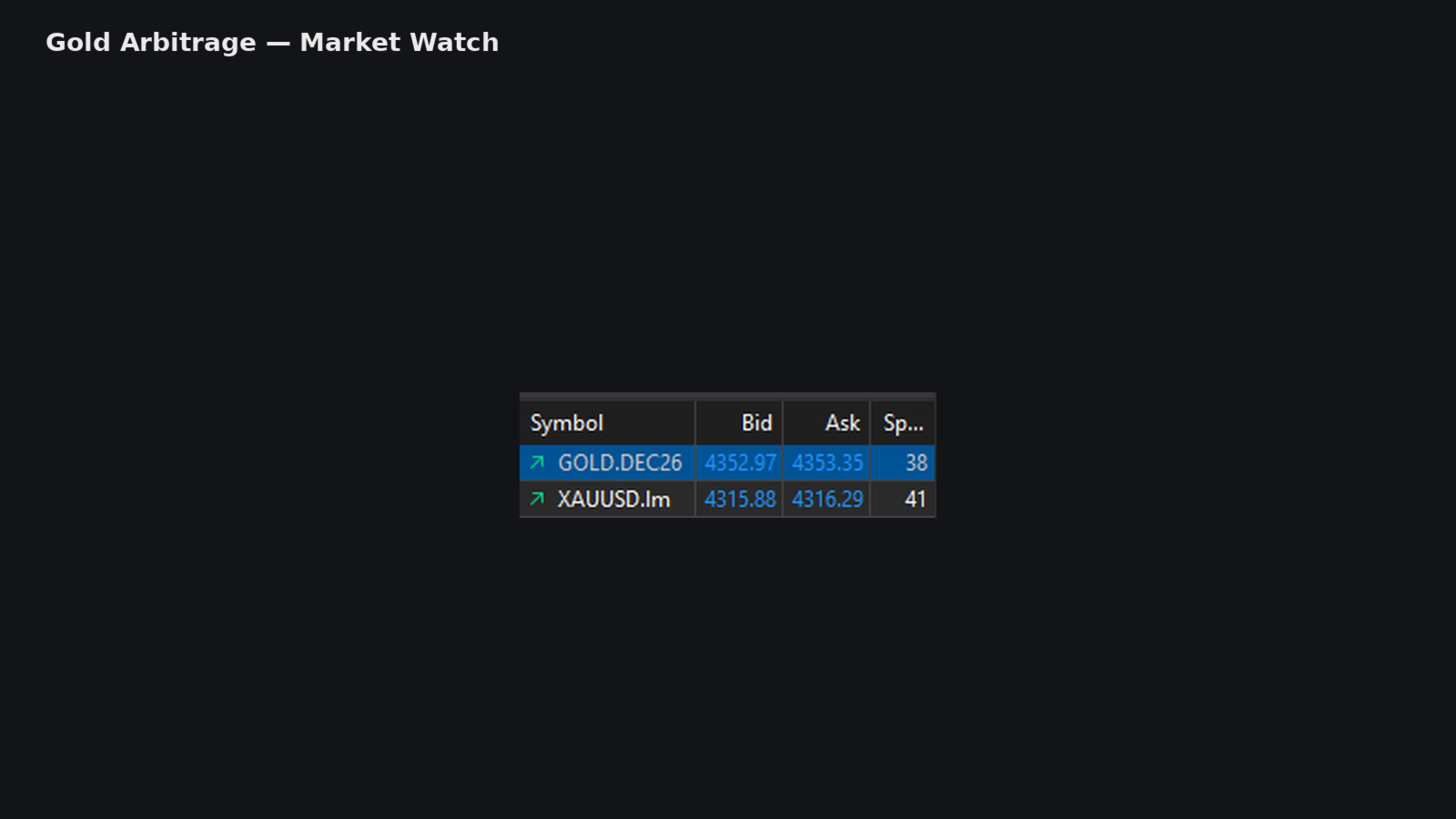
- The gallery uses futures-labelled and spot-gold symbols. These are broker-specific examples, not names to copy blindly.
- Operating checks
- Contract size, tick value, minimum volume, overlapping sessions, spread, commission and execution.
Both instruments need to be available in Market Watch and tradable during the intended session. Matching their visible price scale is not enough: confirm how a price movement changes the cash value of each position. If one instrument has an expiry or rollover schedule, include that in your setup checks.
Execution-sensitive by design
A detected price difference does not guarantee a profitable pair of fills. Spread, slippage, commission, liquidity and delays can change the result between detection, opening and closing. Test the actual instrument pair on demo and inspect the journal for rejected or incomplete operations before considering live use. The published material does not establish a universal broker list or a guaranteed return.
What this offer covers
You receive the GoldArbitrage MT5 software offer, with help if it fails to attach or run. The public source provides input illustrations but did not link a separate downloadable manual or preset pack when checked; neither is advertised here as an extra. This is an EA purchase, separate from any signal subscription.
7-day money-back guarantee if it fails to install or run. Setup help by email whenever you need it. Trading results are not covered.
Also from Ravikant Rajkumar Shete
Compare GoldRunnerPro EA MT5 and our GoldRunnerPro review. GoldRunnerPro focuses on basket and pending-order management with a cent hedging-account requirement. Its setup should not be copied into this two-symbol system.
Verify it yourself
- Developer source link: GoldArbitrage listing and original gallery.
- Live signal: no public signal was linked on the listing or seller page when checked on 25 September 2026.
- Public developer comments.
Delivery: latest-version standalone MT5 file. Your account download provides DeliveryInformation instructions for obtaining the file; it is not the EA executable. Future file updates are included when we receive them.
Every order
What’s included with GoldArbitrage
Download it, install it and keep it current: everything comes with your license.
Instant download
Ready the moment checkout completes, and kept in your customer portal.
Installation guide
Step-by-step PDF with screenshots.
Optimized presets
Ready-to-use configuration files.
Future updates
Included free when we receive them. You never pay twice, and every version stays in your account.
Unlimited activations
Use it on as many terminals as you like: unlimited live and demo accounts, no activation keys.
Free remote installation
Optional, if you need help: a one-time free install over AnyDesk, plus settings advice and custom presets for your account.
7-day money-back guarantee
If the EA fails to attach to your chart because of errors we can replicate, you get a full refund.
*Refunds don’t cover changing your mind or not liking the EA. All brokers are different, and results are never promised because markets are constantly changing.
Product FAQs
GoldArbitrage EA MT5 FAQs
Real people on support, by Telegram or our contact form.
Which instruments are required?
Two compatible gold instruments available at your broker. Configure their exact names as Primary Symbol and Secondary Symbol; the gallery names are examples.
Which timeframe does the developer specify?
The public overview specifies M1. Other gallery chart views do not replace that written setup instruction.
Is arbitrage guaranteed to be profitable?
No. Spread, commission, slippage, liquidity and execution timing can change the outcome. Verify both instrument specifications and test the pair on demo.
Is there a public live signal?
No public signal was linked on the listing or seller page when checked on 25 September 2026. The review discusses the limits of the developer trade-history images.
What version and delivery are included?
The latest-version standalone MT5 offer. Your account download contains delivery instructions, not the trading executable. Future file updates are included when received.
The CheaperForex difference
Why 28,000+ traders choose CheaperForex


“Bought 2 EAs from them. Requested update for new version and was sent within 24hrs. Great support. Recommended, 5 STARS.”
 Aceman · Trustpilot review (opens in a new tab)
“Fantastic service as always. Have gotten a lot from them in the past and never been disappointed.”
Paul Michael Lawrence · Trustpilot review (opens in a new tab)“They were friendly and helpful in setting up my expert advisor.”
 Sarah Francis · Trustpilot review (opens in a new tab)
- Instant accessNo group buys or waiting
- 7-day refund policyRefunds only cover an EA that fails to attach to your chart because of errors we can replicate. We don’t cover changing your mind or not liking the EA. All brokers are different, and results are never promised because markets are constantly changing.For product errors
- Remote installationOptional: we can install it for you
- Flexible paymentsCards, Apple Pay, Crypto
Related EAs
Traders also explore
Premium expert advisors at vault-low prices, with your crypto price on every card.
 MT5Save 50%
 MT5Save 83%
 MT5Save 37%
 MT5Save 40%
Ready when you are
GoldArbitrage EA MT5 for $399.96 with crypto
Regular price was $1,599.00 · $499.95 with card · instant download · future updates included

GoldArbitrage EA MT5$399.96with crypto$499.95 with card