Gemini Quant Apex Series Expert is most clearly documented through its order-management framework: a server-time window, pending entries, automatic or fixed sizing, separate directional stops and configurable targets. That gives a buyer concrete controls to evaluate. Its entry-selection logic and the provenance of the advertised equity result are less transparent, so this review separates the management features from the performance claims.
View product details and current pricing.

- Official listing: Gemini Quant Apex Series Expert MT5 on MQL5
- Public track record: none linked by the developer as of 15 September 2026.
Source material and gallery checked 15 September 2026. This is an assessment of the developer’s published information, not our own test of the executable. Original illustrations below retain their capture-date captions.
Start with the part of Apex that is actually specified
The source describes when trading is enabled, how an order is sized and how stops and targets are managed. The long and short stop settings can differ. Take profit can follow a risk/reward ratio or a fixed-target configuration, while a break-even rule can adjust an existing stop when its conditions are met.
That is useful operational detail, but it does not reveal the complete underlying entry model. A list of adjustable exits should not be mistaken for evidence that the selected entries have a durable advantage. The gallery’s multi-strategy wording also does not show the allocation of components or establish that the three separately listed GQL EAs are included in Apex.
Test the interaction of size, stops and targets
Automatic sizing, stop distance and the broker’s volume increment need to be considered together. If two directions use different stop settings, a fixed lot and an automatic lot calculation need not create the same monetary risk on each side. Check the actual order volume rather than assuming the input field alone describes the final exposure.
A risk/reward target links the intended reward to a configured risk distance. A fixed target creates a different relationship when the stop distance changes. To understand which behaviour you are testing, record the active mode and inspect the initial stop and target of a sample order. These are practical verification steps, not a claim that we ran the executable.
Break-even management still has execution costs
Moving the stop toward entry can protect part of a favourable move, but the final net result also includes trading costs and the fill. Entry-price protection is not necessarily cash break-even after commission, spread or slippage. Review how often an adjusted stop is hit before the original target, as well as whether it avoids a later loss.
The trading window is based on broker server time. A clock mismatch can change which opportunities are eligible, so verify that schedule before comparing tests. Continuous operation also matters for management that requires the terminal; a configured rule cannot execute through a stopped application or disconnected environment.
The gallery does not resolve the performance question
One original image illustrates a trade; the other presents a strong equity result, names VT Markets and displays thousands of trades. The listing did not link a public account or statement allowing the record to be verified at the source check. A broker name on a graphic does not tell us whether the curve is live, simulated or independently monitored.
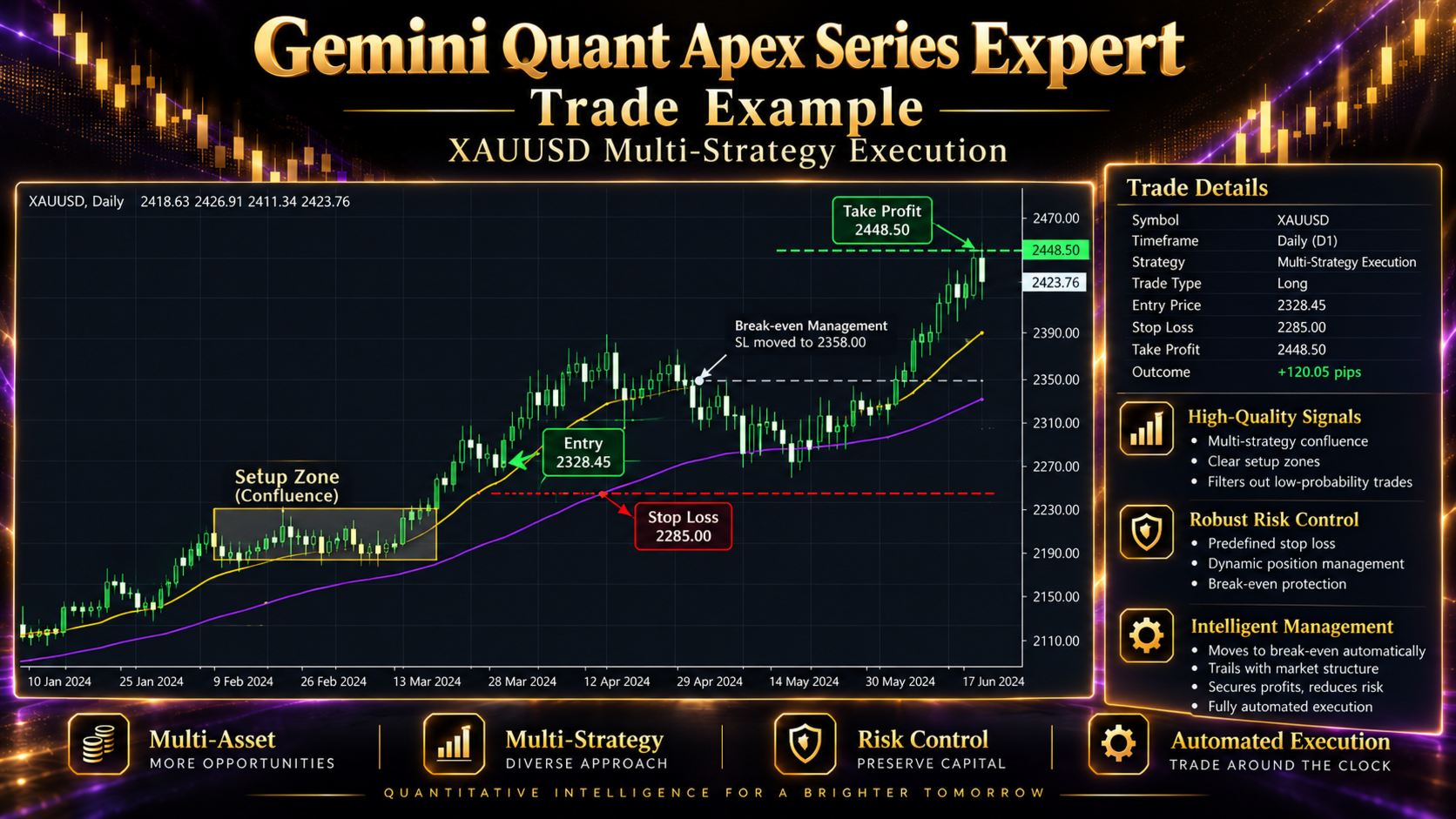
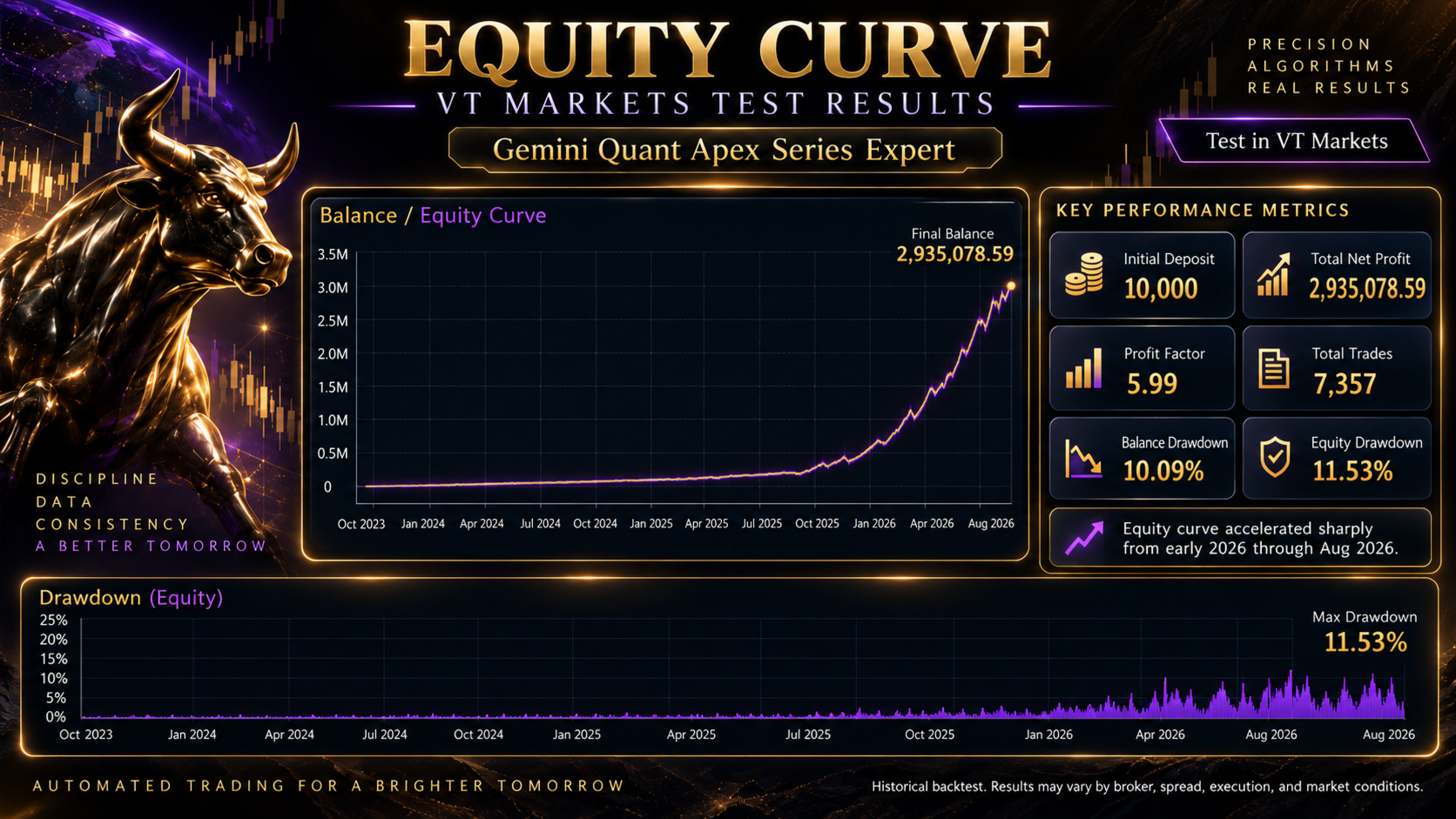
Treat the trade example as an explanation of the intended geometry and the curve as an attributed promotional claim. Before drawing a conclusion from the latter, useful missing details include the account type, observation period, settings, cash flows and a trade record tied to the displayed result. We cannot reconstruct those details reliably from the image alone.
Broker compatibility is a separate decision
The developer specifies gold/XAUUSD, an MT5 hedging account and a VPS. It gives $500 as minimum capital, recommends $1,000 or more and states at least 1:500 leverage, with 1:1000 preferred. These are the published operating requirements, not evidence that the system is conservative. Confirm the chosen symbol’s contract and volume rules, especially when evaluating automatic size.
The written setup section leaves the mandatory chart timeframe unspecified. The intended schedule and delivered instructions should settle the working configuration rather than a guessed timeframe taken from a gallery example.
Feedback, alternatives and purchase scope
No customer reviews, public live signal, linked public manual or separate release history were available at the 15 September check. There are no genuine customer-review screenshots to reproduce for that snapshot. This is a limited public evidence base, not a forward test performed by CheaperForex.
Apex differs from Pending Breakout, Session Value and Gold False Breakout in how its public description emphasises execution and directional exits. Those other names disclose different entry concepts; sharing a developer does not establish interchangeable settings or performance.
- GQL Pending Breakout Gold Expert MT5 — Pending breakout. Read review
- GQL Session Value Expert MT5 — Session value. Read review
- GQL Gold False Breakout Expert MT5 — False breakout reversal. Read review
Assessment
Apex may interest traders who want a scheduled gold system with visible choices for sizing and management. The clearest evaluation path is to verify those mechanics first, then assess a fixed configuration over adverse and favourable periods. The strong gallery curve is insufficient on its own to endorse the undisclosed entry logic or predict live returns.
View Gemini Quant Apex Series Expert MT5 pricing and product details