
SpreadFX EA MT5 trades currency relationships through two-instrument baskets, combining daily divergence with M15, RSI, candle and volatility checks. Its distinctive features are a diagnostic dashboard, net-cost-aware basket exits and configurable averaging.
View product details and current pricing.

- Official listing: SpreadFX on MQL5
- Public track record: none linked by the developer as of 15 September 2026.
What “spread trading” means here
The developer defines a basket as two opposing positions across different instruments. This is an attempt to trade relative movement, not simply to predict whether the entire Forex market rises or falls. It is also not risk-free arbitrage: the relationship can continue to move away from the entry, and both legs incur trading costs.
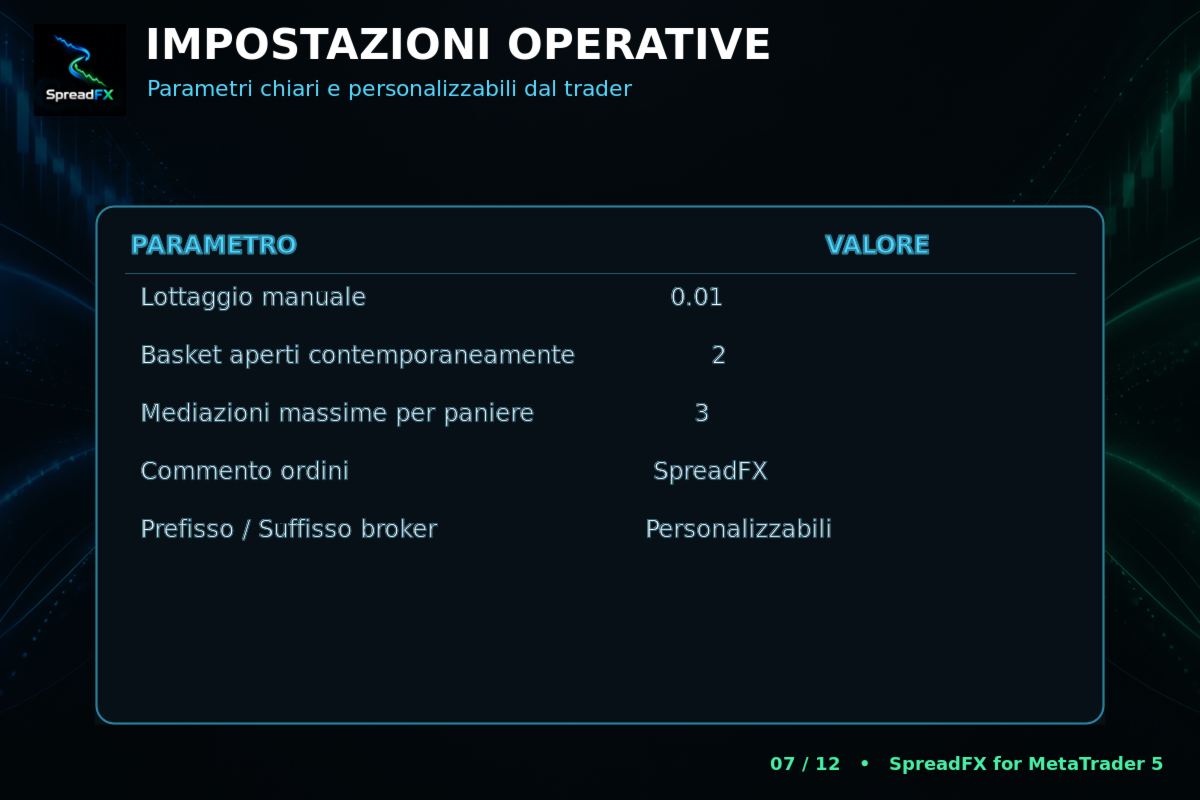
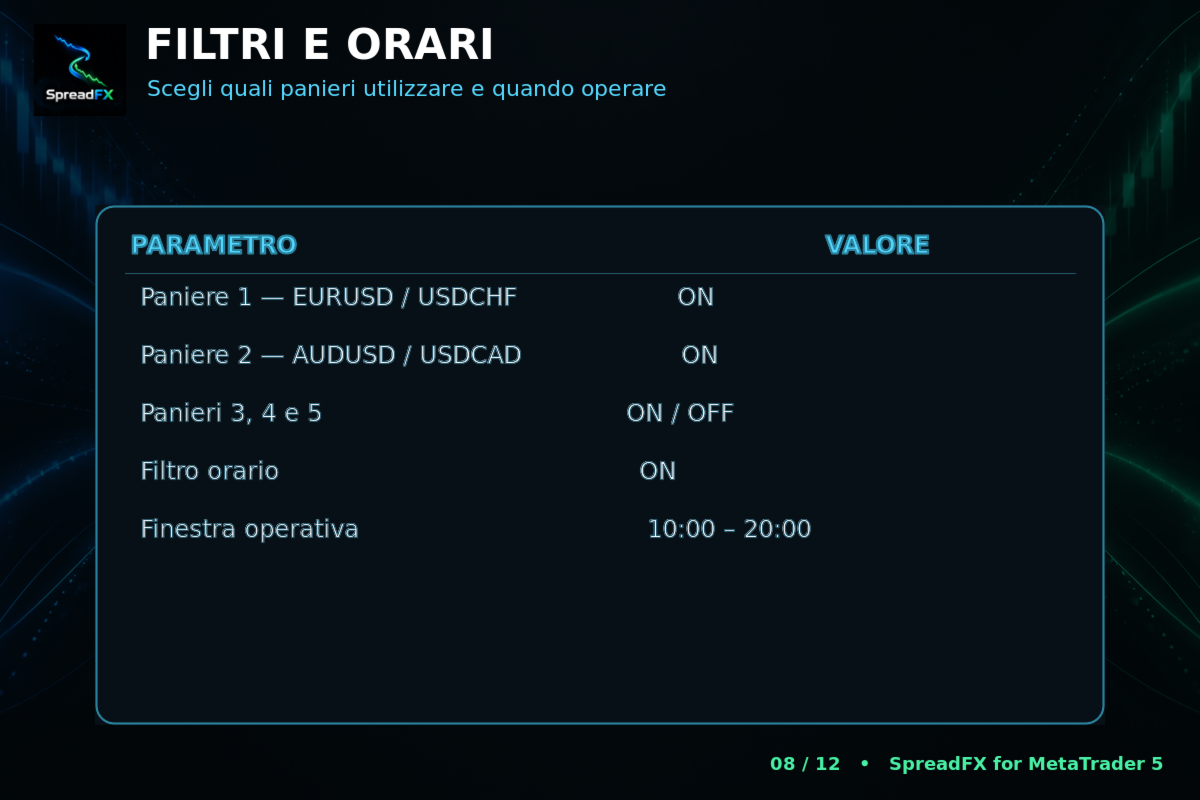
The listed combinations are EURUSD/USDCHF, AUDUSD/USDCAD, NZDUSD/EURNZD, USDCAD/EURUSD and EURAUD/AUDCAD. Up to five baskets can operate concurrently. Repeated currencies and symbols mean five baskets are not necessarily five independent risks. Assess the combined currency exposure, margin and floating loss across the account.
Entry filters and dashboard interpretation
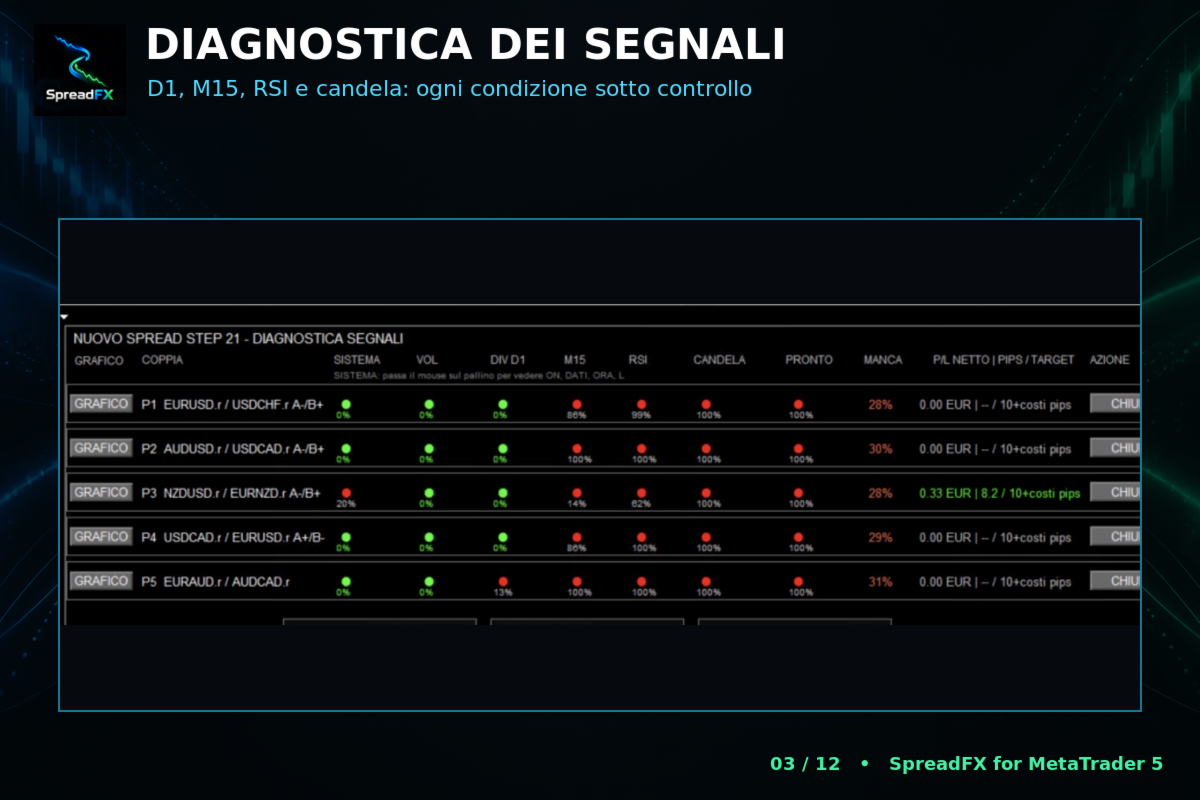
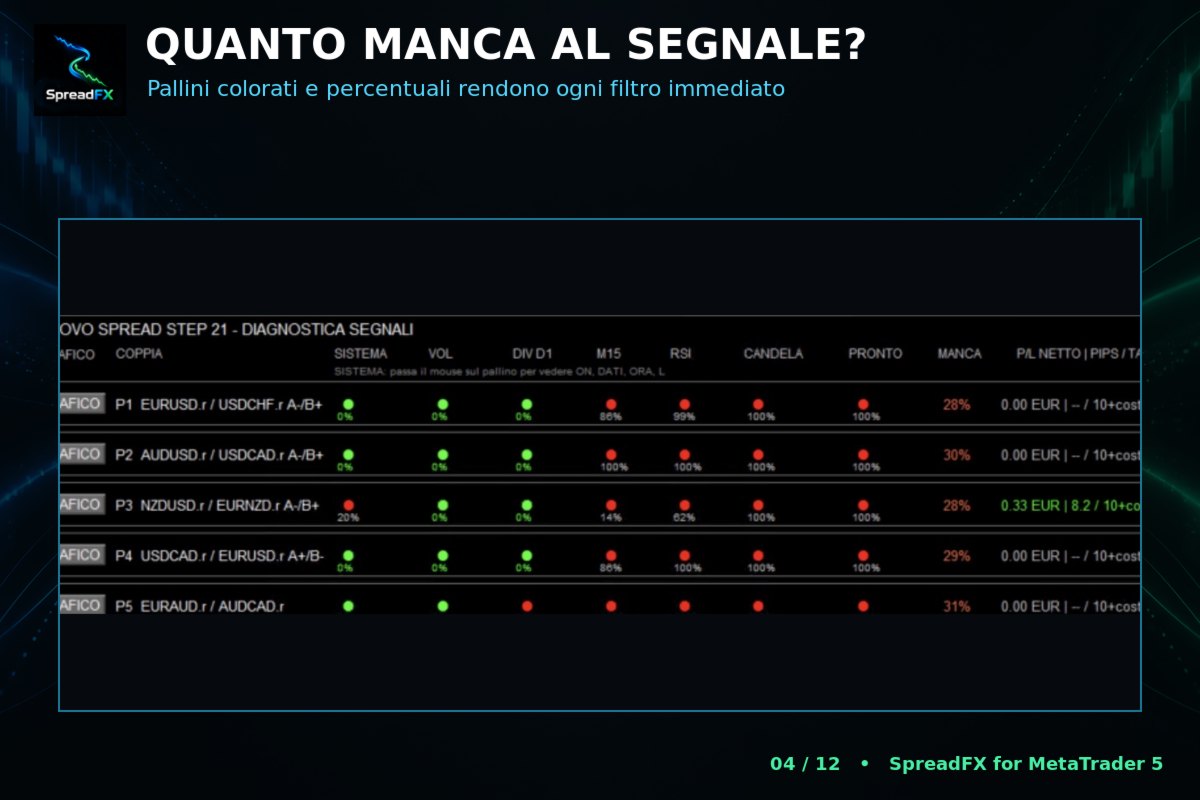
D1 divergence supplies the daily context; M15 relative-behaviour analysis, RSI, the previous candle and volatility add conditions. The EA also checks data availability, occupied baskets, available slots and an optional trading window. All required conditions must align before entry.
The dashboard separates these conditions rather than showing only a buy/sell label. Its readiness percentage describes remaining conditions; it should not be interpreted as a statistical chance of winning. The public description does not publish a complete mathematical model or validation of that percentage.
Normalised charts and manual exits
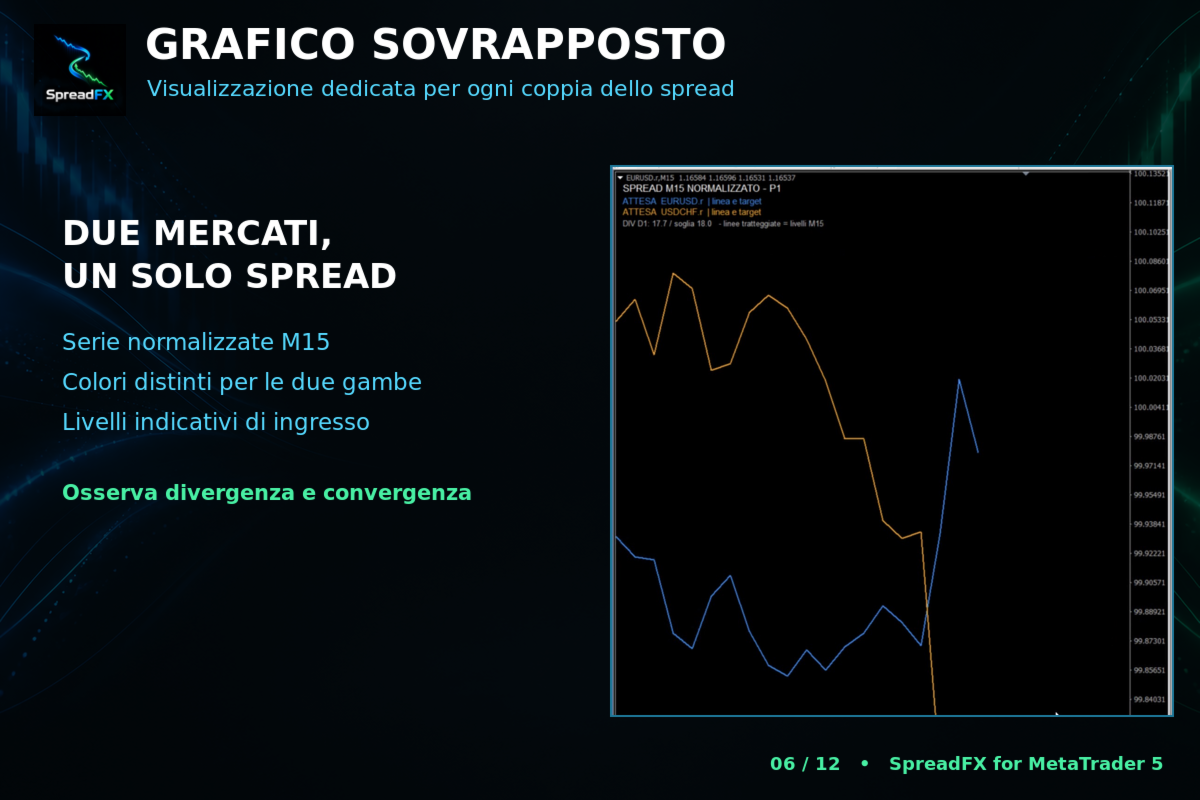
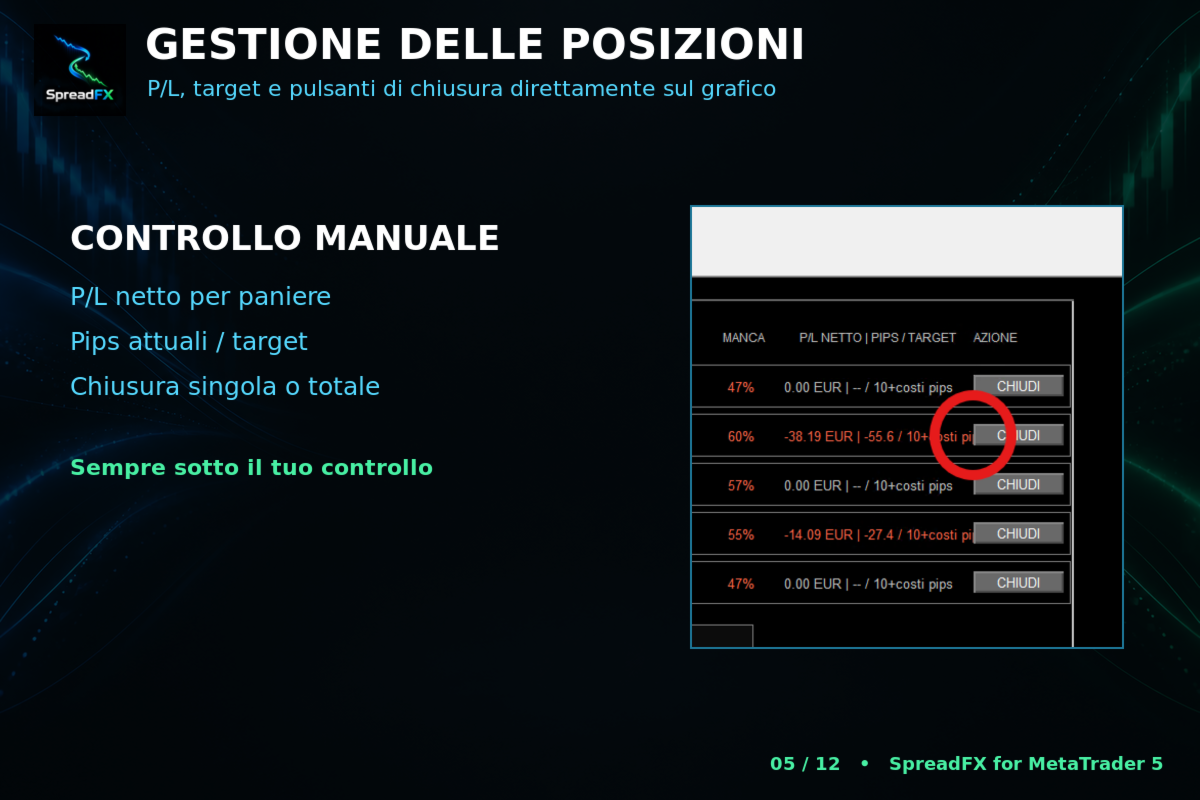
The CHART view overlays the two instruments in different colours so their relative behaviour is easier to inspect. It is useful for understanding what the EA is monitoring, but visually close lines do not prove the instruments will reconverge profitably after transaction costs. Basket controls display net profit/loss and pips, and allow manual closing of an individual basket or all EA trades.
Why cost-aware targets matter
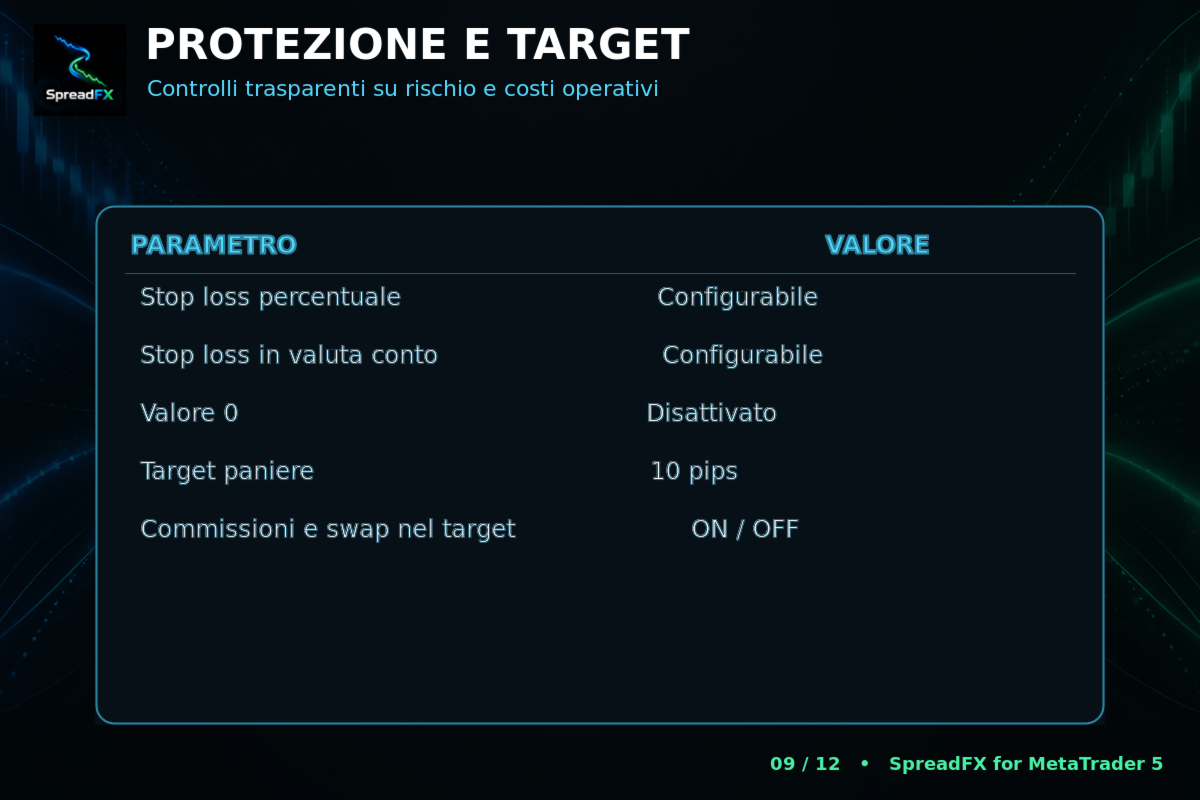
SpreadFX normally targets the basket’s combined pips. With cost inclusion enabled, it also checks whether the net monetary outcome covers detected commission, swap and a prudent estimate of closing commission. A nominal pip target alone therefore need not trigger a successful net-profit exit under that setting.
This distinction matters when baskets stay open long enough to accumulate swap, or when small targets compete with spread and commission. Different contract values and execution on the two legs can affect realised returns. Test using your own broker’s costs rather than assuming one screenshot represents every account.
Fixed lots and martingale are different risk choices
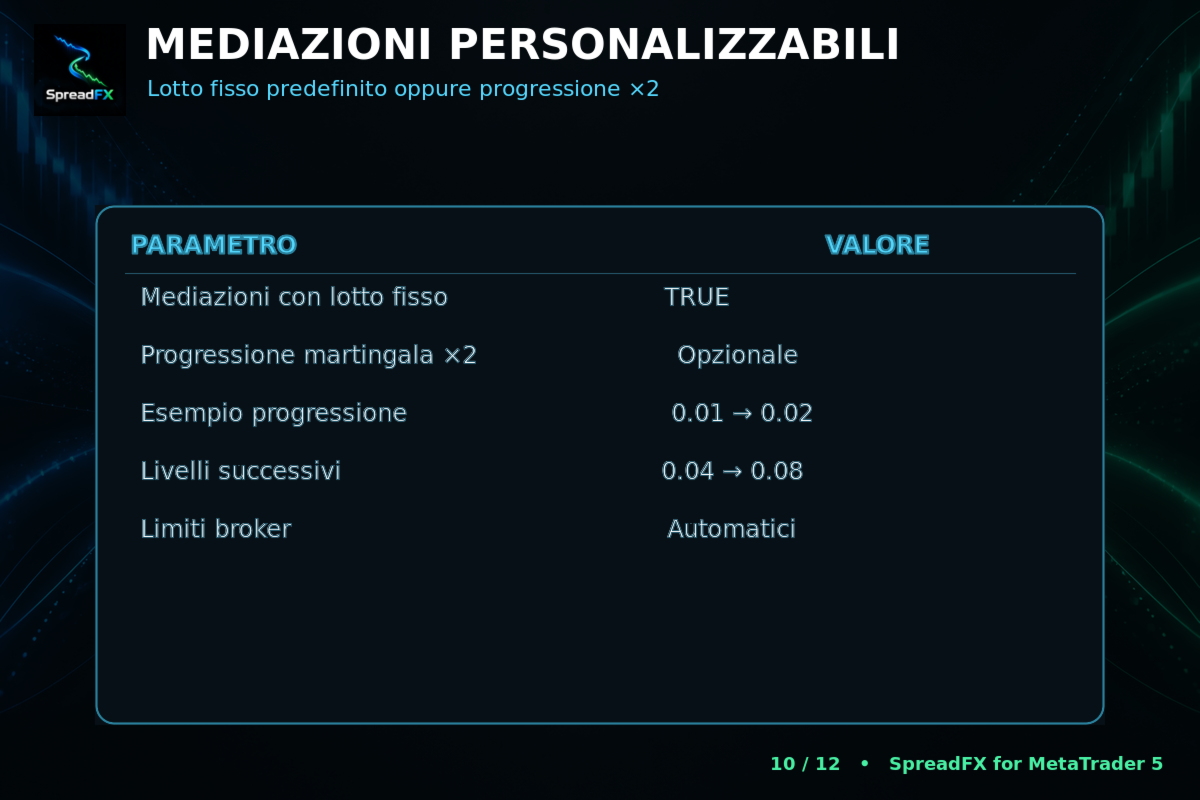
The source says fixed-lot averaging is the default. It can still add losing exposure when the instruments continue to diverge. Optional ×2 progression raises it faster: the developer illustrates 0.01, 0.02, 0.04, 0.08 and 0.16 lots. The maximum number of additions and concurrent baskets therefore matter as much as the initial lot.
Percentage-equity and account-currency loss protection are independently configurable; zero disables the relevant limit. When a live limit is hit, the EA attempts to close its positions and stop. That is an execution instruction, not a guarantee of an exact maximum loss during gaps, slippage or connection problems. Starting-lot examples in the listing are not a substitute for measuring total exposure through the averaging sequence.
Setup and testing checklist
- Use MetaTrader 5 with a hedging account; the developer requires one M15 chart only.
- Load history for every enabled symbol and confirm broker prefixes and suffixes.
- Choose the basket limit, averaging mode and active loss protection deliberately.
- Set entry hours using broker server time; existing positions remain managed outside that window.
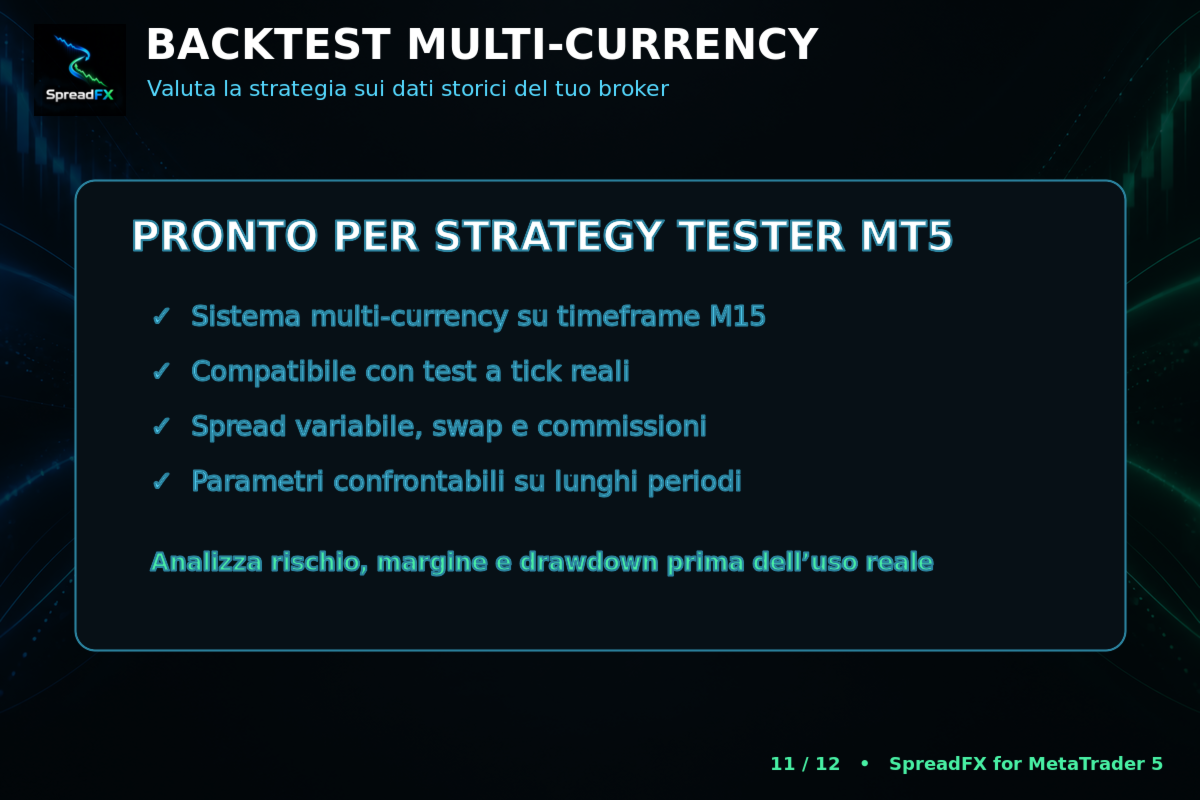
- Compare real-tick tests over different periods with realistic spread, commission and swap.
The developer allows one-minute OHLC for a quick initial check and recommends more realistic ticks for assessment. A fast preliminary run should not be treated as proof of multi-currency execution quality. Inspect floating drawdown, margin use, basket duration and adverse averaging sequences, not just closed profit.
Live results and customer feedback
At our 15 September 2026 check, the listing had no customer reviews, no public signal link and no separate linked manual. Its gallery contains developer-authored feature slides and interface illustrations, mostly with Italian labels; those are reproduced here with English explanations. They are not independently verified live performance. There are consequently no customer-review screenshots or long-term live-return claims to present.
The seller page listed SpreadFX alone at inspection. This review is based on that public specification and gallery, not a hands-on audit of the executable. A prospective buyer should assess whether the controls suit their testing process and whether they can tolerate an extended failure of convergence.
Read the full developer listing and public comments section for subsequent changes.