


Quick Summary:
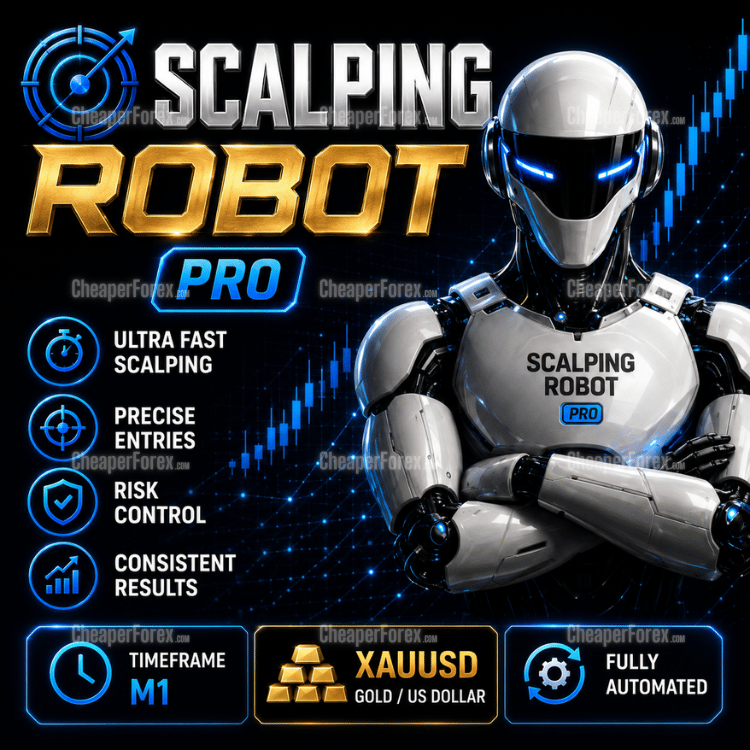
Scalping Robot Pro for MT5 by MQL TOOLS SL is a XAUUSD-only Expert Advisor built for fast, precision scalping on the M1 timeframe. It uses structured entry logic to react to short-term price behaviour on gold, with an on-chart panel surfacing live trade context (daily profit, daily pips, spread, session, news status) and a built-in economic news filter. Optional recovery and aggressive modes are configurable but off by default — there is no forced grid or martingale behaviour out of the box. The EA is published by MQL TOOLS SL, an established marketplace developer with a multi-year catalogue, alongside a public MQL5 live signal on IC Markets.
Official MQL5 Listing:
Scalping Robot Pro MT5 — MQL5 Marketplace
Developer’s Live Signal:
Scalping Robot Pro — MQL5 live signal (IC Markets)
Why Scalping Robot Pro
- Gold specialist — designed exclusively for XAUUSD on the M1 timeframe, not a multi-symbol system stretched to fit Gold
- Structured short-term entry logic — fast reactions to momentum shifts and price behaviour rather than indicator-stack noise
- Built-in economic news filter — high-impact releases visible on the on-chart panel; configurable to pause trading around them
- Live status panel — daily profit, daily pips, daily trades, current spread, session, recovery/aggressive mode flags, and upcoming news, all visible at a glance
- Recovery and aggressive modes off by default — no forced grid or martingale; opt-in only if you choose to enable them
- Hidden TP / SL / Trailing Stop options — broker-visible orders can be hidden when needed
- Public MQL5 live signal on IC Markets — real-money transparent monitoring from launch
- Established developer catalogue — MQL TOOLS SL has a multi-year MQL5 presence with a wide catalogue spanning AI, multi-strategy, and scalping systems
- Standalone file — install on unlimited MT5 terminals with no activation limits
How It Works
Scalping Robot Pro reads XAUUSD on M1 and looks for short-term setups — momentum shifts, volatility expansions, and clean directional moves where a quick scalp has a defined edge. When the conditions align, the EA opens a trade with controlled risk parameters and manages it through to exit, typically within minutes rather than hours.
The on-chart panel shows what the system is doing in real time: today’s profit and pip count, current spread, the active trading session (London / New York), whether the news filter is allowing trades, and the state of the optional recovery and aggressive modes. The next-news block lists upcoming high-impact releases so you can see when the EA will be cautious. This level of on-screen transparency is unusual for a scalper and useful when you’re validating live behaviour on your own broker.
Recovery and aggressive modes are configurable but off by default. The developer’s published live signal runs with both off — meaning the system you see on the signal is the system without grid recovery or aggressive sizing escalation engaged.
Live Signal & Backtest Snapshot
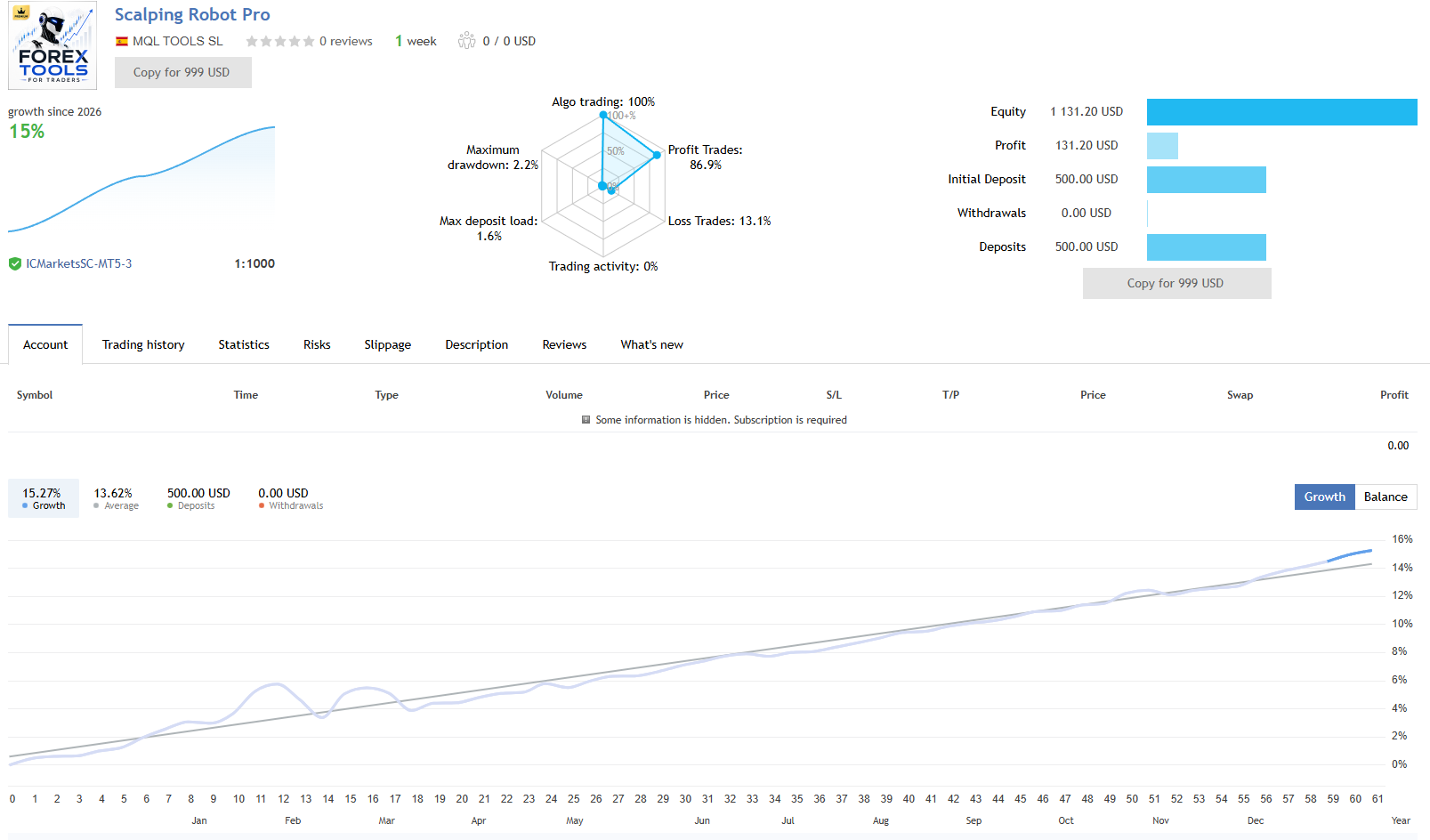
- Live signal: IC Markets, real money, started early June 2026 (very young — only days of tracked data so far)
- Live growth: ~+15% with low maximum drawdown to date
- Profit trades: ~86.9% on the early sample
- Real-tick backtest: 99% history quality across 233M+ ticks, profit factor 4.02, 83% win rate, ~24.6% balance drawdown
- Backtest period: multi-year XAUUSD M1 data, 44,000+ trades
The backtest depth is genuinely impressive. The live signal is encouraging but new — the headline numbers above all reflect a very young account. Our full review explains how to read both honestly and what to weight versus what to wait on.
EA Setup at a Glance
- Platform: MetaTrader 5 (MT4 sibling product also available)
- Instrument: XAUUSD only (Gold)
- Timeframe: M1
- Strategy: Short-term scalping with structured entries, on-chart status panel, built-in news filter
- Optional modes: Recovery Mode and Aggressive Mode configurable (both off by default)
- Account: ECN or Raw Spread with tight XAUUSD spreads
- Leverage: 1:1000 used on live signal — adjust for your jurisdiction
- Minimum deposit: ~$500+ recommended; more headroom is sensible while validating
- VPS: Strongly recommended low-latency VPS near broker server
Full User Manual Included
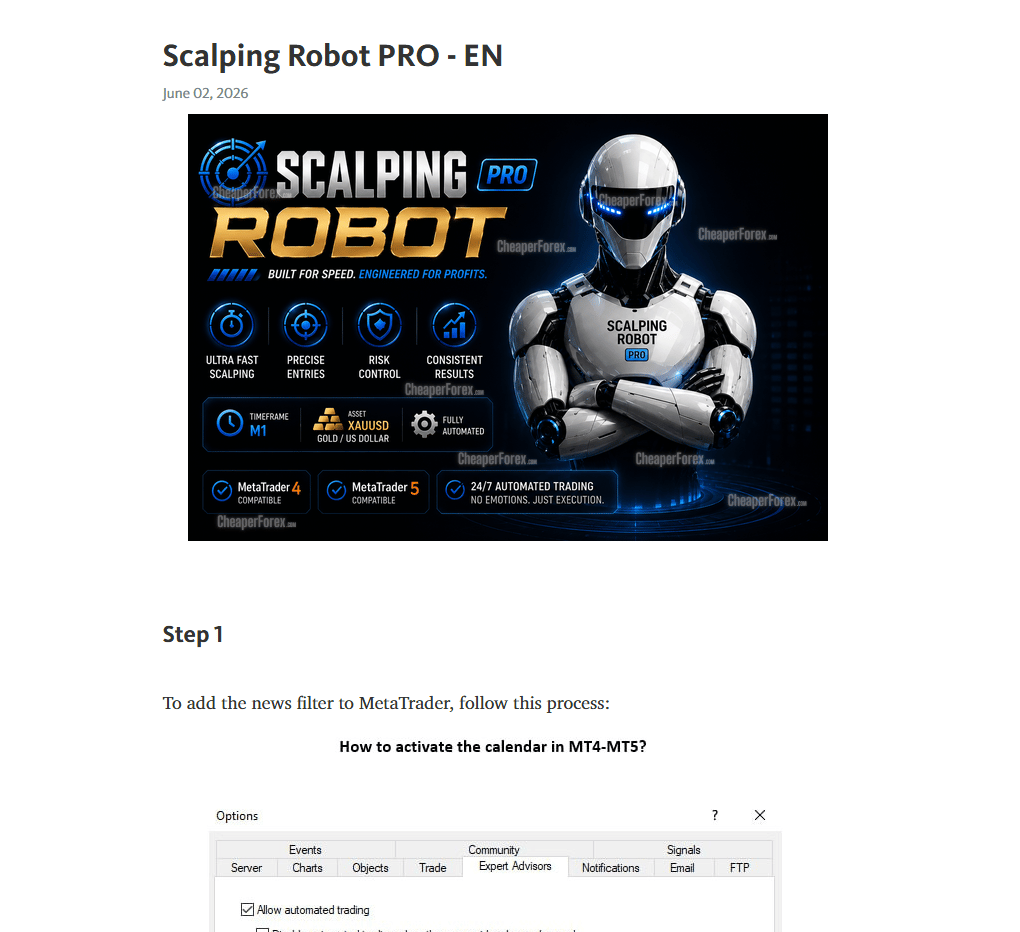
Scalping Robot Pro ships with a detailed user manual covering everything from installation through to advanced configuration. It’s not a one-page quickstart — it’s a proper document explaining what each input on the EA does, how to read the on-chart status panel, how to configure the news filter and session schedule, and what to check if the EA isn’t behaving as expected. For a system this configurable, the manual is genuinely useful: most marketplace EAs leave you guessing at what half the settings actually do, and the manual here removes that friction.
What the manual covers in depth:
- Installation — every step from purchase to a running terminal
- Recommended broker setup — account type, leverage settings, and the configuration that matches the developer’s live signal
- Every input on the EA — what each setting controls, with the recommended starting values and how to adjust safely
- The on-chart status panel — how to read daily P&L, spread, session, news status, and the mode flags
- News filter configuration — economic calendar integration and how high-impact events are handled
- Optional Recovery and Aggressive modes — what they do, what they don’t, and why both ship off by default
- Common issues and fixes — what to check if the EA isn’t taking trades or behaviour deviates from expected
From the MQL TOOLS SL Catalogue
Scalping Robot Pro is the latest release from MQL TOOLS SL, an established Spanish-based developer with a multi-year MQL5 catalogue. CheaperForex also stocks several of their other titles at significant discounts versus the marketplace:
- Scalping Robot EA MT4 — the long-running MT4 sibling to this product, useful if you trade on MT4 as well
- AI Forex Robot EA MT4 — the developer’s neural-network gold trading system (covered in our 8.5/10 editorial review)
- Forex Trading Bot AI MT4 — a self-learning AI EA from the same developer
- FX EURUSD Robot MT4 — the developer’s three-strategy EURUSD specialist
- Big Forex Players EA MT4 — the developer’s multi-strategy bank-positioning system (see our how-to guide)
What You Receive
- Scalping Robot Pro for MT5 — Latest Version
- Full user manual — installation, inputs, configuration, news filter, and on-chart panel explained
- Standalone file — install on your own MT5 terminals with no activation limits
Risk Disclaimer
High-frequency scalping on XAUUSD M1 is highly sensitive to broker execution quality, spread, slippage, and latency — results on one broker can differ meaningfully from results on another, and tester results often diverge from live trading on real fills. The developer’s live signal is currently young (days rather than months), so the long-term behaviour of the strategy across different gold regimes is not yet established. Gold is subject to sharp news-driven volatility (NFP, CPI, FOMC, geopolitical events) that can stretch the strategy beyond normal parameters. The backtest shows roughly 24.6% maximum drawdown, which is the historical worst-case rather than an upper bound. Test on demo on your intended broker first, use conservative position sizing while validating, and never deploy capital you cannot afford to lose. Past performance — backtest or live — does not guarantee future results.
Full Review & Analysis
📖 Read our complete Scalping Robot Pro EA review →
An honest editorial breakdown: how the M1 scalping logic works, the LR 1.00 backtest examined critically, the very young live signal read honestly, the MQL TOOLS SL catalogue context, the recovery/aggressive mode question, and our verdict on whether to commit at v1.0 or wait.
FAQs
What is Scalping Robot Pro EA?
A XAUUSD-only Expert Advisor for MetaTrader 5 by MQL TOOLS SL, designed for fast precision scalping on the M1 timeframe. It uses structured entry logic to react to short-term price behaviour and momentum shifts on gold, with an on-chart panel showing daily profit, daily pips, current spread, session, news status, and current mode flags (recovery, aggressive, hidden TP/SL). The MT4 sibling product is the long-running Scalping Robot EA MT4.
What do I receive, and can I run it on more than one terminal?
You receive Scalping Robot Pro as a standalone file for MetaTrader 5. There are no activation limits, so you can install it across your own MT5 terminals and VPS setups. CheaperForex supplies it at a significant discount versus the MQL5 marketplace price.
What broker and account type do I need?
A broker offering XAUUSD with tight spreads on M1. ECN or Raw Spread accounts are strongly preferred — high-frequency scalpers live or die on spread quality and execution latency. The developer’s live signal runs on IC Markets at 1:1000 leverage; match leverage to your jurisdiction’s availability.
What deposit should I start with?
The developer’s live signal started with around $500 in deposits, but a higher starting balance gives the scalper more headroom for normal drawdown. Start with the smallest sensible balance you’re comfortable losing, run conservative lot sizes, and step up only after you’ve watched live behaviour on your own broker for several weeks.
Does it use martingale or grid?
Not by default. The on-chart panel shows Recovery Mode and Aggressive Mode as toggleable settings, both off by default — meaning out of the box there is no forced grid or martingale. Those modes can be enabled by the user but are not how the developer’s live signal runs.
Does it work on MT4?
This product is the MT5 version. The developer also publishes the MT4 sibling product as Scalping Robot EA MT4, which has a longer history on the platform.
Do I need a VPS?
Yes — strongly recommended for any M1 scalper. Latency and uptime matter enormously on a high-frequency strategy, and your home machine and connection aren’t sufficient. A low-latency VPS near your broker’s server is the right setup.
Why buy from CheaperForex instead of the MQL5 marketplace?
The product is identical — same EA, same future updates. You pay significantly less. Our full review covers both the strengths (established developer catalogue, real-tick backtest, news filter) and the honest caveats (v1.0 launch, very young live signal) before you buy.
