
Night Hunter Pro uses rollover scalping on nine Forex pairs. Night Hunter Pro targets traders prepared to evaluate broker execution at rollover. Its explicit no-grid approach is useful, but recent negative buyer feedback and changing spread conditions deserve as much attention as the long-running accounts.
View product details and current pricing.

- Developer source links: MT4 listing · MT5 listing
- Live signal link: Current linked MT4 account
Source check: 15 September 2026. This review examines the developer’s public listings, guide, updates, account data and buyer feedback; it is not our own live trading test.
How the strategy works
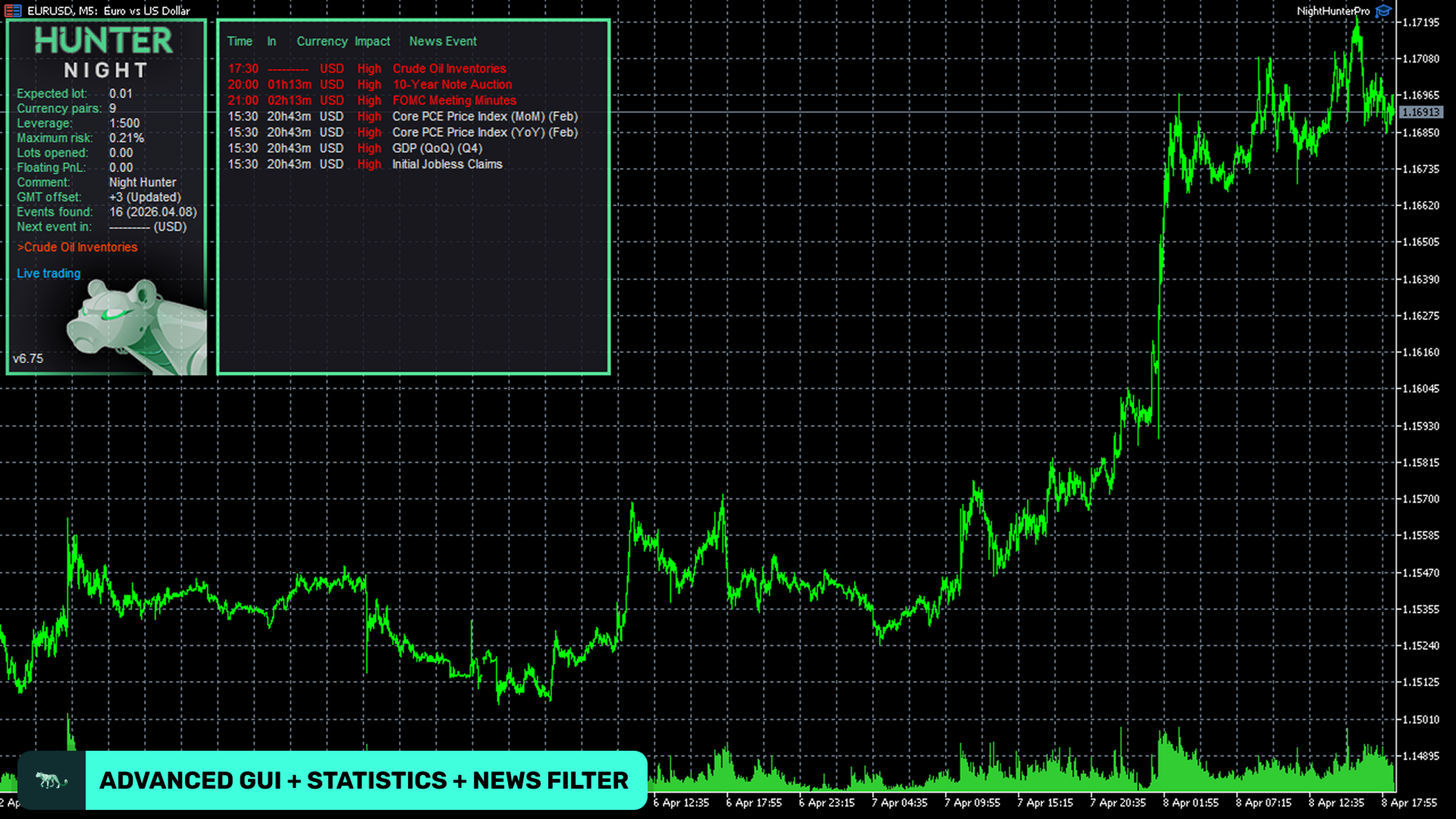
A single EURUSD M5 chart is the developer’s suggested starting point. Built-in settings cover the supported symbols. Check symbol suffixes, news/GMT WebRequest connections and permitted trading hours before enabling trading. The developer recommends avoiding weekend trading during volatile conditions. Use the drawdown and exposure controls to define an account limit rather than relying on a historical equity curve.
- Pending-order entries during quieter market sessions, with a stop loss on each trade.
- Nine supported pairs: GBPUSD, EURUSD, EURCHF, USDCAD, USDCHF, CHFJPY, AUDCAD, EURCAD and EURAUD.
- News, spread, swap and session filters, plus automatic GMT detection and account diagnostics.
MT4 or MT5: choosing the edition
For an existing MetaTrader 4 account, the main preparation is checking execution during the actual trading window. A low daytime spread does not establish good rollover conditions. Commission, swaps and delayed fills can absorb the small targets that make night scalping attractive. Start with the relevant MT4 preset and verify the broker’s symbol names and server time.
Choose this edition for a MetaTrader 5 terminal and test its MT5 build with the broker’s available history. The MT4 executable cannot run in MT5. Multi-pair coordination still depends on available symbols and reliable quotes; changing terminal does not remove rollover spreads or guarantee the same fills as an MT4 signal account.
The platform choice does not create a different economic edge. Compare like-for-like symbols, settings, account rules and execution costs. Keep each edition’s testing and results separate.
Current public signal: what it shows
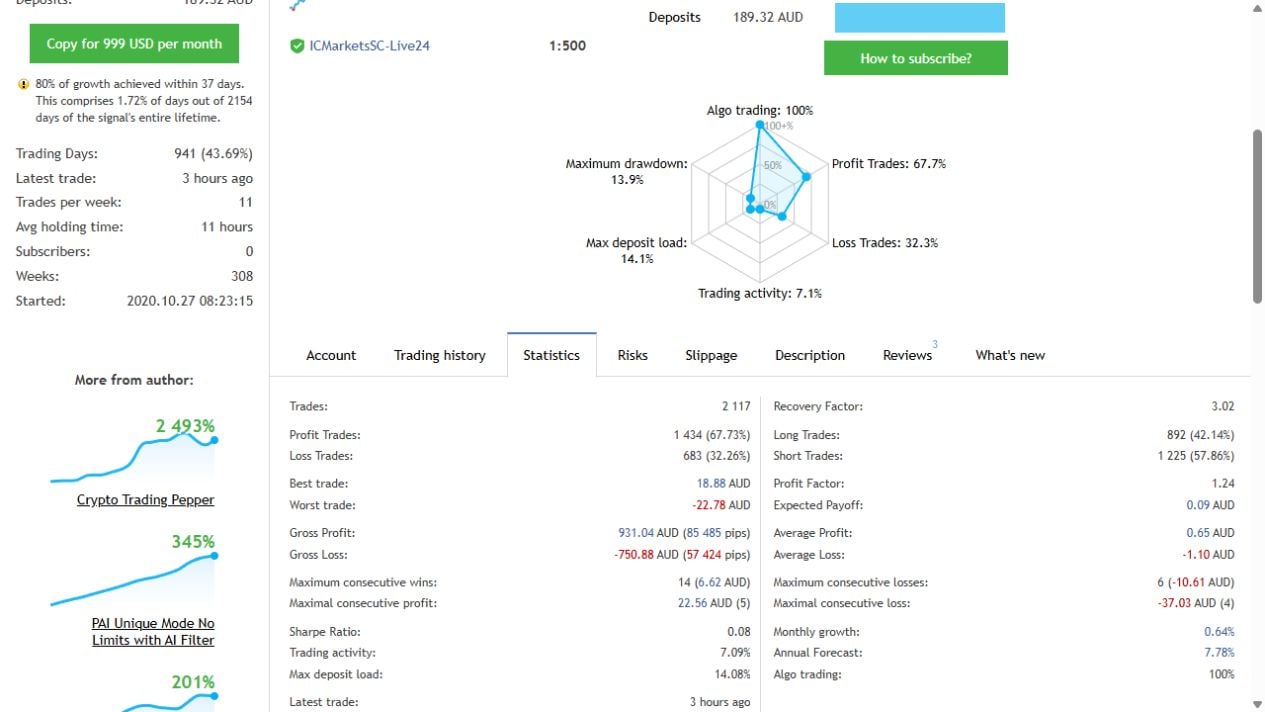
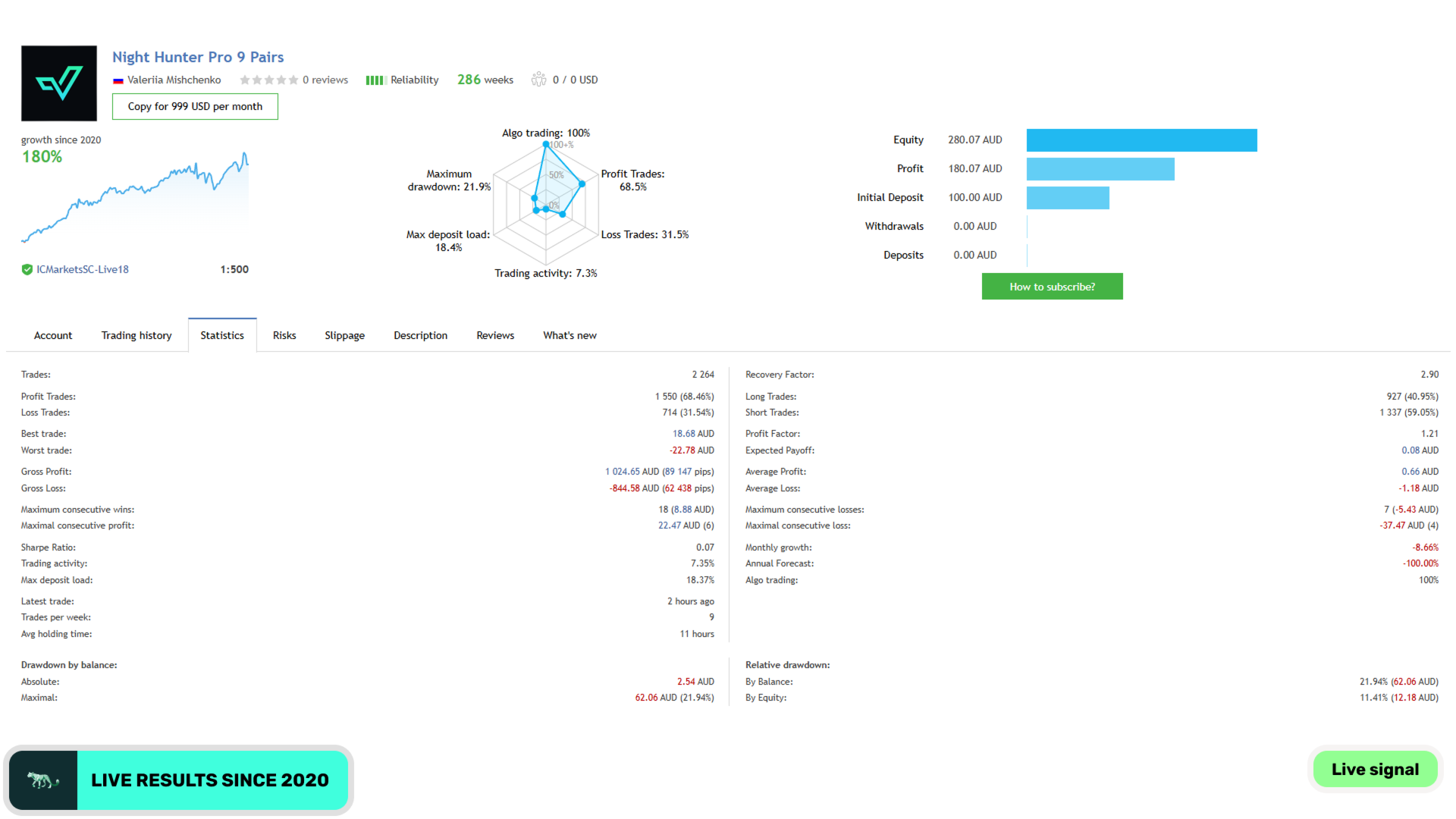
The linked All Pairs account is an MT4 real account on ICMarketsSC-Live24. At our 15 September 2026 check it displayed 144.75% cumulative growth, 13.91% relative balance drawdown and 11.86% equity drawdown. A second MT4 account, 9 Pairs, showed 200.58% growth, 21.94% balance drawdown and 11.41% equity drawdown. These are different portfolios, not interchangeable results. The 9 Pairs account showed only AUD300.58 balance/equity at the check: account size matters when interpreting percentage returns and execution.
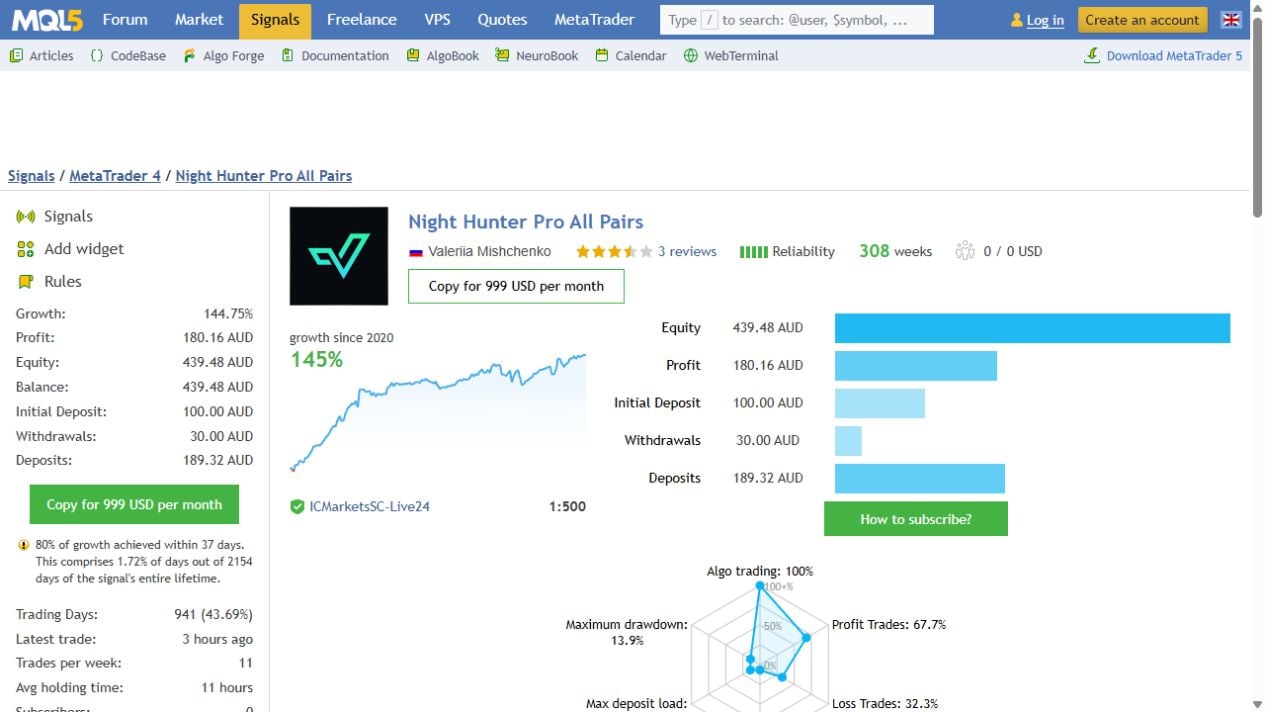
These records began monitoring in 2020. They provide a longer observation window than a new launch, but their cumulative growth is not an annual return or an MT5 result. The previously linked Best Pairs and MT5 Extreme URLs returned the signal directory during our check, so we do not present them as currently accessible evidence. Examine the active accounts’ recent months and trade activity, not only growth since inception.
What buyer reviews say
Recent MT5 feedback is substantially more critical than the older promotional reviews. Buyers in 2025 report disappointing live results, and an older review raises broker-condition and position-size concerns. Those are customer reports, not independently audited findings. Earlier praise describes profitable periods, but does not settle whether the same edge remains today. The short screenshot below records one particularly negative review; the full source provides the context and other opinions.

Read the original MQL5 review and surrounding feedback. Third-party ratings remain on MQL5; they are not imported as CheaperForex verified-purchase stars.
Backtests and older gallery evidence
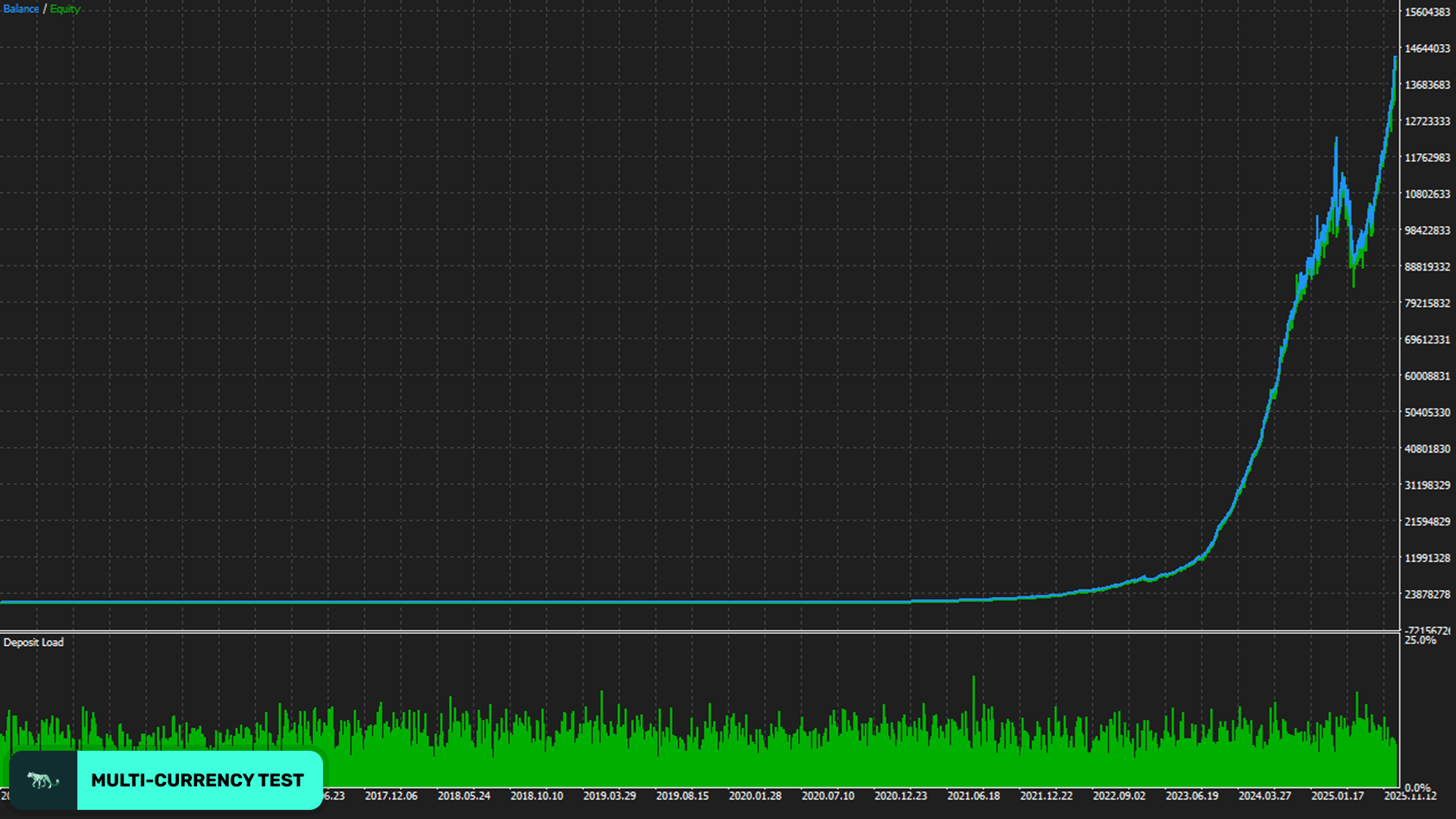
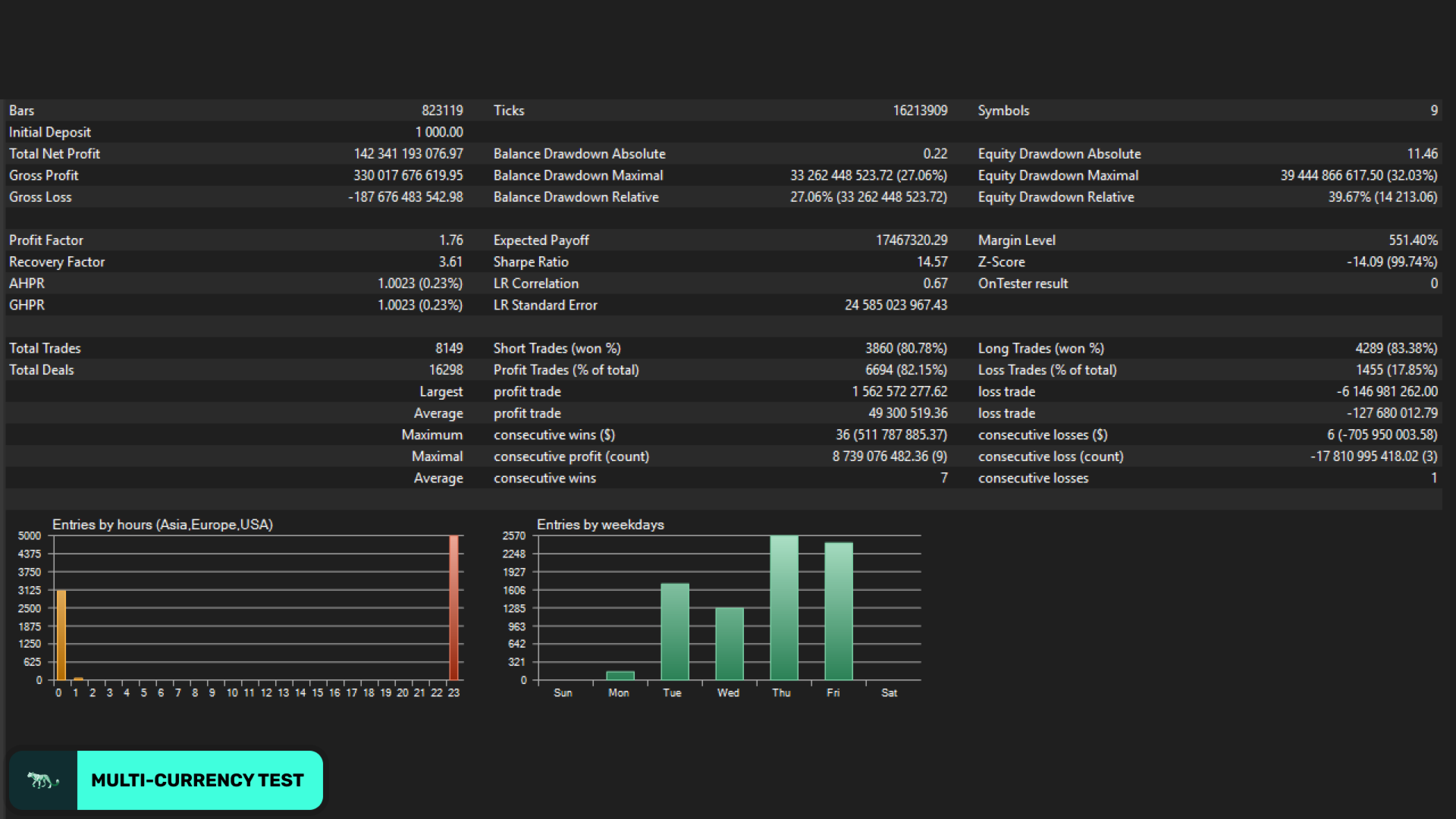
The developer supplies the following test curve and report. They are useful for seeing the style of testing, but modelling, data quality, settings and execution assumptions can differ from a real account. They are kept distinct from the current signal captures above.
Guide and release history
Both edition histories include a February 2026 terminal-compatibility update. Older comments claiming that no update had arrived were written before that release. This does not establish that the strategy’s live performance improved. The linked guide also contains historical settings examples; use the current product inputs rather than treating an old illustration as a promised return.
Public setup guide · MT4 release history · MT5 release history
Before running it
Start with a demo test of the exact broker, account and preset. Review open exposure as well as closed balance. Define an affordable loss limit and verify which controls close existing trades versus only prevent new entries. A backtest, an AI label or a public account is not a guarantee that those limits will hold through gaps and slippage.
Other systems from the same developer
Valeriia Mishchenko also develops Perceptrader AI MT5 (review), Golden Pickaxe MT5 (review). Compare their different strategy risks rather than assuming a shared author means identical behaviour.
View the available editions
Night Hunter Pro MT4 product · Night Hunter Pro MT5 product
Both platforms are offered separately. Current prices are shown on their product pages, which also provide the order and delivery details.