
Official MT5 version · Gold EA
Cepheus MT5 EA
Version 1.43
We’re rated Excellent on Trustpilot · 4.6/5 (opens in a new tab)Cepheus MT5 EA combines two gold-trading engines with configurable allocation and an operating dashboard.
- Discipline and Loyalty: momentum/breakout and swing-structure approaches, used separately or together.
- Flexible sizing: automatic, percentage-based or fixed-lot modes.
- Native news controls: MT5 calendar protection with engine status, exposure and countdown information.
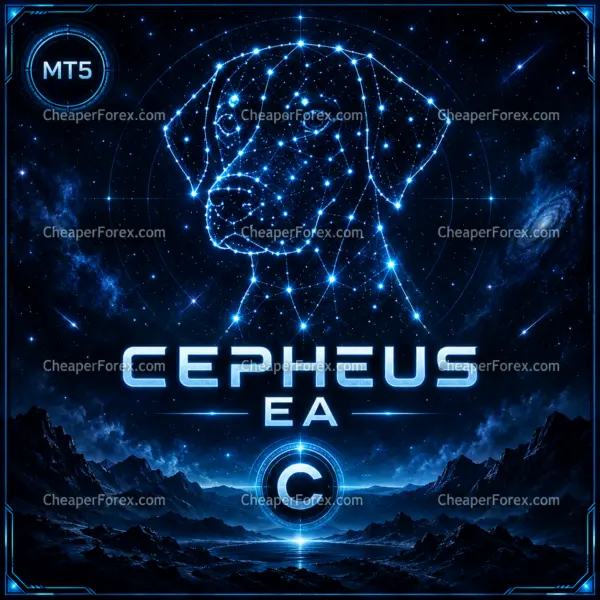 MT5Save 40%
What you receive
- Cepheus.ex5Genuine, unmodified developer file for MetaTrader 5Version 1.43
- Setup guide.pdfA general guide to installing expert advisors.Official step-by-step install guide
Delivered instantly to your account after payment
Regular priceRegular price was $249.00
$149.99 with card
Visa, Mastercard, Apple Pay and Google Pay accepted.
Card payments add bank fees, sales taxes and other charges.
- Official developer build · Version 1.43
- Instant downloadYour file is provided immediately after payment. In very rare cases we manually review an order first, then send your download straight after. If you don’t receive your file, you can request a full refund.
- Free lifetime updatesAll updates are free. They’re provided on a best-availability basis: we get new versions as fast as we can, led by customer demand, but we don’t guarantee them immediately. If you need every update the moment it’s released, our service may not be the best fit for you.
- 7-day money-backRefunds only cover an EA that fails to attach to your chart because of errors we can replicate. We don’t cover changing your mind or not liking the EA. All brokers are different, and results are never promised because markets are constantly changing.
- Unlimited activationsUse it on as many MT5 accounts and computers as you want, live or demo. There are no restrictions on how you use it.
What you receive
- Cepheus.ex5Genuine, unmodified developer file for MetaTrader 5Version 1.43
- Setup guide.pdfA general guide to installing expert advisors.Official step-by-step install guide
Delivered instantly to your account after payment


28,000+ tradersServed since 2019
Official versionsInstant downloadFree lifetime updatesExtra 20% off with cryptoReal people on support28,000+ tradersTrading since 2019Rated Excellent on Trustpilot
Product description
About Cepheus MT5 EA
Cepheus MT5 EA by Thierry Ouellet brings two gold-trading approaches into one product: Discipline for momentum and breakouts, and Loyalty for broader swing structure. View the official Cepheus listing.
Run either engine on its own or combine them. Engine selection and the sizing mode determine how the documented allocation is distributed.
Prepare your setup · Read the Cepheus engines and signals review
Two engines, with a shared allocation to understand
Use the public sizing guide to compare the documented modes before choosing your configuration. Treat engine selection and sizing as decisions to review together.
The manual describes automatic tiers, custom percentage sizing and fixed lots. With both engines enabled, the stated risk-budget weighting is Loyalty 3:1 Discipline; one enabled engine receives the full budget. Switching an engine off therefore does not automatically reduce the total allocation.
Gold trading requirements
- Machine: choose the Windows PC or VPS where the intended MT5 terminal will run. Keep that terminal connected when its active management is needed.
- Account: check in MT5 that the account uses hedging mode and that the EA recognises its gold symbol.
- Order conditions: inspect contract size, minimum volume and spread. A familiar broker name alone does not establish how a particular account executes.
- Engine selection: decide whether the setup should enable Discipline, Loyalty or both, then check the resulting allocation.
The developer documents XAUUSD/GOLD and internal timeframe analysis. Use the Cepheus manual for the controls and our forex VPS guide for the hosting side. After setup, use a broker demo account to inspect operation before committing live funds.
Native news protection and clear operating checks
Cepheus uses MT5’s economic calendar for news protection; no external WebRequest address or news API key is required. During setup, check the calendar status and broker clock alongside the entry permissions. A calendar connection and an enabled filter are different things to inspect.
The dashboard helps you review engine state, exposure and the news countdown. When an expected entry does not appear, start with that information and the terminal log. Changing several controls just to produce a trade makes it harder to understand which condition mattered.
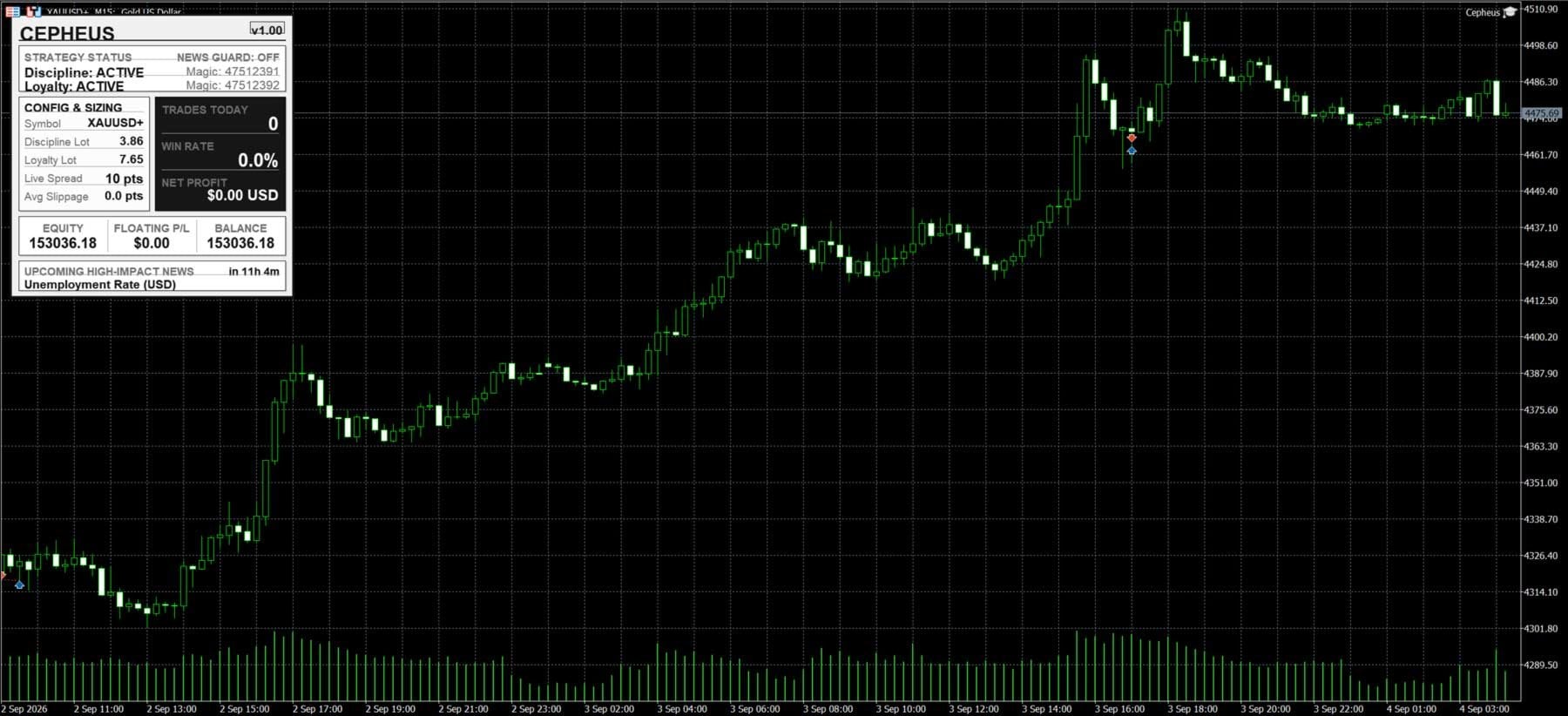
Read the current build notes
At the 9 September 2026 check, the official release was 1.4; the manual still displayed a v1.00 example. Later releases changed drawdown actions and Discipline behaviour. Use the current Cepheus change log when comparing a screenshot or saved configuration with your installation.
See the combined-engine signal
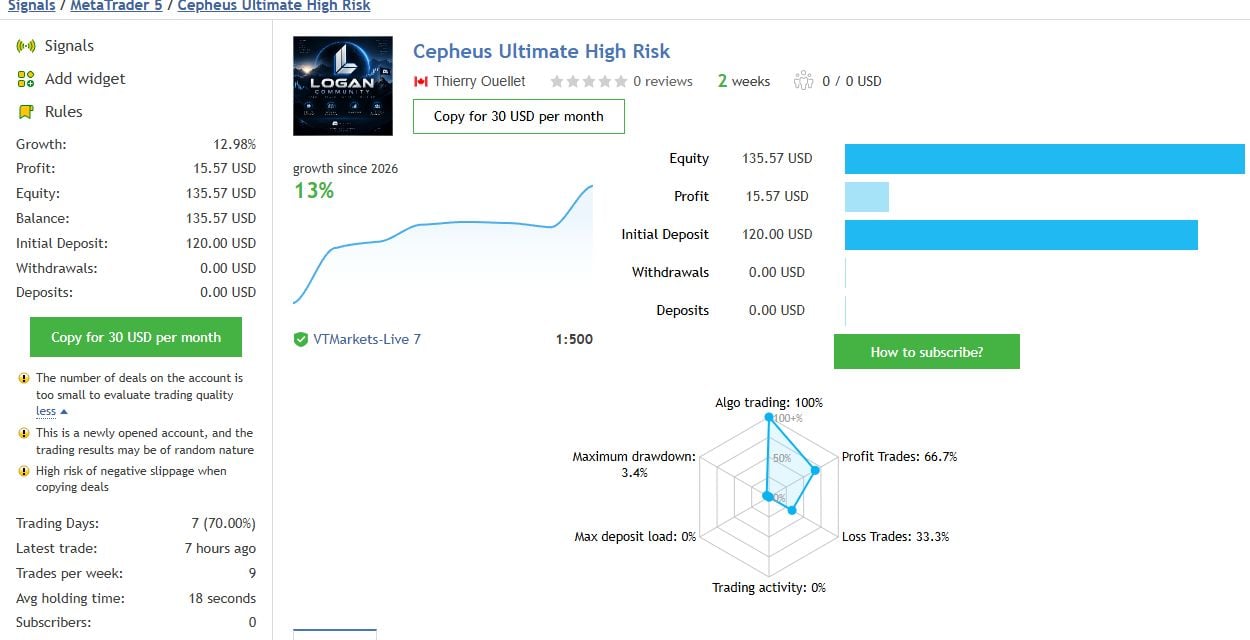
Our review also examines the separate Loyalty and Discipline records, with their currencies and drawdown fields labelled. Compare all three Cepheus signals before deciding how much weight to give the current sample.
Read the Cepheus MT5 EA review →
Delivery: Standalone MT5 file. Follow the delivery instructions supplied with your order. Free lifetime updates are included, added as soon as we receive them. You never pay twice. Managed installation is also available on request.
Every order
What’s included with Cepheus
- Instant downloadReady after checkout and kept in your account
- Free lifetime updatesAdded as soon as we receive them, every version kept in your account
- Unlimited activationsUnlimited live and demo accounts
- Setup helpReal people on Telegram or email
- 7-day money-back guaranteeIf the EA fails to attach to your chart because of errors we can replicate, you get a full refund.
Product FAQs
Cepheus MT5 EA FAQs
Real people on support, by Telegram or our contact form.
What do I receive after buying Cepheus?
This offer supplies the standalone MT5 file. Follow the delivery instructions supplied with your order. Free lifetime updates are included, added as soon as we receive them. You never pay twice. If you prefer managed installation, request it using your order instructions.
Which file version is supplied, and how do updates work?
This offer supplies the standalone MT5 file. Follow the delivery instructions supplied with your order. Free lifetime updates are included, added as soon as we receive them. You never pay twice. If you prefer managed installation, request it using your order instructions.
Which platform and account should I prepare?
Prepare MT5, your broker’s exact gold symbol and a hedging account. The developer documents internal timeframe analysis, so the chart period is not the strategy’s main configuration control. Check the account mode in MT5 before running the EA.
Does the news filter need an API key or WebRequest address?
No. The documented news filter uses MT5’s native economic calendar. Check the calendar and news status in the installed terminal; no third-party news-service credentials are required.
Can I enable only one engine?
Yes. Confirm the allocation again whenever you change the selected engine combination, then save the revised configuration with your setup record.
Are the linked signal subscriptions included?
No. CheaperForex’s $149.99 price is for the EA purchase with standalone file delivery. Each MQL5 trade-copying signal is a separate subscription. The public signal links are provided as research material.
Customer reviews
Reviews of Cepheus MT5 EA
You must be logged in to post a review.
- Excellent on Trustpilot 4.6 out of 5 from 120 reviews (opens in a new tab)
- 28,000+ traders since 2019
- 1,560+ official EAs
- Card or crypto payments
Related EAs
Traders also explore
Premium expert advisors at vault-low prices, with your crypto price on every card.
 MT5Save 40%
 MT5Save 79%
 MT5Save 40%
 MT5Save 55%
Ready when you are
Cepheus MT5 EA for $119.99 with crypto
Regular price was $249.00 · $149.99 with card · instant download · free lifetime updates

Cepheus MT5 EA$119.99with crypto$149.99 with card
There are no reviews yet.