
Official MT5 version · Prop firm EA
DAX Robot EA MT5
Latest version
We’re rated Excellent on Trustpilot · 4.6/5 (opens in a new tab)DAX Robot EA MT5 trades Germany 40 on H1 with trend, momentum and volatility filters.
- Buy-only, sell-only or two-way trading with weekday schedules.
- News and holiday filters, configurable stops and daily limits.
- On-chart status panel and the official setup guide included.
DAX Robot setup, testing and platform review · Also available for MT4
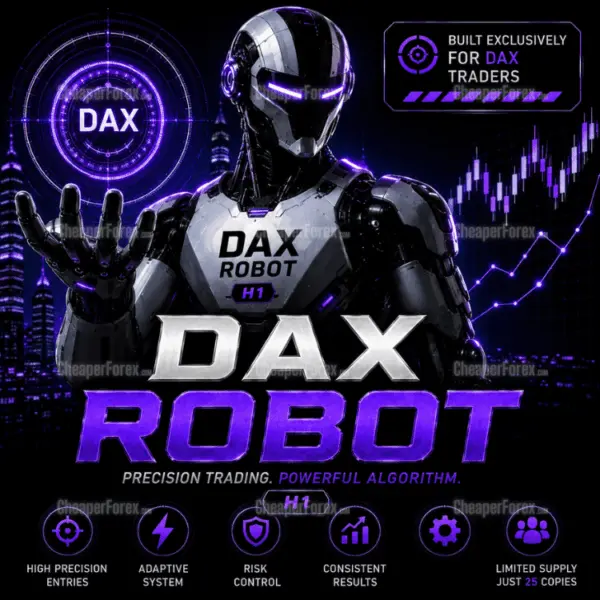 MT5Save 58%
What you receive
- DAX Robot.ex5Expert Advisor for MetaTrader 5Latest version
- Setup guide.pdfOfficial step-by-step install guide
Delivered instantly to your account after payment
Regular priceRegular price was $1,499.00
$629.95 with card
Visa, Mastercard, Apple Pay and Google Pay accepted.
Card payments add bank fees, sales taxes and other charges.
- Latest version
- Instant downloadYour file is provided immediately after payment. In very rare cases we manually review an order first, then send your download straight after. If you don’t receive your file, you can request a full refund.
- Free lifetime updatesAll updates are free. They’re provided on a best-availability basis: we get new versions as fast as we can, led by customer demand, but we don’t guarantee them immediately. If you need every update the moment it’s released, our service may not be the best fit for you.
- 7-day money-backRefunds only cover an EA that fails to attach to your chart because of errors we can replicate. We don’t cover changing your mind or not liking the EA. All brokers are different, and results are never promised because markets are constantly changing.
- Unlimited activationsUse it on as many MT5 accounts and computers as you want, live or demo. There are no restrictions on how you use it.
What you receive
- DAX Robot.ex5Expert Advisor for MetaTrader 5Latest version
- Setup guide.pdfOfficial step-by-step install guide
Delivered instantly to your account after payment
Source code (.mq5) available at checkout.


28,000+ tradersServed since 2019
Orders over $300 include 3 months of PrismAlgo freeThe highly recommended cloud-connected EA, on all 28 Forex pairs for one MT5 account. Added to your cart automatically. View PrismAlgo
Official versionsInstant downloadFree lifetime updatesExtra 20% off with cryptoReal people on support28,000+ tradersTrading since 2019Rated Excellent on Trustpilot
Product description
About DAX Robot EA MT5
DAX Robot EA MT5 automates Germany 40 index trading on H1, combining trend, momentum and volatility analysis with adjustable trade direction and exposure controls. It suits traders who want a dedicated DAX system inside MetaTrader 5 and a clear view of when the robot is allowed to operate. Buy through CheaperForex for the standalone offer, setup help and free lifetime updates.
Read our full DAX Robot EA review for the platform comparison, testing notes and evidence assessment.
Build a controlled DAX trading routine
Choose buy-only, sell-only or two-way trading, then set an operating window for each weekday. This makes the schedule part of your setup rather than something you have to supervise manually. The integrated news filter is described as suspending new entries for an hour on either side of major releases. Optional holiday controls add another way to manage when the system is active.
- Configurable exits: fixed take-profit settings or automated management, with fixed or percentage-based stop-loss options.
- Daily controls: optional Daily Profit and Max Drawdown settings alongside the selected lot size and risk level.
- Market visibility: a chart panel displaying spread, session, volatility, trading status and performance fields.
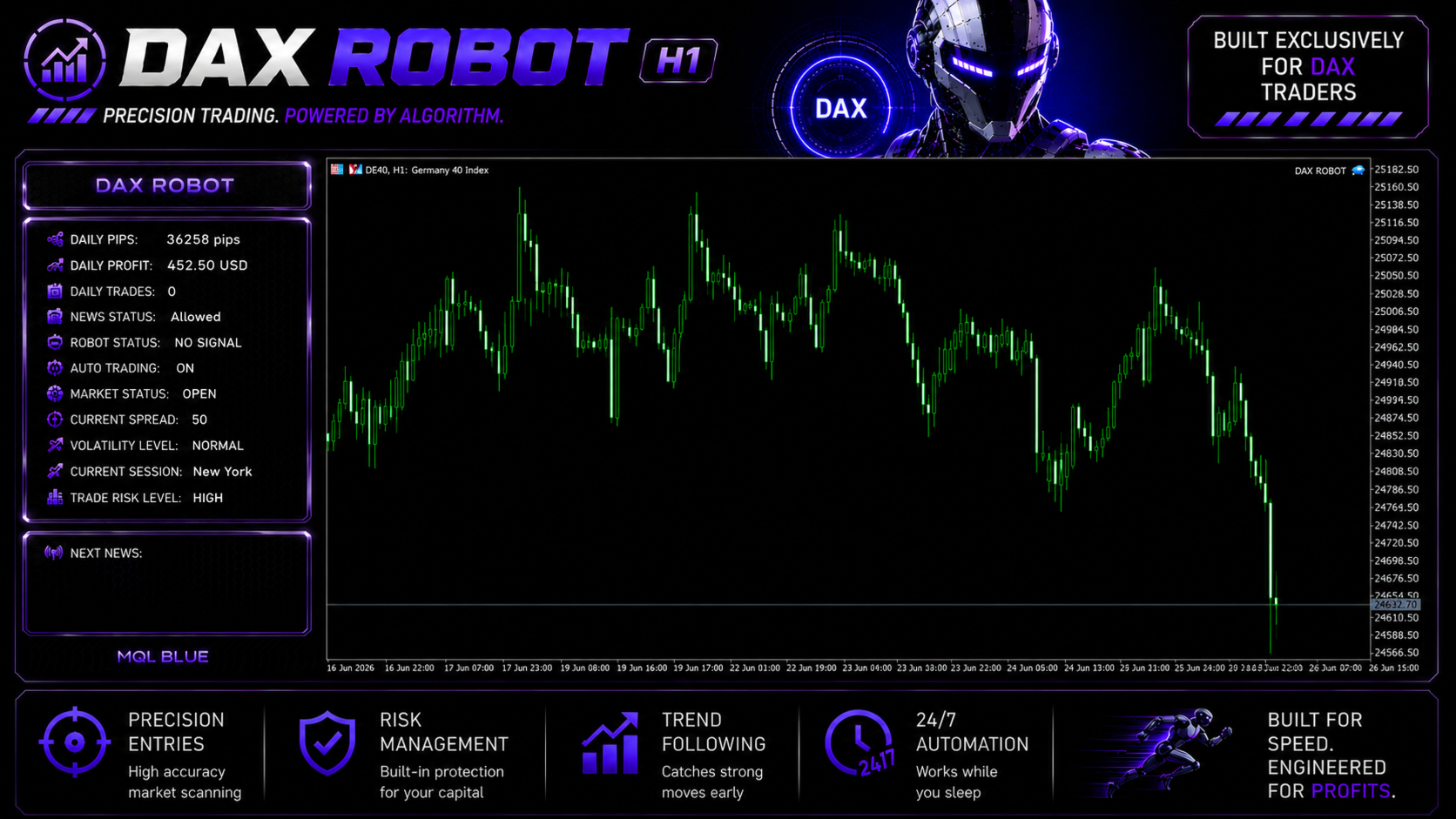
Prepare your MT5 broker setup
Open the broker’s Germany 40 instrument on H1 and confirm its exact contract specification. Names such as DAX, GER40 or DE40 are useful clues, but the contract size, tick value, minimum volume and trading hours are what determine how the chosen lot size behaves. Check those details before copying settings from another account.
The existing MT5 offer includes the developer’s official setup guide. Use it to configure the file and retain your settings before making changes. A useful first check is to confirm that Algo Trading is enabled, the panel reports the intended symbol and session, and the journal contains no order-volume or stop-distance errors.
Use the tester to answer practical questions
The developer publishes an MT5 tester recipe using normal Every Tick modeling and fixed 0.01 lots. Save the model, date range and broker specifications with your report so you can reproduce the run. Follow that with a demo check of order volume, stop placement and the daily controls on your intended account. Our review explains why a test setting and a live-account recommendation need to be kept separate.
Choose the edition for your terminal
This is the MetaTrader 5 edition. If your trading account runs in MetaTrader 4, choose DAX Robot EA MT4 instead. The two editions have separate executables and should be evaluated on the broker environment where you will actually run them.
Your purchase and setup support
Keep a copy of the supplied guide and any settings accompanying your delivery. A separate custom preset pack or the developer’s private MQL5 buyer group is not promised by this offer. 7-day money-back guarantee if it fails to install or run. Setup help by email whenever you need it. Trading results are not covered by that guarantee.
Verify it yourself
DAX Robot MT5 developer listing · Release notes · Buyer questions and developer replies
Standalone MT5 file. Follow the delivery instructions supplied with your order. Free lifetime updates are included, added as soon as we receive them. You never pay twice. Free remote installation is available if you need it.
Every order
What’s included with DAX Robot
- Instant downloadReady after checkout and kept in your account
- Free lifetime updatesAdded as soon as we receive them, every version kept in your account
- Unlimited activationsUnlimited live and demo accounts
- Free remote installationOptional: a one-time install over AnyDesk, with settings advice and custom presets
- 7-day money-back guaranteeIf the EA fails to attach to your chart because of errors we can replicate, you get a full refund.
Product FAQs
DAX Robot EA MT5 FAQs
Real people on support, by Telegram or our contact form.
Which chart does DAX Robot MT5 use?
Use the broker’s Germany 40 or DAX instrument on H1, following the supplied setup guide. Confirm contract specifications and symbol naming on that account.
Why might the EA wait without opening a trade?
The entry conditions, trading schedule, news filter or holiday settings may restrict new positions. Check the panel and journal before changing the setup.
What is included with the MT5 offer?
The standalone MT5 file offer and the existing official setup guide inclusion. Follow your order’s delivery instructions. Free lifetime updates are included, added as soon as we receive them. You never pay twice. Private developer-group access is not promised.
- Excellent on Trustpilot 4.6 out of 5 from 120 reviews (opens in a new tab)
- 28,000+ traders since 2019
- 1,530+ official EAs
- Card or crypto payments
Related EAs
Traders also explore
Premium expert advisors at vault-low prices, with your crypto price on every card.
 MT5Save 50%
 MT5Save 50%
 MT5Save 57%
Ready when you are
DAX Robot EA MT5 for $503.96 with crypto
Regular price was $1,499.00 · $629.95 with card · instant download · free lifetime updates

DAX Robot EA MT5$503.96with crypto$629.95 with card