
DAX Robot EA MT5 and MT4 trade the Germany 40 index on H1 using trend, momentum and volatility conditions. The strongest practical reason to consider the system is its combination of configurable trading hours, directional controls and daily limits. Our assessment focuses on how those controls can be checked on your broker; the available public material does not establish a long, independently verified DAX performance record.
Choose Get DAX Robot EA MT5 at CheaperForex or Get DAX Robot EA MT4 at CheaperForex for the current edition-specific offer.
Ready to Buy DAX Robot EA MT5?
$503.96 with crypto · $629.95 by card
Official version · Instant download · Free lifetime updates · 7-day money-back guarantee
Ready to Buy DAX Robot EA MT4?
DAX H1 trading with configurable direction and daily limits
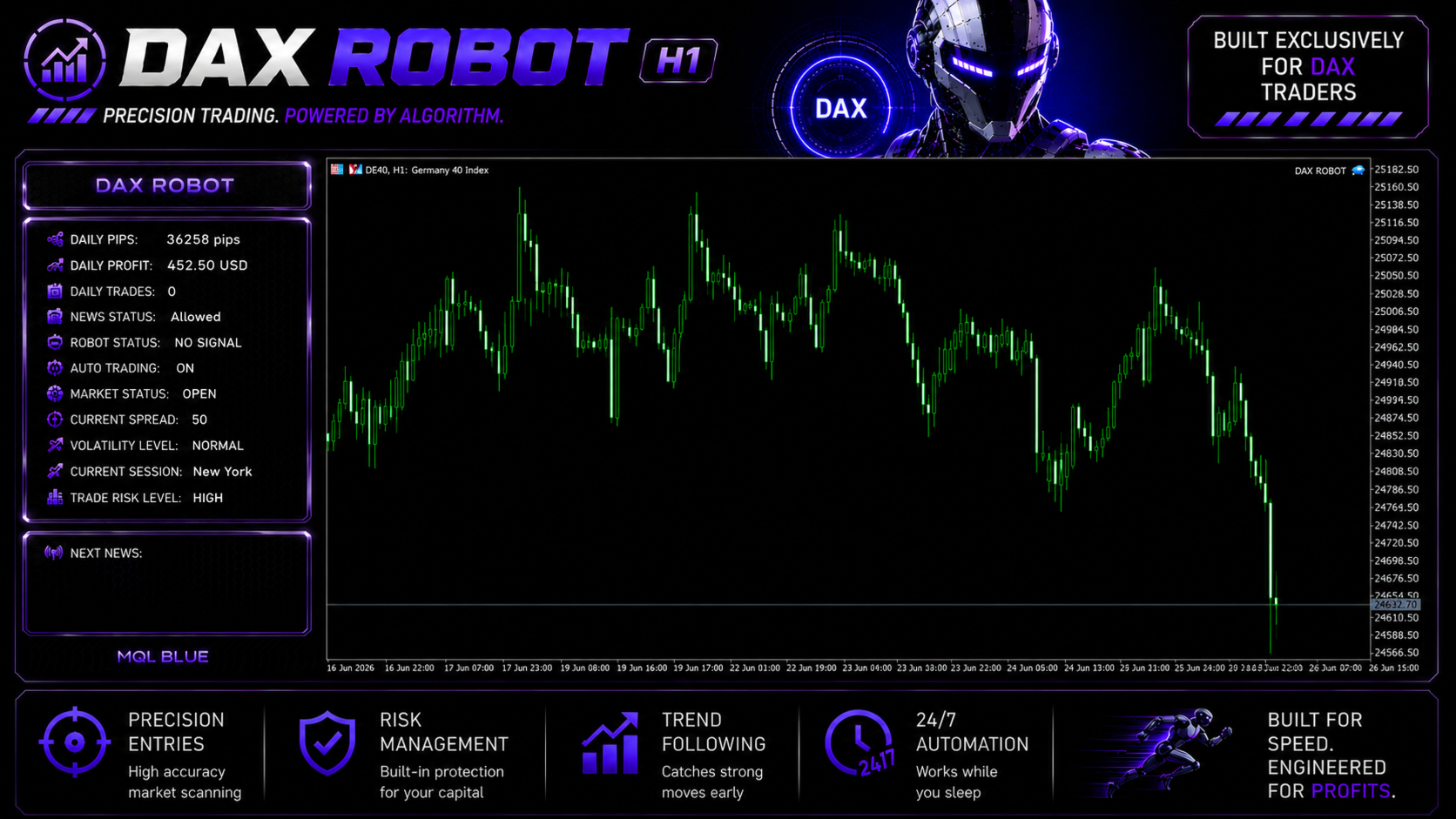
News and holiday filters with an on-chart status panel

Source check: 25 September 2026. We inspected both MQL5 listings, the published update history, buyer comments and the developer website. This is an editorial assessment of those materials, not a report of our own live trading or a reproduced backtest.
What the current system lets you control
The developer describes selective entries based on trend, momentum and volatility. Both editions target the DAX on an H1 live chart. The published controls include buy-only, sell-only and two-way modes; a separate trading schedule for each weekday; holiday filtering; and an on-chart operational panel.
Exit choices include fixed take profit or automated management, with fixed or percentage-based stop-loss settings. Daily Profit and Max Drawdown controls are optional. Their presence is useful, but a label alone does not tell you whether a limit closes positions, prevents new entries or resets at a particular server time. Confirm those details in the supplied settings and demo behavior before relying on a limit for your account.
The pictured Low, Medium and High risk choices should be translated into actual volume and stop exposure. For an index contract, calculate the effect of a point move using your broker’s tick value and lot size. This is more informative than describing a profile as conservative simply because it is called Low.
News and holiday behavior changed after launch
The published news rule suspends new positions for sixty minutes before and after major releases. The 9 July release notes explicitly added FED-event coverage and an all-day bank-holiday block. These changes matter to anyone comparing an early screenshot or June setup with the current documented behavior.
A restriction on new entries is not a promise that an existing position is closed before news. Check the open-position behavior separately. Server time, calendar availability and the configured schedule also matter; an EA can be attached correctly and still remain inactive because its filters are doing their job.
MT4 and MT5 testing instructions are different
The MT5 listing suggests normal Every Tick modeling with fixed 0.01 lots and a chosen date range. The MT4 tester paragraph instead specifies an M1 test setting and Current spread. Both live setup sections still instruct H1 deployment. We therefore distinguish the developer’s tester recipe from the intended live chart rather than silently choosing one timeframe for every use.
For a meaningful comparison, record the executable, date range, model, spread assumption, lot size and broker contract specification. A Current-spread MT4 run can reflect the spread at the time the test starts, rather than the full historical spread experience. Do not label it a real-tick performance record without verifying the data and model actually used.
The source also gives inconsistent starting-capital figures: its setup paragraph mentions a 1,000-unit deposit while the specification list says 3,000. These are not interchangeable account recommendations. Required margin and tolerable loss depend on the broker contract and chosen exposure. Increasing leverage may reduce margin requirements; it does not create a trading edge or reduce the loss caused by a given price move.
What the public results and feedback establish
The MT5 listing showed three buyer reviews at this check, while the MT4 listing had none. The MT5 reviews were posted on 30 June and praised setup, support and selective trading. Later comments include customer-posted trade screenshots, including September updates from Nick and Lorymia2131. This is more current feedback than our original June article described.
Those comments are customer experiences, not an independently audited continuous account. Selected closed trades do not show every floating loss, withdrawal, deposit or change in settings. We keep that evidence separate from CheaperForex verified-purchase ratings and do not import MQL5 stars into either product.
The listing says live results are on the developer’s website. We checked the linked MQL BLUE site and its visible robot navigation, but could not verify a DAX-specific continuous account from those references. We have not substituted the seller’s separate Scalping Robot Pro signal as proof of DAX Robot performance. A direct account link with its history, equity drawdown, platform and settings would be more useful than isolated profitable screenshots.
Choosing an edition without invented advantages
Choose the executable that matches the account you will use. MT4 and MT5 share the stated DAX/H1 concept, but separate builds and broker environments can produce different execution. We have removed the earlier suggestion that MT5 necessarily provides better connection reliability or that either edition can be assumed to perform identically.
Our existing MT5 offer includes the official setup guide. The developer now advertises a manual for direct buyers of both platforms; that does not automatically add private-group access or an extra preset pack to a reseller offer. Consult the relevant CheaperForex product page for the package you are purchasing.
A useful demo evaluation
- Check the Germany 40 contract’s tick value, volume step, margin and session hours.
- Use the intended H1 live setup and record the selected direction, schedule and exposure.
- Observe both a qualifying entry and a filtered period; inspect the journal if no trade appears.
- Verify how stops, daily limits and existing positions behave before changing risk settings.
- Retain losing periods as well as winning ones when assessing the trial.
The developer’s MT4 update instructions also address existing trades: preserve the old Magic Number when replacing the EA, or wait until positions are closed. That is a concrete operational detail to resolve before an update, rather than discovering afterward that a replacement instance is not managing the same orders.
Our verdict
DAX Robot is a focused option for traders seeking an H1 Germany 40 system with visible scheduling and exposure controls. Those features justify evaluating the software on its own terms. We no longer assign the earlier 4.5/5 score based on the reputation of other MQL Tools products: sister-product reviews cannot validate this EA’s returns.
The practical decision is whether its controls work as expected with your broker and whether a sufficiently representative performance record supports the risk you plan to take. Neither a high win-rate comment nor a quiet trading day answers both questions. Trading losses remain possible even with news filters and stop settings.
Other MQL Tools products
For a different market focus, compare Scalping Robot Pro EA MT5 or its MT4 edition. DAX Robot should still be assessed on its own Germany 40 setup and evidence.
How to get DAX Robot EA
Get DAX Robot EA MT5 at CheaperForex or Get DAX Robot EA MT4 at CheaperForex for the current standalone offer and setup support. The MQL5 MT5 listing and MQL5 MT4 listing are the developer references for direct-purchase terms and specifications.
Questions before choosing
Does the EA run on M1 or H1?
Both live setup sections specify H1. M1 appears in the MT4 tester recipe; it should not be silently treated as a replacement live-chart recommendation.
Does the news filter remove every news risk?
No. The documented rule concerns opening new positions around major events. Check what happens to existing positions, and allow for spread changes and execution gaps.
Are the two editions interchangeable?
No. Buy the file for your MetaTrader platform and test it on that broker account. An MT4 executable will not run as an MT5 EA.
Verify the source material
- Recent MT5 customer comments and screenshots
- MT5 release notes
- MT4 update and Magic Number instructions
- MQL BLUE developer website
Get DAX Robot EA MT5 at CheaperForexGet DAX Robot EA MT4 at CheaperForex