
DAX Robot EA MT4
Genuine files only. No cracks, fakes or AI copies. See why
Why our prices aren’t rock-bottom
- The official file. The developer’s own, unmodified EA. Never a crack, a decompiled copy or an AI recreation.
- It trades like the original, because it is the original. AI recreations only copy how an EA looks from the outside, so they can trade very differently.
- Safe to run. Cracked files can hide malware that reaches your computer and your trading account.
- Updates and help. Free updates, a setup guide, and real people on Telegram if you get stuck.
We keep prices as low as we can. We just won’t sell fakes to be the cheapest.
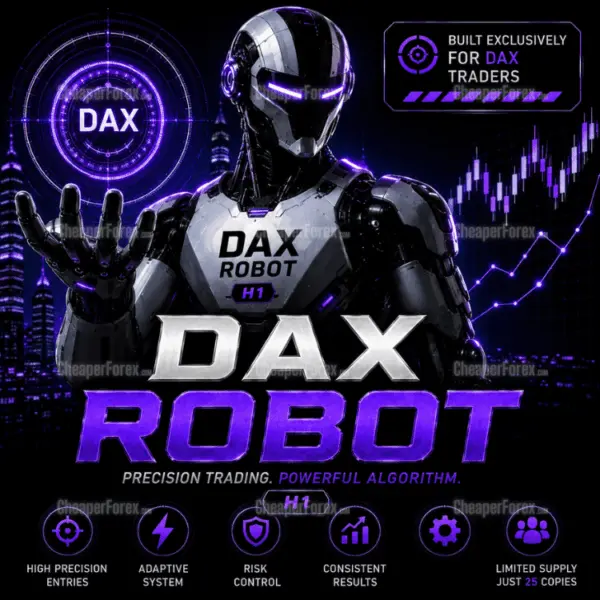
DAX Robot EA MT4 automates DAX H1 trading inside your MetaTrader 4 account, with configurable direction and exposure.
- Set daily trading windows and inspect session status on the chart.
- Adjust lot size, stop settings and daily profit/drawdown controls.
- News and holiday filtering for selective index trading.
Read the DAX Robot MT4 and MT5 review · View the MT5 edition
 MT4Save 47%
What you receive
- DAX Robot.ex4Genuine, unmodified developer file for MetaTrader 4Version 2.0
- Setup guide.pdfA general guide to installing expert advisors.Official step-by-step install guide
Delivered instantly to your account after payment
Regular priceRegular price was $1,199.00
$629.95 with card
Visa, Mastercard, Apple Pay and Google Pay accepted.
Card payments add bank fees, sales taxes and other charges.




 Apple Pay and Google Pay ready at checkout
- Official developer build · Version 2.0
- Instant downloadYour file is provided immediately after payment. In very rare cases we manually review an order first, then send your download straight after. If you don’t receive your file, you can request a full refund.
- Free lifetime updatesAll updates are free. They’re provided on a best-availability basis: we get new versions as fast as we can, led by customer demand, but we don’t guarantee them immediately. If you need every update the moment it’s released, our service may not be the best fit for you.
- 7-day money-backRefunds only cover an EA that fails to attach to your chart because of errors we can replicate. We don’t cover changing your mind or not liking the EA. All brokers are different, and results are never promised because markets are constantly changing.
- Unlimited activationsUse it on as many MT4 accounts and computers as you want, live or demo. There are no restrictions on how you use it.
What you receive
- DAX Robot.ex4Genuine, unmodified developer file for MetaTrader 4Version 2.0
- Setup guide.pdfA general guide to installing expert advisors.Official step-by-step install guide
Delivered instantly to your account after payment


28,000+ tradersServed since 2019
Don’t miss thisSee the EA we recommend
The Forex EA we trade ourselves
PrismAlgo for Forex


We have tested thousands of EAs. PrismAlgo is the one we use and recommend for Forex, and we rarely say that. We’re also an official reseller.
Real USD MyFXBook account. A live cloud, constantly evolving strategy.
See PrismAlgoOfficial versionsInstant downloadFree lifetime updatesExtra 20% off with cryptoReal people on support28,000+ tradersTrading since 2019Rated Excellent on Trustpilot
Product description
About DAX Robot EA MT4
DAX Robot EA MT4 brings automated Germany 40 trading to an existing MetaTrader 4 setup. Its H1 strategy combines directional market analysis with a configurable weekly schedule, news filtering and position-management controls. It is a practical choice for traders keeping their index account on MT4, with CheaperForex setup help and free lifetime updates.
Read our full DAX Robot EA review for the current controls, MT4 tester caveats and comparison with the MT5 edition.
Set the routine around your index account
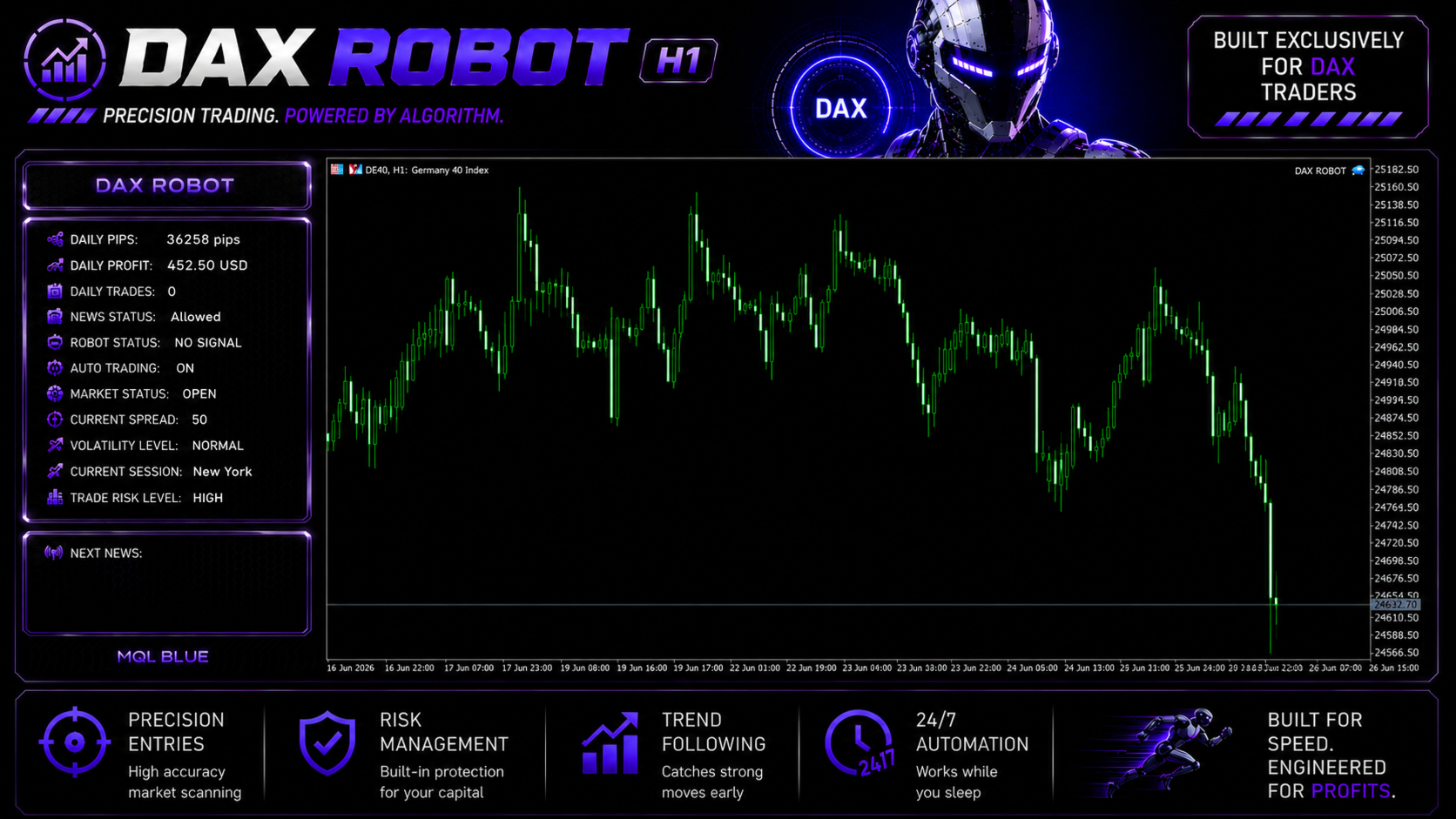
Start with the broker’s DAX or Germany 40 symbol on H1. Choose whether the EA may buy, sell or trade both directions, then define its allowed hours separately for each weekday. The chart panel gives you a visible reference for trading status, current session, spread and the selected risk level.
That visibility is useful when the robot is waiting: an inactive session, holiday filter or news restriction can explain why it is not opening a position. The published news rule blocks new entries during the sixty minutes before and after major announcements. Review the configured filters before treating a quiet period as an installation problem.
Configure trade management before switching it on
- Lot size and risk level: match the resulting order volume to your broker’s contract, rather than assuming a named profile means a fixed cash exposure.
- Stop settings: choose the available fixed or percentage-based stop-loss configuration.
- Profit handling: use the fixed take-profit option or the automated trade-management settings.
- Daily limits: configure the optional profit and maximum-drawdown controls and observe how they operate on demo.
MT4 checks that save setup time
Confirm that the file appears under Expert Advisors in the correct terminal’s Navigator, attach it to the intended chart and enable AutoTrading. Check the Experts and Journal tabs after attachment. If an order is rejected, record the message alongside the symbol, volume and stop settings so our support team can investigate the actual setup.
Index symbols can have broker-specific suffixes and different minimum volumes. Inspect Market Watch specifications for tick value, contract size, volume step, stop distance and session hours. A forex account’s advertised leverage does not by itself establish the margin available for its Germany 40 contract.
Test the MT4 edition on its own terms
The live setup described by MQL Tools is H1. Its separate MT4 tester paragraph uses an M1 test setting and Current spread; our review explains that distinction. Keep the test configuration with each saved report and validate the actual H1 deployment on demo. Do not assume an MT5 report is an identical result for this executable.
MT4 or MT5?
Keep this edition if your account and existing workflow use MT4. Choose DAX Robot EA MT5 for a MetaTrader 5 account; that offer includes the developer’s official setup guide. Neither platform choice by itself establishes better returns.
Purchase support and delivery
This MT4 offer supplies a standalone file. Follow the instructions in your order, and use any accompanying configuration material for that file. We do not promise a separate custom preset pack or private developer-group membership. 7-day money-back guarantee if it fails to install or run. Setup help by email whenever you need it. Trading results are not covered by that guarantee.
Developer references
DAX Robot MT4 source listing · MT4 release history · MT4 comments and update instructions
Every order
What’s included with DAX Robot
- Instant downloadReady after checkout and kept in your account
- Free lifetime updatesAdded as soon as we receive them, every version kept in your account
- Unlimited activationsUnlimited live and demo accounts
- Free remote installationOptional: a one-time install over AnyDesk, with settings advice and custom presets
- 7-day money-back guaranteeIf the EA fails to attach to your chart because of errors we can replicate, you get a full refund.
Product FAQs
DAX Robot EA MT4 FAQs
Real people on support, by Telegram or our contact form.
Can I use the MT4 file on an MT5 account?
No. Choose the separate MT5 edition for MetaTrader 5. This product is the standalone MetaTrader 4 edition.
Why does the tester paragraph mention M1?
The developer’s MT4 test recipe uses M1, while the live setup instructions specify H1. Keep these separate and follow the supplied deployment instructions.
What should I check if an order is rejected?
Check the Experts and Journal messages, contract minimum volume, volume step, available margin and stop distance. Keep the error message for setup support.
- Excellent on Trustpilot 4.6 out of 5 from 120 reviews (opens in a new tab)
- 28,000+ traders since 2019
- 1,570+ official EAs
- Card or crypto payments
Related EAs
Traders also explore
Premium expert advisors at vault-low prices, with your crypto price on every card.
 MT4Save 30%
 MT4Save 57%
 MT4Save 70%
Ready when you are
DAX Robot EA MT4 for $503.96 with crypto
Regular price was $1,199.00 · $629.95 with card · instant download · free lifetime updates

DAX Robot EA MT4$503.96with crypto$629.95 with card