Unlocked AI trades gold through two independently controlled engines: a DeepSeek decision service and a local H1 breakout strategy. Its appeal is the ability to separate cloud-assisted entries from a conventional filtered breakout model. Its main evaluation challenge is equally specific: an MT5 backtest runs the local engine only, so it cannot establish how the AI combination will behave.
Our assessment: a configurable option for XAUUSD traders willing to manage an external API account and test each engine separately. The documented dashboard and execution controls are useful, but a confidence score or local-engine test should not be mistaken for a verified live edge.
Ready to Buy Unlocked AI?
$239.99 with crypto · $299.99 by card
Official version · Instant download · Free lifetime updates · 7-day money-back guarantee
What each engine actually does
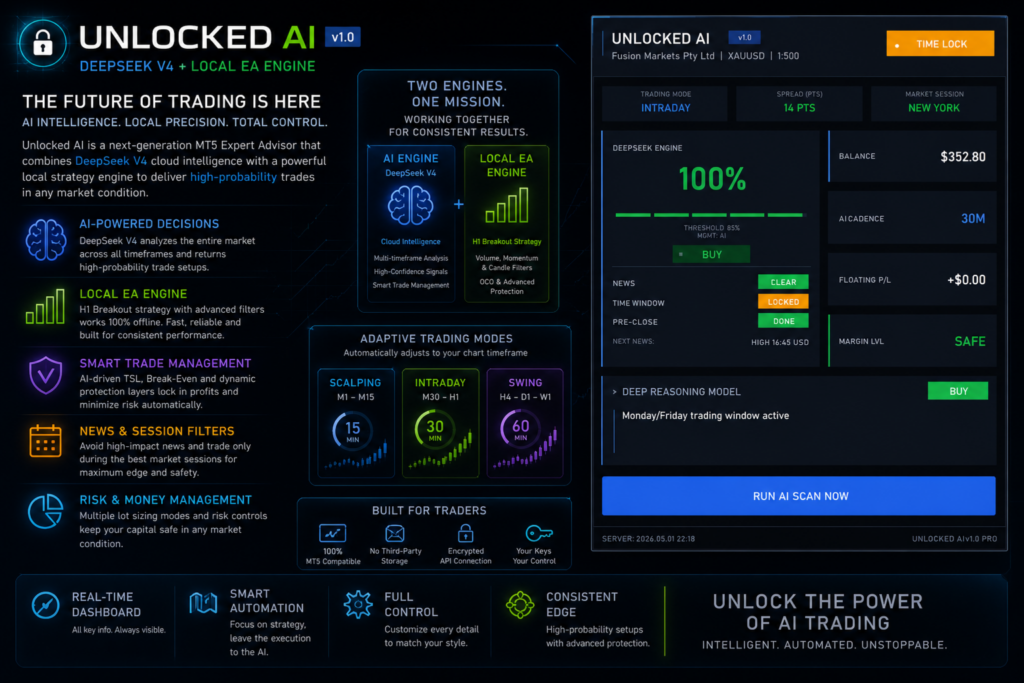
The local strategy filters H1 breakouts through candle quality, volume and momentum conditions. It can operate without cloud access. The AI side sends a market snapshot to DeepSeek on a timer, receives a structured response, and only acts if the confidence threshold and local rules permit it. Each engine has its own enable switch, so turning off cloud trading does not necessarily stop local orders.
The snapshot includes multiple indicator readings from M1 through W1, spread and volatility information, available trade slots, and the AI engine’s open positions and pending orders. The returned proposal can include direction, entry, protective levels and a written reason. This gives the user something to inspect, rather than simply an unexplained buy or sell marker.
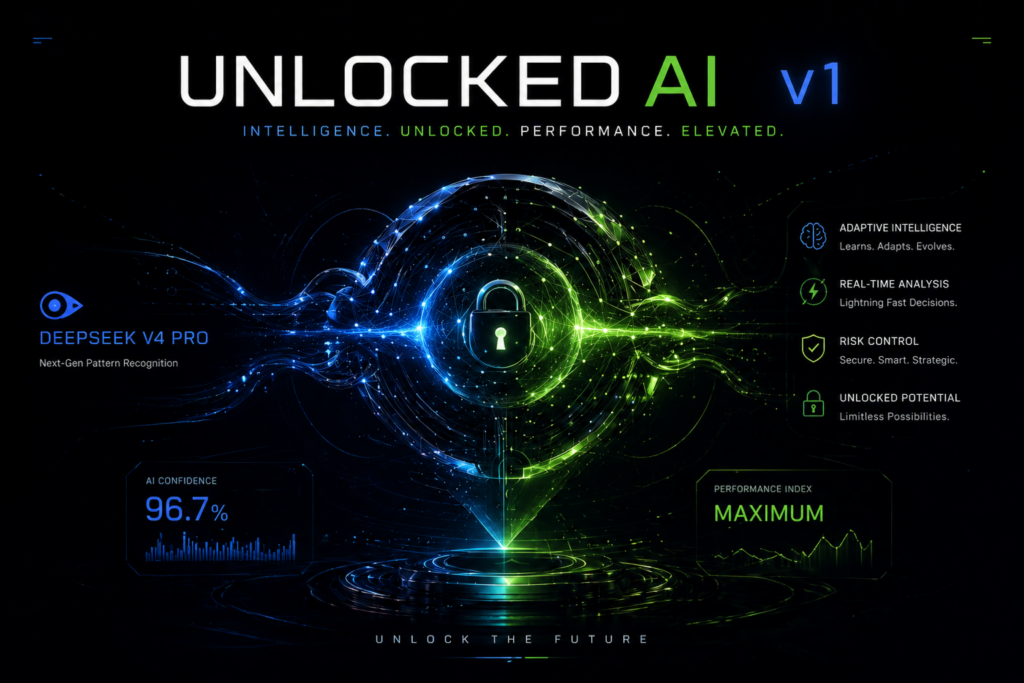
The overview and May 1 user guide describe a confidence threshold of 85. June 4 release notes subsequently introduce mode-aware confidence, so use the supplied build’s actual settings rather than assuming that one number applies to every mode. A score is not evidence that accepted trades win that percentage of the time. Record accepted, rejected and waiting proposals together with execution and net results.
Three chart-driven trading modes
- M1, M5 and M15
- Scalping mode: a 15-minute AI cadence and market orders only.
- M30 and H1
- Intraday mode: a 30-minute cadence, with market and pending orders permitted.
- H4, D1 and W1
- Swing mode: a 60-minute cadence, with pending entries preferred.
Changing the chart period switches the mode immediately according to the overview. That changes more than the appearance of candles: it also changes the applicable stop, target, trailing and scan settings. Keep the timeframe stable during a controlled test and log intentional changes.
The dated user guide needs to be read alongside later release notes and the supplied settings. Model selection and provider response times may also affect when a proposal reaches MT5. An analysis cycle is not instantaneous execution at the price originally observed.
Changes that affect how the controls should be read
The June 4, 2026 release history adds ATR-adaptive stop/target settings, DXY correlation, session ranges and mode-aware confidence. The September 16 entry describes an AI-only slot cap excluding manual trades, tracking by the separate AI/local magic numbers, a broker-safe trailing clamp, and a refreshed dashboard. These notes explain why the older gallery and May guide should not be used as a complete map of the current controls.
The same September entry says the force-scan action bypasses five soft gates without identifying all five. Do not assume a manual scan is merely an early timer tick with identical restrictions. Check its behavior on a demo account before making it part of routine operation. Likewise, a cap that excludes manual trades cannot by itself describe total account exposure.
Position sizing and practical limits
Unlocked offers fixed lots, capital scaling, percentage risk and a custom capital base. Risk-per-trade sizing connects volume to the proposed stop distance; it does not cap total account exposure if both engines can open several trades. Check their combined position limits as well as each individual input.
Break-even and trailing controls can use AI values or manual values. A stop moved to entry still leaves trading costs and execution risk, particularly around gold price gaps. Treat these features as order-management rules rather than a promise that an open trade can no longer lose.
The built-in calendar can block either engine or both around selected news events. Existing trades stay open. Monday and Friday controls address the start and end of the trading week, with optional Friday pending-order cancellation. These settings need the same care as entry signals because they determine when exposure remains on the account.
API access, costs and data
The AI module needs your own DeepSeek key and funded provider account. MT5 must permit requests to https://api.deepseek.com, and the terminal needs a working connection. Provider usage is separately billed and is not bundled into the product purchase.
The May 1 guide names InpDeepSeekAPIKey for the key, InpAI_Enabled and InpLocal_Enabled for the two engines, and InpMaxSpreadPoints for the spread gate. Its troubleshooting separates provider errors from ordinary WAIT decisions: an error calls for checking the allowed URL, key and balance; WAIT can simply mean no acceptable setup. Provider cost estimates in that dated guide are not a fixed or included service tariff.
The listing says the key is held in EA inputs and that market and position information is transmitted for each analysis. Do not share presets containing a private API key. Test the dashboard’s error state and decide how you want the local engine to behave if cloud access becomes unavailable. The ability to run locally does not mean the AI decisions are available offline.
What the backtests and public feedback can establish
The developer explicitly disables the AI engine in Strategy Tester. A good local breakout report is useful for understanding that component’s mechanics, but it is not a test of the cloud decisions, provider latency, rejected requests or combined-engine exposure.
A practical evaluation starts with the local engine alone, then the AI engine alone, and finally the combination using documented settings. Compare accepted signals, actual fills, costs and worst floating loss, not just closed-trade profit. Keep the provider model, account type, symbol specification and testing dates with the record.
One customer’s experience, not an audited result
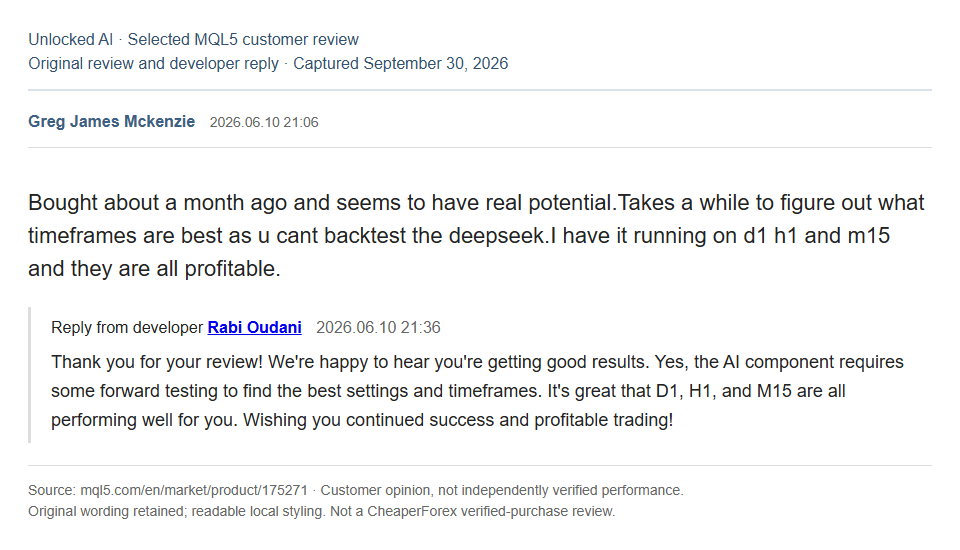
A public MQL5 review dated June 10, 2026 describes encouraging results across several chart periods, while also noting that finding suitable settings takes time because DeepSeek cannot be backtested. The developer’s reply likewise recommends forward testing. That is useful operational feedback, but it supplies neither a complete account history nor evidence that the current build will repeat those results.
Unlocked AI compared with Deep Genesis AI
Deep Genesis AI is another gold-focused EA by Rabi Oudani. Its source emphasizes H4 trend bias, H1 alignment and M15 pullbacks, with AI confidence and support/resistance filters. Unlocked’s distinguishing feature is its explicitly independent local breakout engine and three chart-selected workflows. Neither description establishes superior returns; the more useful choice depends on which workflow you can test and operate consistently.
Sources and evidence scope
This review assesses the developer’s public description, guide, update history and original gallery material as checked September 30, 2026. It is not a CheaperForex live-account test. No independently verified live signal is linked in the reviewed product overview; developer images and a customer comment do not fill that gap.
Unlocked AI MQL5 listing and customer feedback · Developer user guide · Release history