



- Developer source link: GBPUSD Robot Pro MT4 on MQL5
- Live signal link: no product-specific public account identified at our 17 September 2026 check. Developer website
GBPUSD Robot Pro EA MT4 automates GBPUSD M5 trading in MetaTrader 4 with trend, momentum and volatility checks, configurable order limits and individual trade exits. The developer describes the Pro strategy as free of grid and martingale recovery.
A focused GBPUSD setup for MT4
Use this edition with a MetaTrader 4 terminal and the broker’s GBPUSD five-minute chart. It evaluates market structure, support/resistance, momentum and volatility before taking entries during the trading week. Buy-only, sell-only and combined directions are configurable, alongside trading hours and lot size.
- GBPUSD M5 setup for an existing MetaTrader 4 account.
- Take profit, stop loss, trailing stop and break-even controls.
- MaxOrders, news protection and spread/volatility filters.
Watch the chart panel and control open orders
The panel puts daily pips, daily profit, spread and session information beside the chart. MaxOrders defaults to five; choose one if you want only a single open position. Several positions on the same pair can still create concentrated exposure even when the EA does not use a recovery grid.
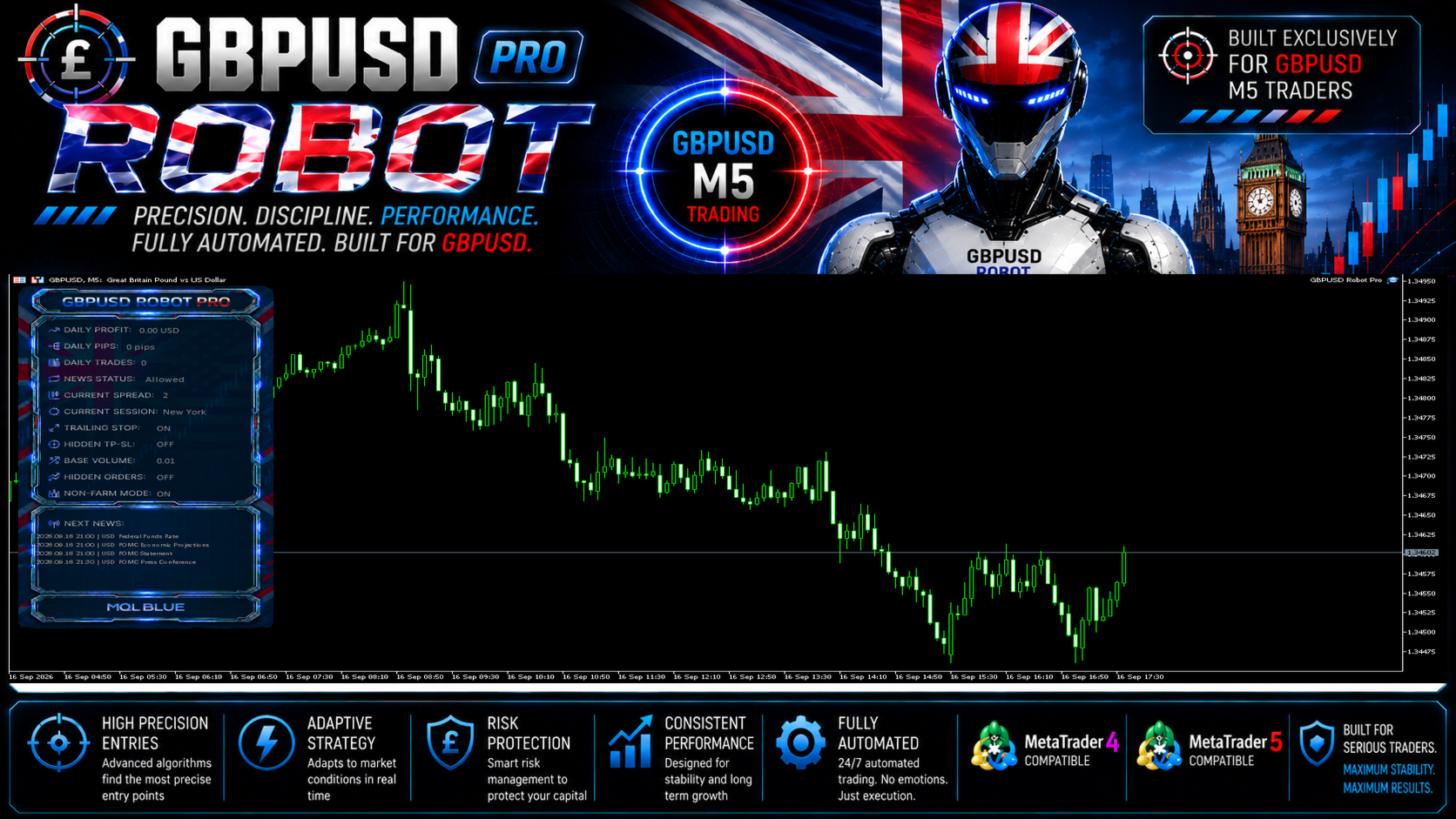
Test the MT4 file in its own environment
The source recommends GBPUSD M5, a 1,000 starting deposit and an Every Tick tester run with current spread. Check broker symbol naming, lot increments and realistic transaction costs before using your chosen lot size. The MT5 executable is a separate edition and cannot replace the MT4 file.
How Pro differs from the older catalogue entry
We also stock the older GBPUSD Robot EA MT4. This is a separate Pro listing with its own developer source and the controls described here. Do not assume the older product’s build, settings or results apply to Pro.
Read the original test report carefully
The developer’s shared gallery contains a Strategy Tester report with 72.10% relative equity drawdown. It also shows smaller drawdown percentages measured differently. The report is a simulation, not a verified live account; the full review explains the figures and evidence limits.
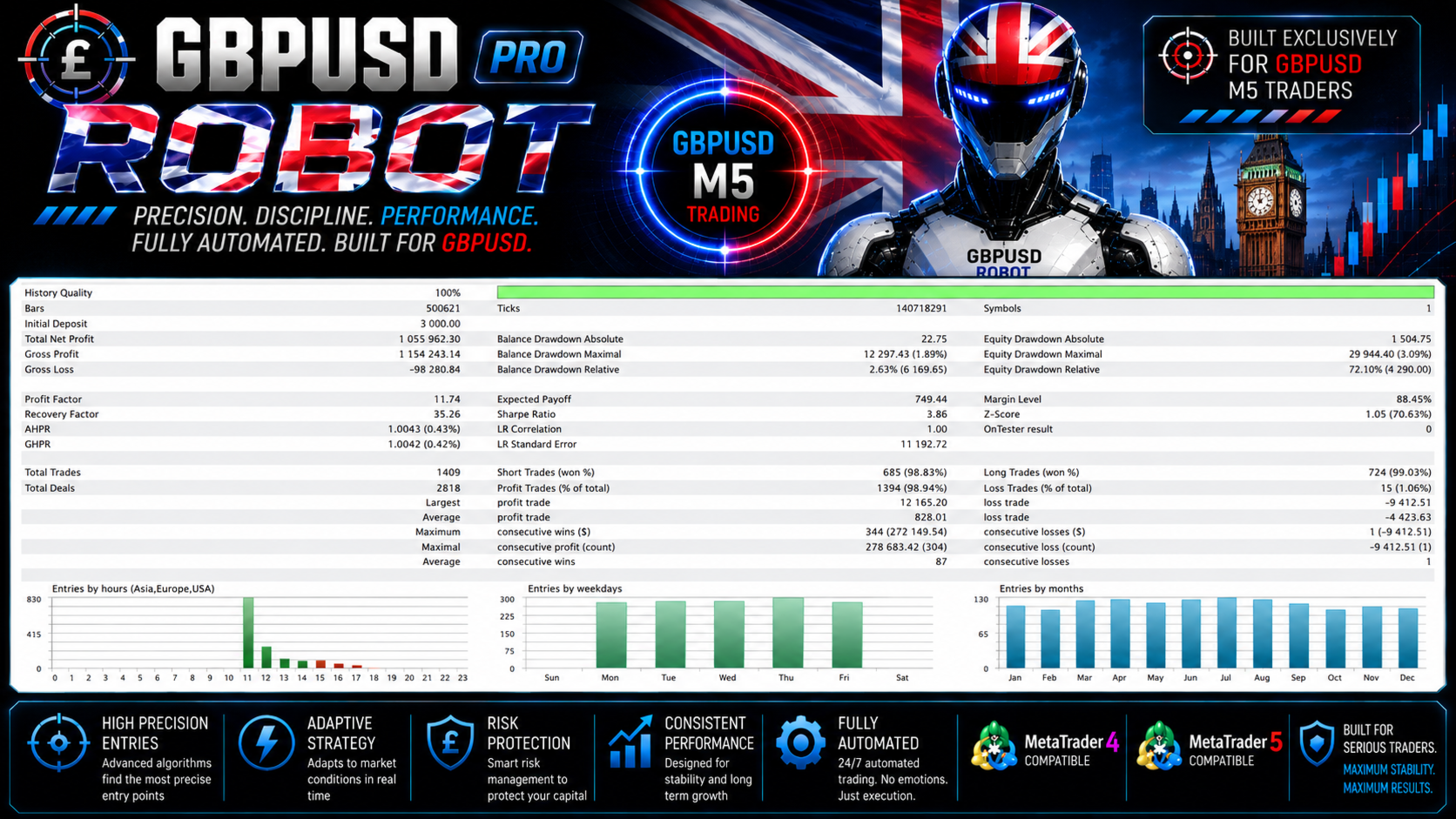
More from MQL Tools
Explore Scalping Robot Pro MT5, Aussie Loonie MT5, or XIRO Robot MT5. They are separate products from the same developer, with their own strategies and evidence.
Read the GBPUSD Robot Pro MT4/MT5 review · View the MT5 edition
Delivery: latest-version standalone file for MetaTrader 4. Your order includes the instructions for obtaining your file.
FAQs
Which pair and timeframe does this edition use?
GBPUSD on M5 in MetaTrader 4, according to the developer.
Does it use grid or martingale?
The developer says it uses neither grid nor martingale and does not increase lots to recover earlier losses. That does not remove ordinary trading risk or the exposure from multiple open orders.
Does it open only one trade at a time?
Not by default. MaxOrders is set to five; setting it to one limits the EA to one open position.
Are the gallery results live?
The shared performance images are developer backtests. We did not identify a product-specific public live account at our 17 September 2026 review.
Is this the older GBPUSD Robot?
No. GBPUSD Robot Pro is a separate listing. The older GBPUSD Robot EA MT4 remains a distinct product.
Which file is supplied?
The latest-version standalone file for MetaTrader 4. Use the delivery instructions supplied with your order.
