GBPUSD Robot Pro EA MT5 is a dedicated M5 currency-pair system with configurable orders, exits and event filters. Its appeal is a focused market and an explicit position-limit control. The buying decision still needs the original report’s substantial relative drawdown, rather than just the much smaller maximal-drawdown percentage.
View GBPUSD Robot Pro EA MT5 features and current pricing
Ready to Buy GBPUSD Robot Pro EA MT5?
$399.96 with crypto · $499.95 by card
✅ GBPUSD M5 Entry Controls
✅ Check the current offer and the platform requirements before purchase.
Official version · Instant download · Free lifetime updates · 7-day money-back guarantee
Our assessment: The developer shares images between the MT4 and MT5 listings. We examine those as common source material, not as two independent platform tests, and we did not identify a product-specific public live signal in the current listing.

Current product check — 24 September 2026
The current configuration allows multiple orders even though the developer describes it as no-grid/no-martingale. MaxOrders is therefore a meaningful buyer control, rather than a cosmetic option. The published images remain shared source material across both platform listings.
What the strategy actually describes
The developer combines price structure, support/resistance, trend, momentum and volatility checks around the GBPUSD five-minute chart. The public description explains the categories of analysis, but does not disclose a reproducible entry formula. It is therefore a description of intended behaviour, not enough information to independently rebuild or validate the algorithm.
Both editions describe weekday operation with adjustable trading hours and direction. The original artwork uses both 24/7 and 24/5 wording, while the listing says Monday to Friday. Treat the published weekday schedule and your configured hours as the relevant setup, rather than assuming weekend Forex trading.
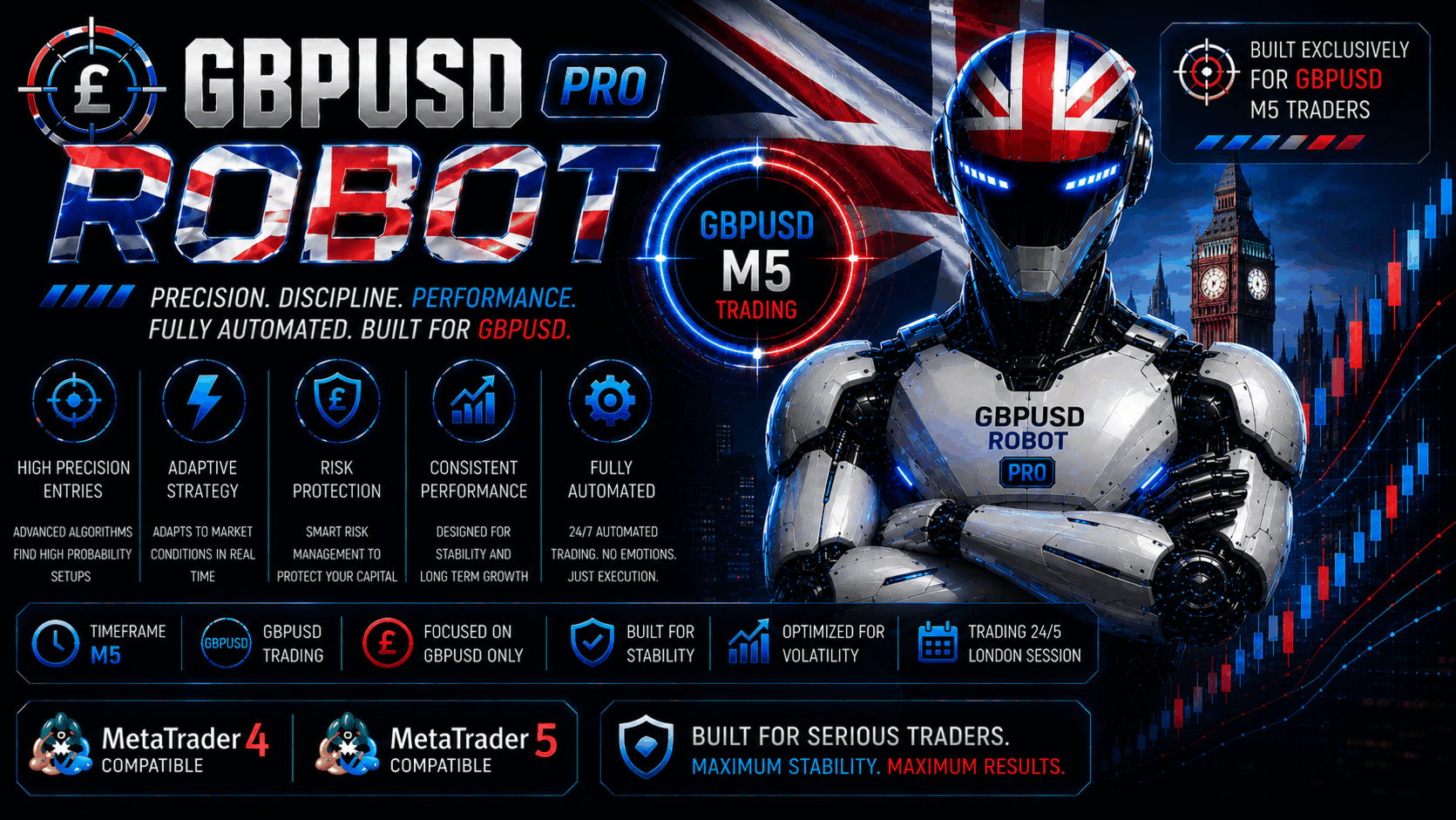
No grid does not mean no concentrated exposure
The developer explicitly rejects grid, martingale and uncontrolled lot increases to recover previous losses. However, MaxOrders defaults to five, not one. Multiple simultaneous GBPUSD positions may all be affected by the same news release or price reversal. Setting the cap to one changes that exposure, but the resulting trade sequence will also differ from a five-order setup.
Take profit, stop loss, trailing stop and break-even are available. Examine which are enabled and how they are configured in the supplied file. The panel screenshot contains a hidden TP-SL status, but a screenshot alone does not establish every order-management path or guarantee that all protection continues after a terminal disconnect.
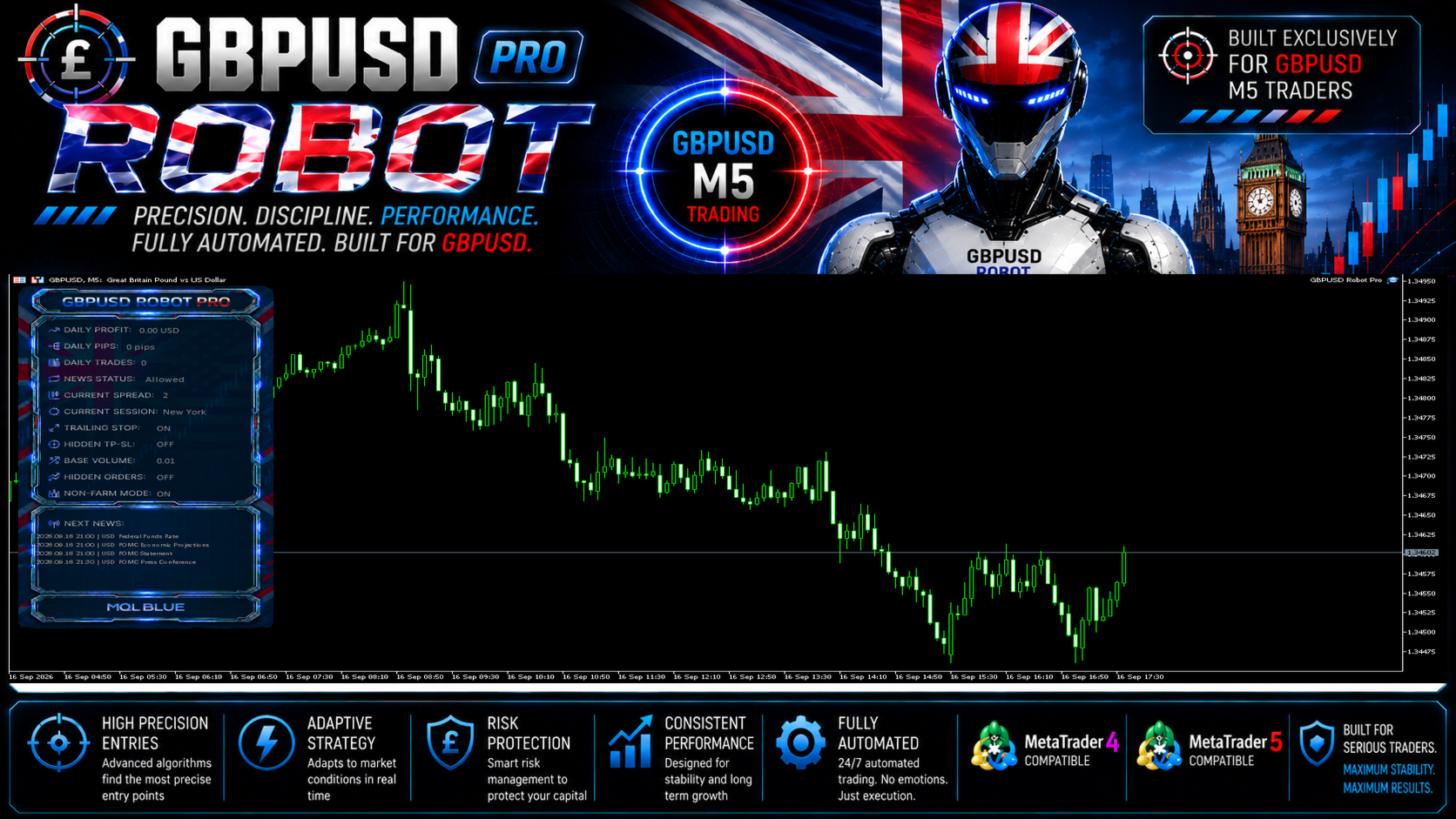
News, volatility and daily-limit controls
The listing describes filters for economic news, spread, abnormal candle movement and market activity. These are entry restrictions: they aim to keep the EA from opening fresh exposure under selected conditions. They cannot guarantee fills at a chosen price during a gap or sudden liquidity change.
Daily profit and maximum-drawdown thresholds are also described as restricting further trading. That is different from documentation of an immediate close-all mechanism. Check the actual configured behaviour, and assess the remaining open positions when a limit is reached.
Original backtest: the drawdown figure that matters
The shared report starts with a 3,000 deposit and shows 1,055,962.30 total net profit, a profit factor of 11.74 and 1,409 trades. It records 1,394 profitable trades, or 98.94%. These are developer simulation results, not audited customer returns. A high win rate does not by itself establish a small loss profile.
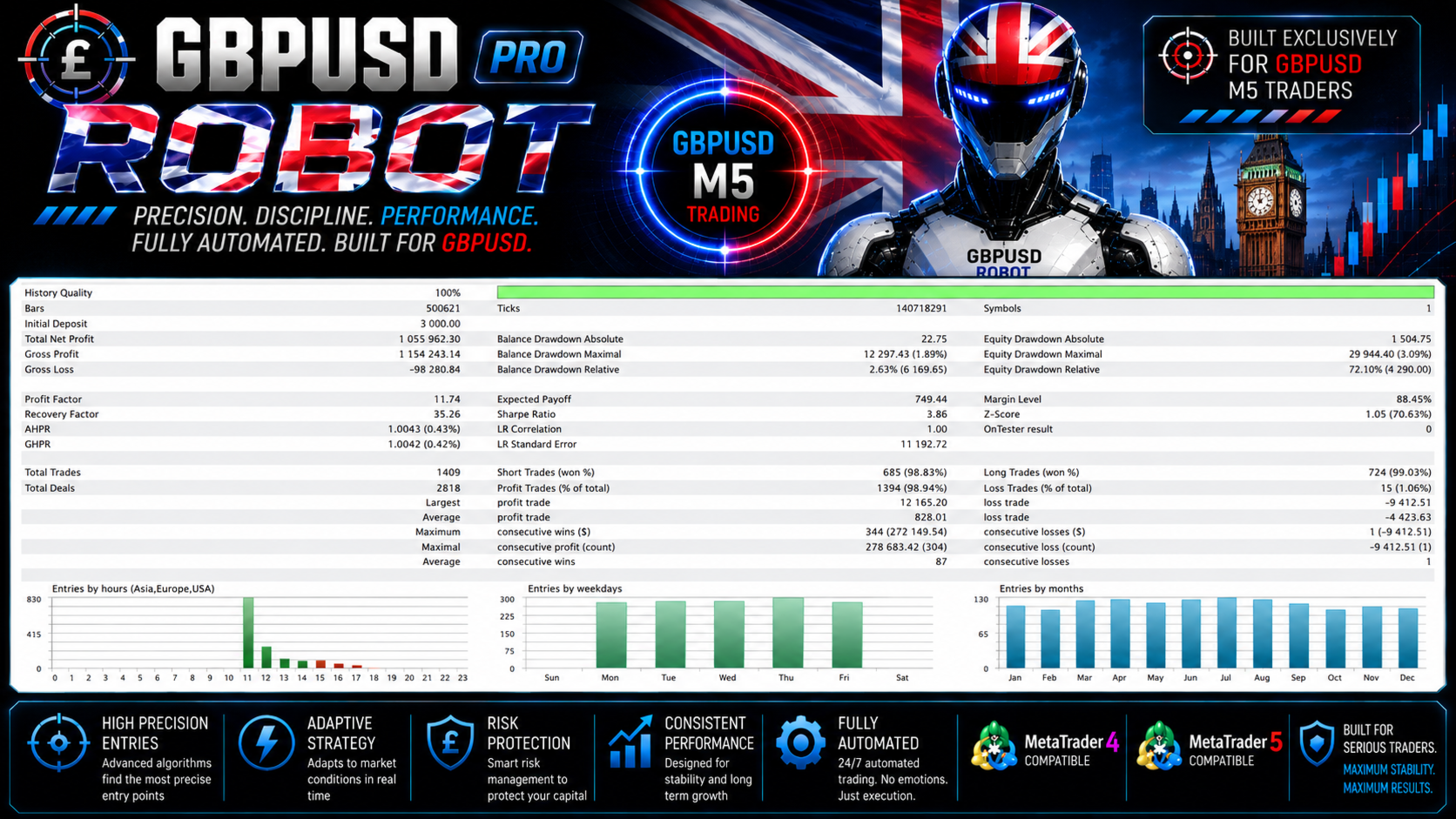
The report lists 72.10% relative equity drawdown, with 4,290.00 shown beside it. The maximal equity drawdown row separately shows 29,944.40 (3.09%). Those rows describe different drawdown measurements; quoting only 3.09% would obscure the much larger relative drawdown recorded elsewhere in the same test. Its balance-relative drawdown is 2.63%, which also does not capture the full floating-equity experience.
Average profit per winning trade is 828.01, while the average losing trade is −4,423.63. That contrast helps explain why a near-99% historical win rate still requires close attention to loss size. The 100% history-quality label concerns the tester data; it is not a certification of live profitability or proof against overfitting.
What the smooth equity graph leaves unresolved
The balance/equity graphic displays dates from 2020 through 2026. Its large final scale can make early proportional swings less obvious. Read it together with the report’s relative drawdown and deposit-load panel, rather than judging risk by the smoothness of the final curve.
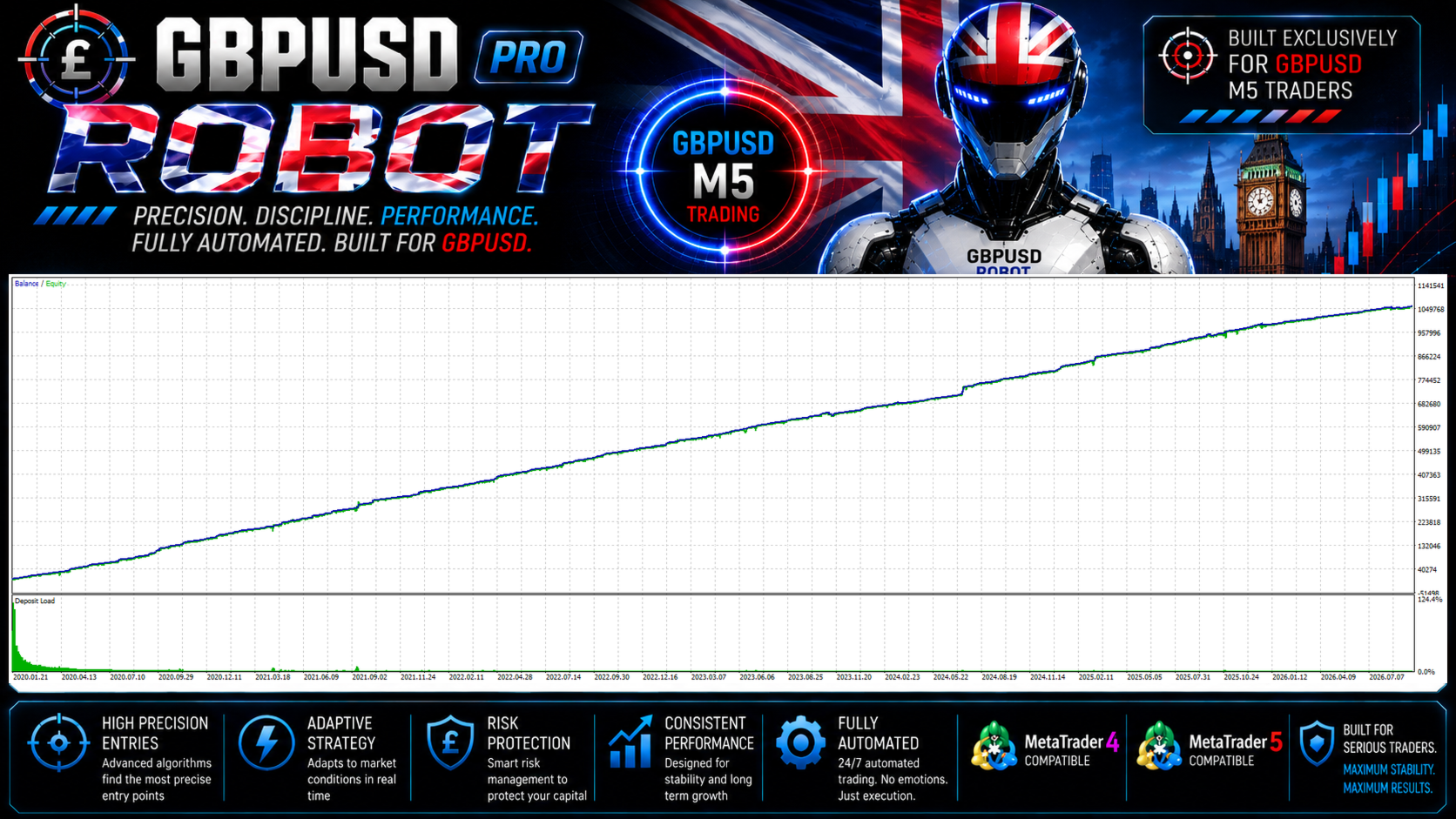
The screenshot does not provide a complete independently reproducible test package with every input, spread model and execution assumption. Both MQL5 editions publish the exact same four gallery files. The report has an MT5-style layout, but their reuse does not establish two independent tests or identical MT4 and MT5 execution.
Live signal and customer-review status
At the 17 September 2026 check, neither listing showed published customer ratings or written reviews. There was therefore no customer-review excerpt to screenshot. The developer says live results are on its website, but our check of the linked site did not identify a GBPUSD Robot Pro-specific public account. Other robots’ accounts and the business’s general service reviews should not be presented as this EA’s trading record.
This is an evidence gap, not proof that no private account exists. Until a specific account can be inspected, the public gallery should remain labelled as developer-supplied simulations and interface material. Both product listings were published on 16 September 2026, so the age of the backtest is not the age of public customer use.
MT4 or MT5: choose the terminal you actually use
The strategy descriptions are aligned: GBPUSD M5, configurable filters, up to five orders by default and individual trade-management controls. The MT4 edition is for an existing MetaTrader 4 account; the MT5 edition requires MetaTrader 5. There is no documented platform-specific edge that justifies claiming one automatically earns more.
- MT4: the listing’s tester notes specify a 1,000 deposit, GBPUSD M5, Every Tick and current spread. Confirm realistic spread and cost assumptions for the period being tested.
- MT5: test the MT5 file on GBPUSD M5 with the intended lot size and broker specifications. Do not treat the shared gallery as a substitute for testing that configuration.
- Both: review aggregate open exposure, news-filter operation, lot increments and terminal uptime before moving from demo to live. The stated minimum deposit is not a guarantee against a losing sequence.
The developer describes a ten-language manual supplied privately to direct Market buyers. No public downloadable product manual or separate release-history tab was available at the check. We have not represented access to the developer’s private support group as part of the CheaperForex offer.
Related MQL Tools products already on CheaperForex
The older GBPUSD Robot EA MT4 is a separate catalogue entry, not an interchangeable Pro build. For other products from the same author, compare Scalping Robot Pro MT5, Aussie Loonie MT5, XIRO Robot MT5. Each has its own market coverage, settings and supporting evidence.
Related reading: Scalping Robot Pro review · XIRO Robot review · Scalping Index Pro review
Verdict
GBPUSD Robot Pro offers a clear single-market focus and a useful set of entry and exposure controls. The original gallery makes the interface and developer test visible, but the 72.10% relative equity drawdown and absence of a product-specific live account deserve more weight than the promotional stability claims. Choose the matching terminal edition and evaluate the current settings on their own merits.
See GBPUSD Robot Pro MT5 and current pricing · Choose GBPUSD Robot Pro MT4