
New MT5 arrival
ChronomaX EA MT5
Latest version
ChronomaX EA MT5 trades EURUSD with an adaptive grid, adjustable position sizing and basket management.
- Fixed or balance-based starting lots and configurable volume progression.
- ATR-based spacing, position limits and basket targets.
- Spread, news and trading-time filters.
 MT5Save 40%
Regular priceRegular price was $500.00
$299.95 with card
Visa, Mastercard, Apple Pay and Google Pay accepted.
Card payments add bank fees, sales taxes and other charges.
- Latest version
- Instant downloadYour file is provided immediately after payment. In very rare cases we manually review an order first, then send your download straight after. If you don’t receive your file, you can request a full refund.
- Updates when availableAll updates are free. They’re provided on a best-availability basis: we get new versions as fast as we can, led by customer demand, but we don’t guarantee them immediately. If you need every update the moment it’s released, our service may not be the best fit for you.
- 7-day money-backRefunds only cover an EA that fails to attach to your chart because of errors we can replicate. We don’t cover changing your mind or not liking the EA. All brokers are different, and results are never promised because markets are constantly changing.
- Unlimited activationsUse it on as many MT5 accounts and computers as you want, live or demo. There are no restrictions on how you use it.
Source code (.mq5) available at checkout.


28,000+ tradersServed since 2019
Orders over $300 include 3 months of PrismAlgo freeThe highly recommended cloud-connected EA for 28 FX pairs, Gold and Bitcoin. Added to your cart automatically. View PrismAlgo
Official versionsInstant downloadUpdates when availableExtra 20% off with cryptoReal people on support28,000+ tradersTrading since 2019Rated Excellent on Trustpilot
Product description
About ChronomaX EA MT5
ChronomaX EA MT5 trades EURUSD using an adaptive grid: it manages a basket of positions, adjusts entry spacing and controls how volume builds as prices move. It is for traders who specifically want configurable averaging and can monitor the exposure that develops during an adverse trend.
Read our ChronomaX strategy and trading-record review for the lot-sizing analysis, dated account evidence and setup considerations.
Control the basket, not just the first entry
The public TickStack guide documents fixed or balance-based starting lots, linear or exponential volume progression, ATR-based spacing, maximum positions and basket profit targets. Those choices interact: changing the starting lot alone does not define the maximum risk of a completed grid.
- Entry conditions: spread, news and trading-time filters help restrict when new exposure is opened.
- Basket sizing: choose the progression and position limits before running the strategy.
- Exit planning: inspect the money target, cost handling and account-protection settings together.
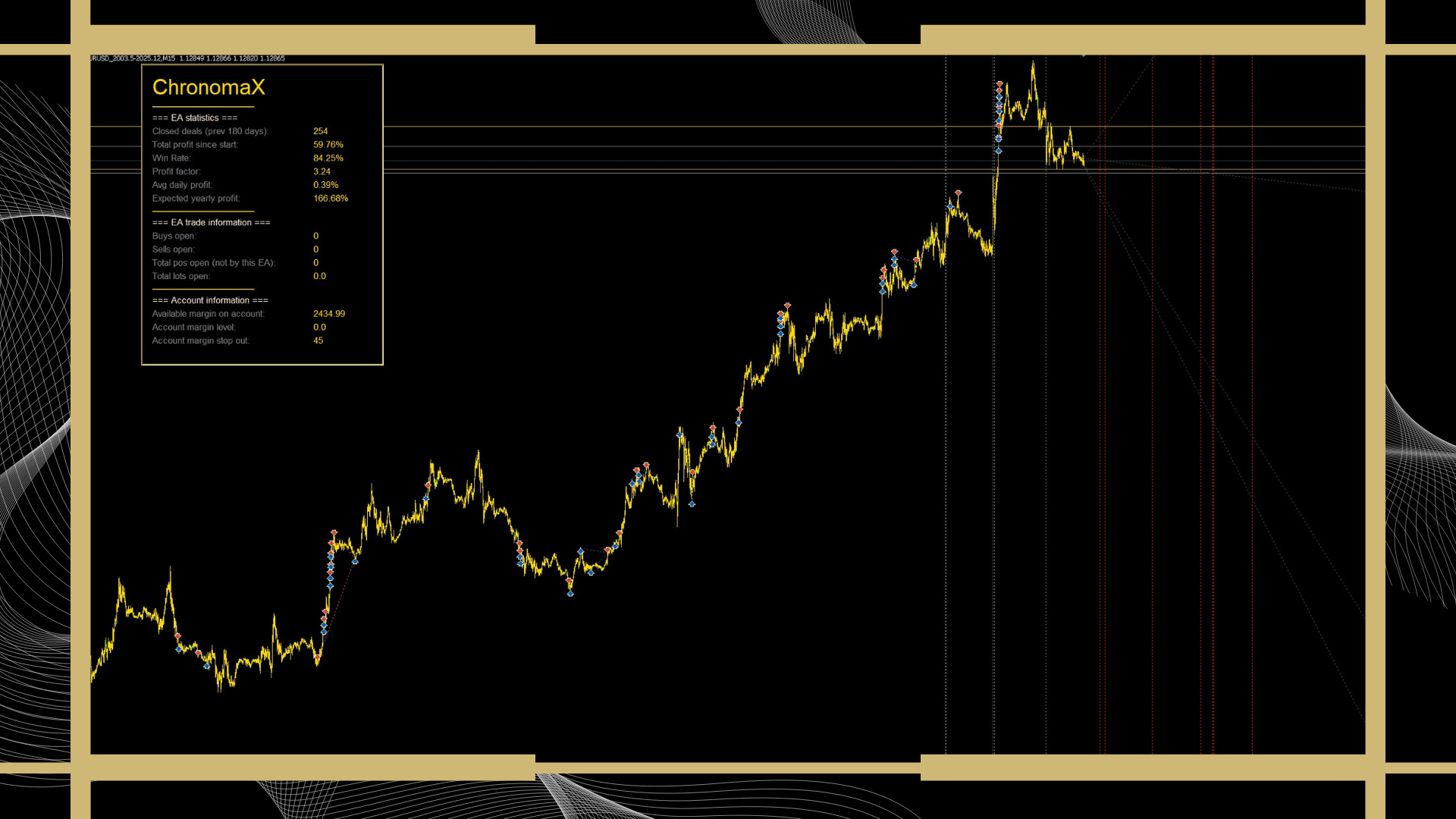
EURUSD setup essentials
- Platform and market
- MetaTrader 5, EURUSD. This file does not run in MT4.
- Chart period
- The developer says the chart timeframe does not matter.
- Published account minimum
- $1,000 and 1:500 leverage. These are source requirements, not a guarantee of sufficient loss capacity.
- Starting exposure
- The ChronomaX listing advises AutoLot no higher than 1. Test the whole basket on your broker before using real funds.
- Operating checks
- Confirm the EURUSD symbol suffix, contract size, minimum volume, margin, spreads and overnight charges.
Keep the trading terminal connected while the EA manages positions. On demo, check what happens when a filter blocks entries, the connection restarts or a protection threshold triggers. A VPS supports uptime; it does not prevent strategy losses. The shared manual covers several TickStack products, so its example symbols should not replace ChronomaX’s EURUSD instruction.
A public record with substantial drawdown
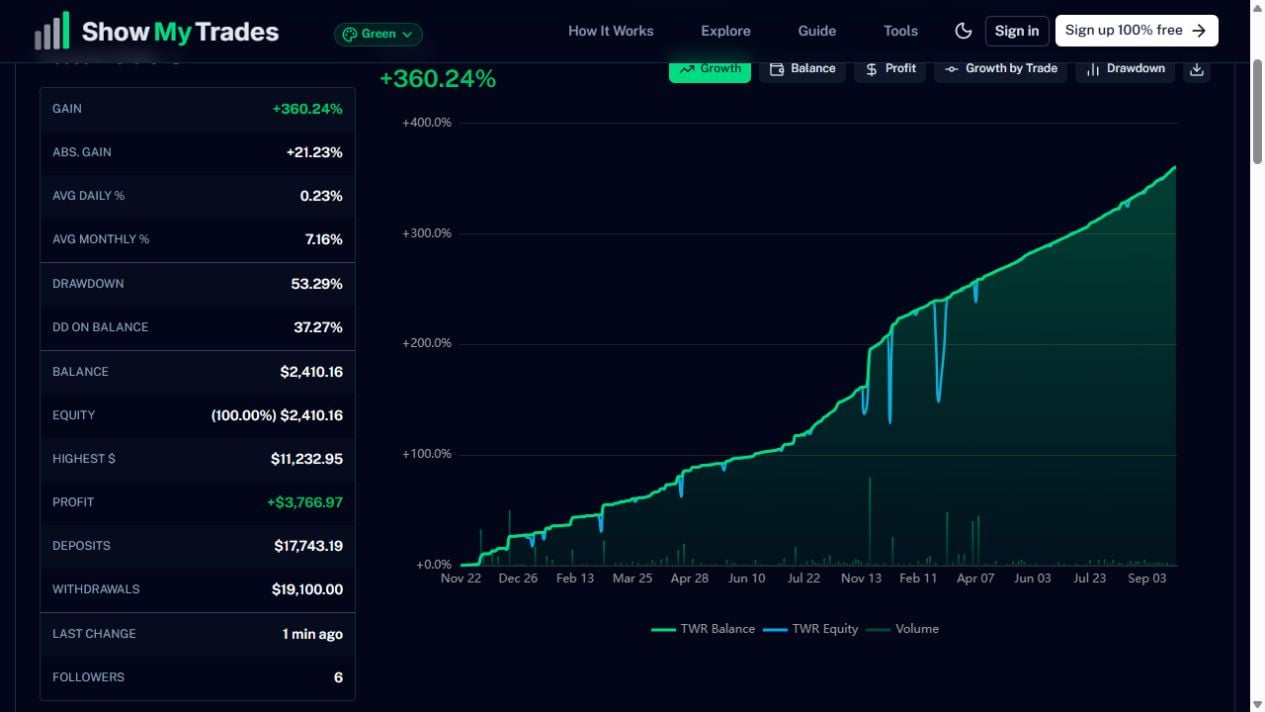
The dated account snapshot is useful because its equity line and funding figures can be inspected together. It also makes the key trade-off clear: this is an averaging strategy that has experienced substantial floating losses. Read the linked review before treating the growth curve as a reason to increase exposure.
Grid additions can improve a basket’s average entry while increasing the amount at risk. A persistent one-way market can exhaust margin or trigger a large loss. Neither an AI label nor a news filter removes that possibility, and this offer does not guarantee compliance with a prop firm’s rules.
What is included
The ChronomaX MT5 standalone offer comes with email setup help. The public developer guide is linked below for input explanations; a private preset collection, developer membership or direct-market promotion is not promised. 7-day money-back guarantee if it fails to install or run. Trading results are not covered.
For a different multi-pair grid design, see Boring Pips EA MT5. It is from a different developer; comparing the markets and exposure rules is more useful than comparing headline returns alone.
Verify it yourself
- ChronomaX MQL5 specifications and customer feedback.
- TickStack shared grid-system user guide and the developer’s grid-risk explanation.
- ChronomaX public trading record on ShowMyTrades.
- ChronomaX developer release history.
Delivery and updates: follow the product-specific instructions in your account after checkout to obtain your standalone file. The immediate DeliveryInformation.txt download is an instructions document, not the EA executable. Future file updates are included when we receive them; availability may lag the developer’s release.
Every order
What’s included with ChronomaX
- Instant downloadReady after checkout and kept in your account
- Updates when availableProvided free when we receive them; release timing varies
- Unlimited activationsUnlimited live and demo accounts
- Setup helpReal people on Telegram or email
- 7-day money-back guaranteeIf the EA fails to attach to your chart because of errors we can replicate, you get a full refund.
Product FAQs
ChronomaX EA MT5 FAQs
Real people on support, by Telegram or our contact form.
Which market does ChronomaX trade?
ChronomaX is a MetaTrader 5 EA for EURUSD. The developer says the chart timeframe is irrelevant. It is not an MT4 file.
Does ChronomaX use a grid?
Yes. It manages baskets with adjustable spacing and position sizing. Adding positions increases exposure, and a sustained adverse move can produce a large loss or exhaust margin.
What account requirements does the developer give?
The source lists a $1,000 minimum balance and 1:500 leverage. These requirements do not guarantee safety. Confirm broker volume, margin and symbol settings, and test the complete basket on demo.
Does the public trading record guarantee my results?
No. The linked ShowMyTrades account is a dated external record, not a CheaperForex test of your file, broker or settings. Read the review for drawdown, cash-flow and verification context.
Where can I find input explanations?
The description links to the public TickStack grid-system guide. It covers shared controls; use ChronomaX-specific EURUSD instructions and verify the inputs in your supplied file. Private presets or developer memberships are not promised.
How are the file and future updates supplied?
Follow the product-specific delivery instructions in your account after checkout. The immediate DeliveryInformation.txt download is an instructions document, not the EA executable. Future file updates are included when we receive them; availability may lag the developer’s release.
- Excellent on Trustpilot 4.6 out of 5 from 120 reviews (opens in a new tab)
- 28,000+ traders since 2019
- 1,180+ official EAs
- Card or crypto payments
Related EAs
Traders also explore
Premium expert advisors at vault-low prices, with your crypto price on every card.
 MT5Save 50%
 MT5Save 40%
 MT5Save 60%
 MT4Save 70%
Ready when you are
ChronomaX EA MT5 for $239.96 with crypto
Regular price was $500.00 · $299.95 with card · instant download · updates when available

ChronomaX EA MT5$239.96with crypto$299.95 with card