EUR Machine Pro EA MT5 is an EURUSD M5 system whose 115-feature model feeds separate buy and sell decisions across four market regimes. Its EUR-specific quality layer includes filtering of weak model hours, with stops, targets and time exits calibrated for that model. This review focuses on those selection controls and on what the unusually strong historical test does—and does not—establish.
View product details and current pricing.

- Official listing: EUR Machine Pro EA MT5 on MQL5
- Public track record: none specific to this EA verified at our check.
- Developer manual: EUR Machine Pro PDF in ZIP archive
This assessment uses the listing, public 31-page EUR manual and gallery checked on 16 September 2026. We have not traded the executable or reproduced the developer’s simulation. The purchase links lead to CheaperForex, which sells this product.
EUR-specific models, rather than a shared preset
The manual distinguishes EUR Machine Pro from its GBP companion at the model level: it has 115 features, dedicated EUR forests, separate thresholds and its own regime-and-direction exit profiles. The products share an interface style and broad design, but their numerical decisions are not interchangeable. Increasing the feature count from 70 to 115 is not, on its own, evidence of better prediction.
A completed M5 candle supplies the market context. The classifier chooses among trend/range and high/low-volatility combinations; independent buy and sell models then evaluate their respective opportunities. This gives eight possible directional paths. It is possible for neither side to qualify, and a high score on one side does not override the rest of the entry conditions.
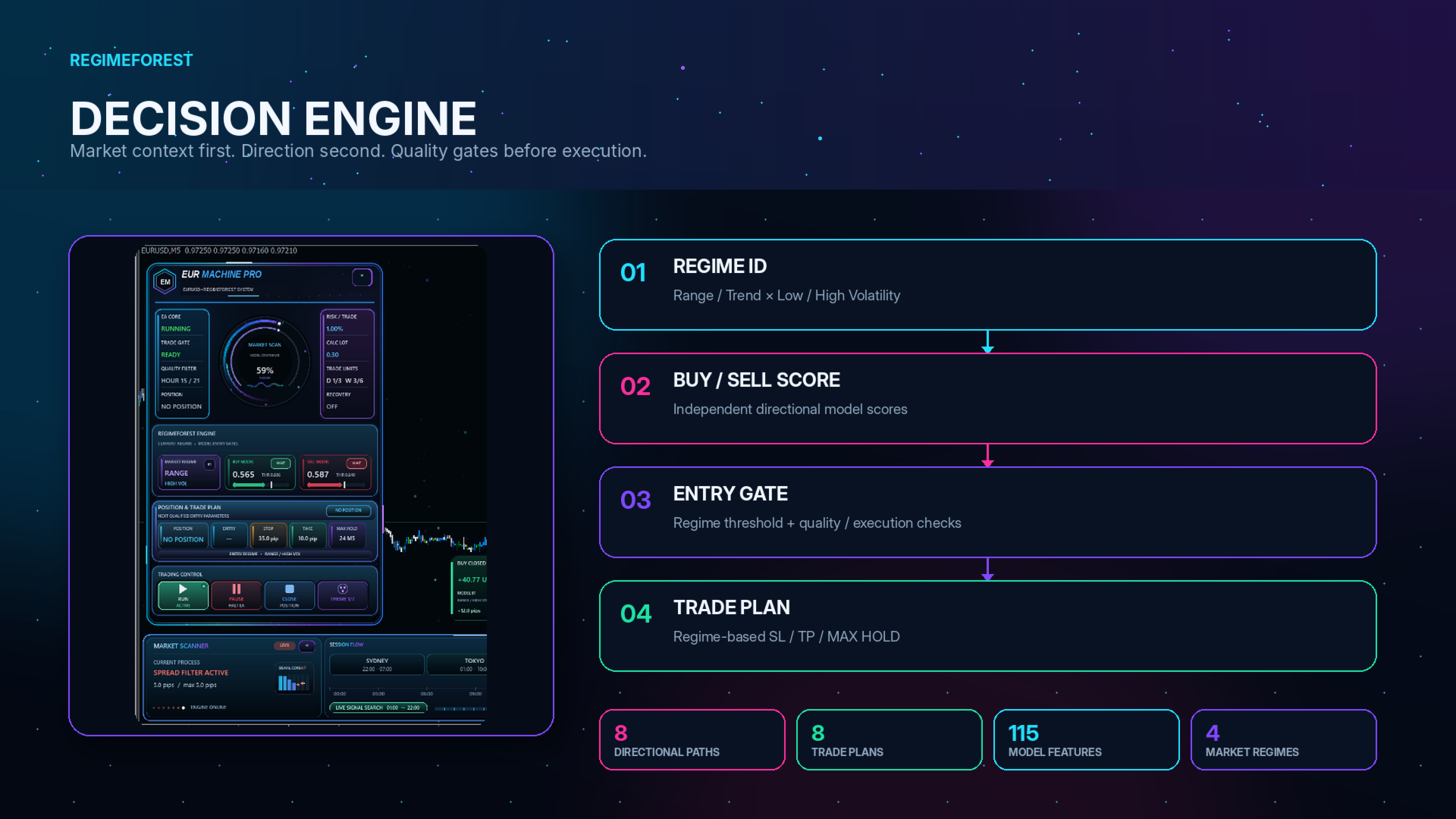
The quality layer is central to the EUR design
The EUR documentation describes additional filtering of weak model hours alongside its dedicated quality logic and confidence normalisation. That makes the meaning of “when it trades” more specific than a simple all-day currency robot. A model may see a candidate while the quality layer still declines the entry.
The practical question is whether that selectivity remains useful on prices that were not used to choose the model and its filters. Restricting weak historical hours can improve a test while also fitting the past more closely. The public material does not expose enough train/test separation to settle that question. Keeping the original defaults for initial evaluation avoids adding another round of user-selected optimisation before the baseline has been understood.
Read a proposed trade as a complete plan
Each accepted regime/direction has its own stop-loss, take-profit and maximum-hold profile. The plan is retained after entry, so a subsequent market classification does not silently substitute another exit geometry. Auto Risk uses the trade’s stop distance to size volume; a fixed lot preserves the underlying entry and exit decisions but changes the account exposure.
The one-position limit is useful for understanding concurrent exposure. It does not fully explain the Recovery status shown in the manuals, or justify a blanket statement about sizing after a losing trade. For EUR evaluation, note the initial lot, selected plan and eventual exit reason together. A time-limit exit and a price-stop exit reveal different aspects of the system’s behaviour.
The published EUR test is not a matched comparison with GBP
The developer’s 2000–2026 control simulation uses 1% Auto Risk and reports 2,679 trades, profit factor 13.58, 96.75% winners and 1.69% relative equity drawdown. Relative balance drawdown is reported separately as 1.29%, with 98% history quality. The images below are the original developer material; these numbers have not been independently reproduced here.
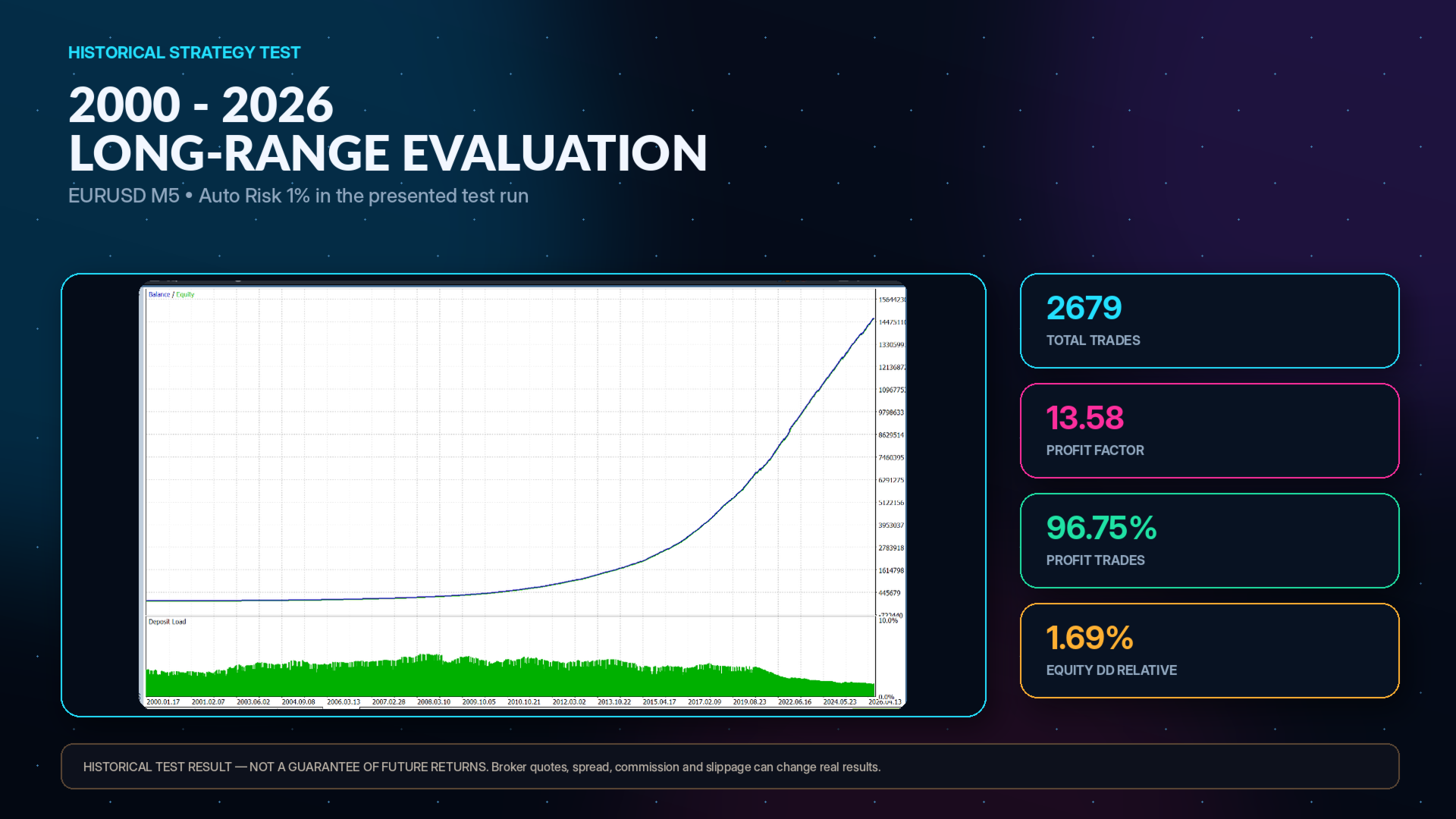
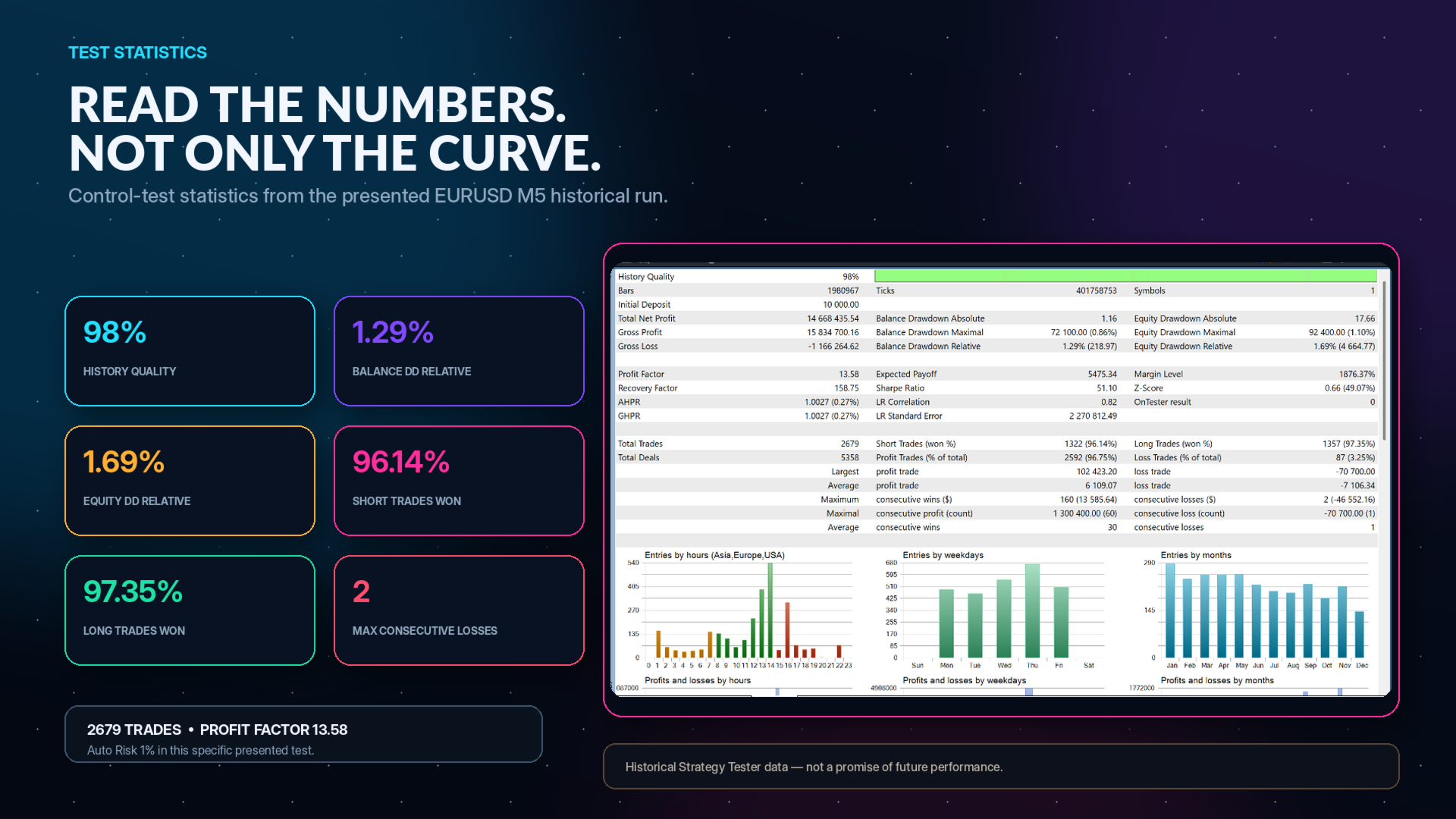
GBP’s displayed run uses 0.5% Auto Risk, so comparing the final gains from those two reports would mix model differences with different sizing assumptions. A useful comparison would first align risk, test dates, data and costs. The higher EUR win rate also says little about the size and timing of the losing trades or how the fitted model behaves after its research period.
A 26-year date range provides a large historical canvas, but cannot by itself prove that the model was evaluated on unseen data. The public EUR documentation does not identify a sufficiently clear held-out period for that claim. Reproduction should preserve the settings and inspect shorter subperiods, transaction-cost sensitivity and subsequent observations, rather than optimise until a similarly smooth curve appears.
What the chart panels help you verify
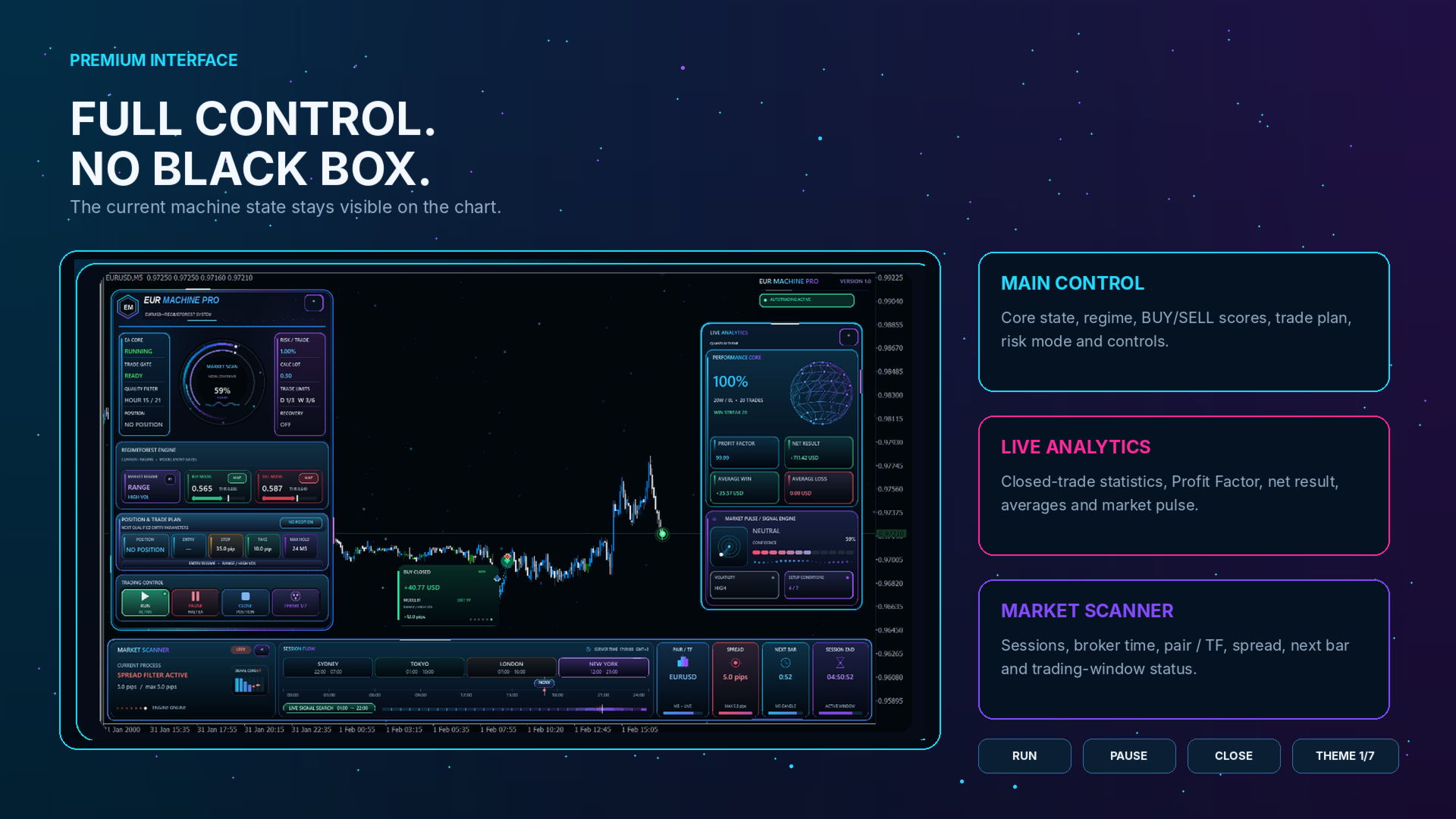
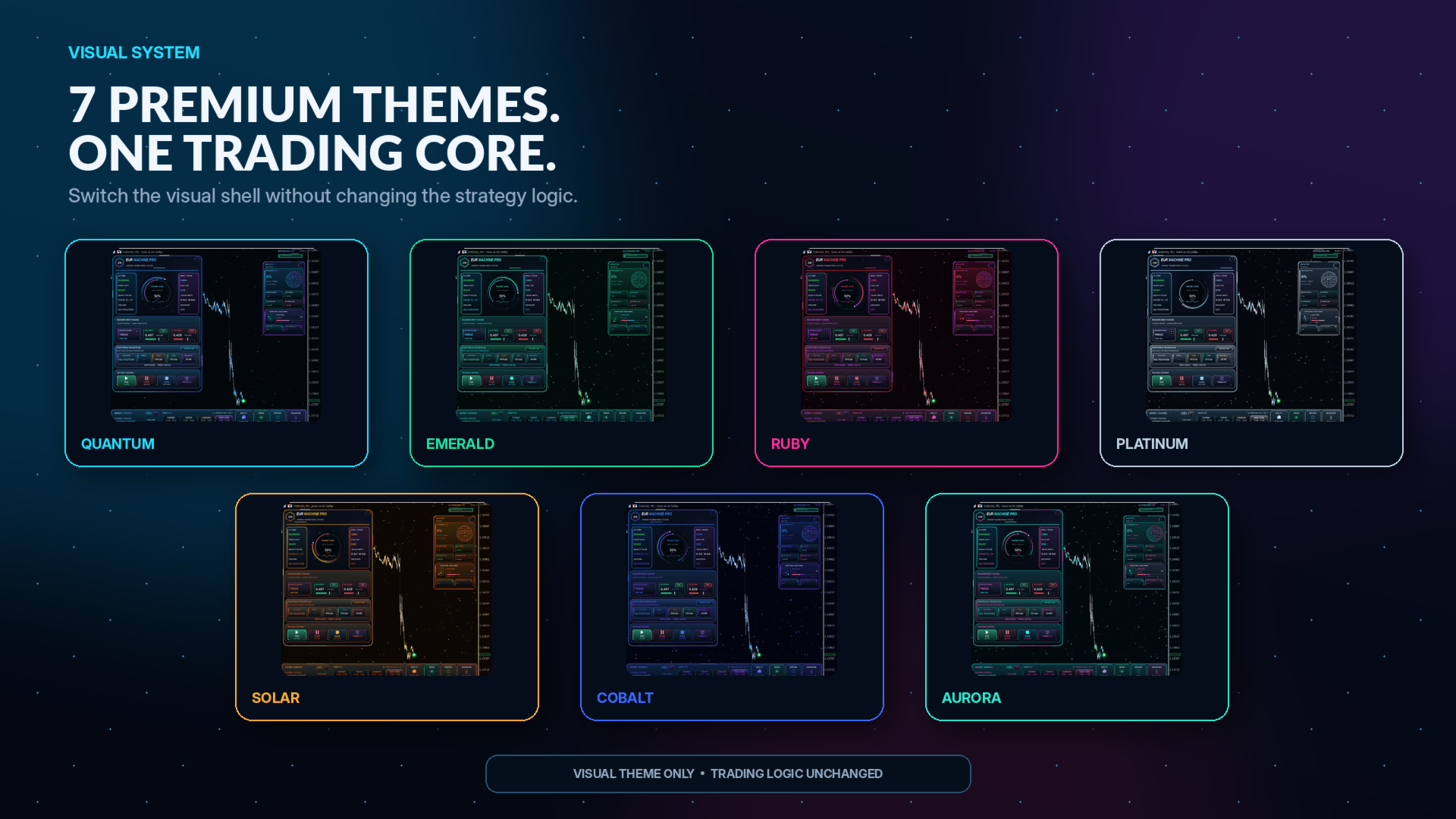
The main view displays the regime, directional scores, trading gates and active plan. The analytics panel summarises trades associated with the Magic Number, while the scanner shows timing and upcoming M5-bar information. Together these can help explain why a system is waiting or why a particular plan was chosen. A confidence percentage shown by the EA is an internal model output, not a guaranteed chance of winning.

Prepare a reproducible EURUSD baseline
Use EURUSD M5 and retain the documented strategy defaults for the first test. Record whether you selected Auto Risk or Fixed Lot, and check the broker’s minimum volume and lot increment. A nominal percentage can translate imperfectly on a small balance; the listed $100 minimum does not guarantee that every chosen percentage is feasible.
Set time from the broker’s MT5 server, not the computer’s local clock. The developer’s example uses a +2 winter offset and DST for a server that becomes +3 in summer. This deserves attention when evaluating time-sensitive filters: an incorrect clock can change which conditions are sampled. A VPS is recommended for reliable monitoring and time-based management.
Evidence gap and who this suits
At the 16 September source check there was no product-specific public EUR signal or written customer feedback. Accounts for Aurum or ORIX cannot stand in for EURUSD forward verification. Local embedded execution avoids a cloud-AI subscription, but it also means the stored model—not a newly trained strategy on the customer account—is responsible for each decision.
EUR Machine Pro suits someone willing to investigate a selective EURUSD model and to use its interface as an audit aid. The main unresolved issue is forward robustness after feature, hour and threshold selection. The developer-direct offer of the companion GBP product is not included here as an automatic bundle entitlement; the CheaperForex products are sold separately.
Compare the developer’s other models
These existing links cover the separate currency and gold systems; compare their evidence and account exposure rather than the common visual branding.